

v1.0.7
date_range_picker
날짜 범위 선택기는 모바일에서 날짜 범위를 선택하기 위해 대화 상자를 사용합니다.
119좋아요 79630일 다운로드25Pub 점수
플랫폼 정보 없음
Flutter 날짜 범위 선택기는 모바일에서 날짜 범위를 선택하기 위해 대화 상자 창을 사용합니다.

아래는 영문 원문 스냅샷입니다. 최신 내용은 GitHub에서 확인하세요.


Currently Flutter has supported date range picker, so I think my mission is done. Thanks for using my lib. Link: https://api.flutter.dev/flutter/material/showDateRangePicker.html
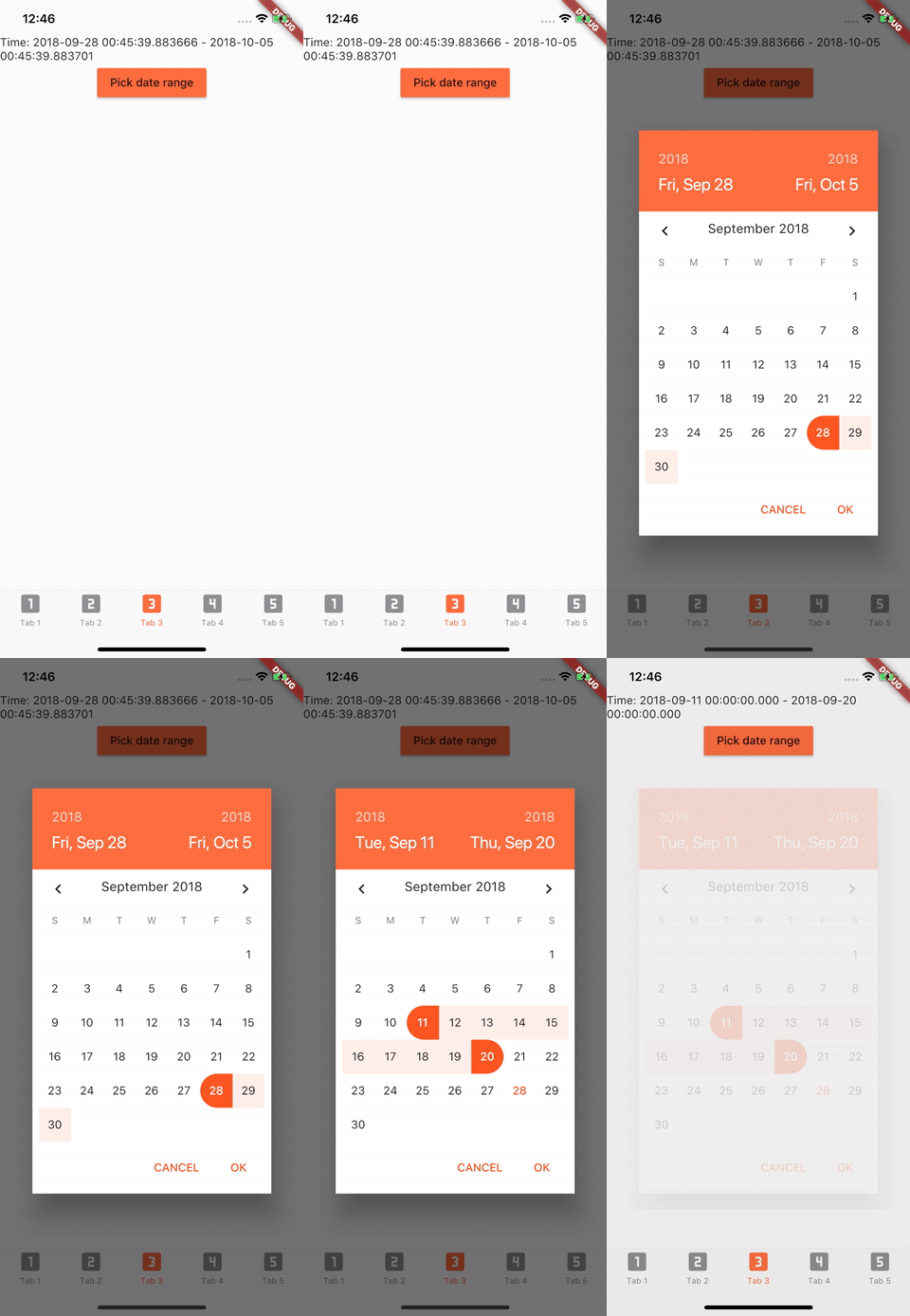
Add to pubspec.yaml in dependencies
date_range_picker: ^1.0.5
import 'package:date_range_picker/date_range_picker.dart' as DateRagePicker;
...
new MaterialButton(
    color: Colors.deepOrangeAccent,
    onPressed: () async {
      final List<DateTime> picked = await DateRagePicker.showDatePicker(
          context: context,
          initialFirstDate: new DateTime.now(),
          initialLastDate: (new DateTime.now()).add(new Duration(days: 7)),
          firstDate: new DateTime(2015),
          lastDate: new DateTime(DateTime.now().year + 2)
      );
      if (picked != null && picked.length == 2) {
          print(picked);
      }
    },
    child: new Text("Pick date range")
)
To change the colors to your preferred ones, you can wrap it in a Theme and a builder.
Theme(
    data: Theme.of(context).copyWith(
        accentColor: Colors.green,
        primaryColor: Colors.black,
        buttonTheme: ButtonThemeData(
        highlightColor: Colors.green,
        buttonColor: Colors.green,
        colorScheme: Theme.of(context).colorScheme.copyWith(
            secondary: Colors.red,
            background: Colors.white,
            primary: Colors.green,
            primaryVariant: Colors.green,
            brightness: Brightness.dark,
            onBackground: Colors.green),
            textTheme: ButtonTextTheme.accent)),
            child: Builder(
                builder: (context) => RaisedButton(
                    color: Color.fromRGBO(212, 20, 15, 1.0),
                    shape: RoundedRectangleBorder(borderRadius: BorderRadius.circular(30.0)),
                    child: Padding(
                        padding: const EdgeInsets.only(top: 10.0, bottom: 10.0, left: 30.0, right: 30.0),
                        child: Text(
                          "Date Picker",
                          style: TextStyle(
                            color: primaryColor,
                            fontSize: 28,
                            fontWeight: FontWeight.w300,
                          ),
                        ),
                      ),
                      onPressed: () async {
                        final List<DateTime> picked = await DateRangePicker.showDatePicker(
                            context: context,
                            initialFirstDate: new DateTime.now(),
                            initialLastDate: (new DateTime.now()).add(new Duration(days: 7)),
                            firstDate: new DateTime(2015),
                            lastDate: new DateTime(DateTime.now().year + 2));
                        if (picked != null && picked.length == 2) {
                          print(picked);
                        }
                      },
                    ),
                ),
            )
의존성 목록 2 개
{"sdk":"flutter"}{"sdk":"flutter"}사용 목적에 따라 검색하고 개발 활동을 비교한 뒤 원본 저장소에서 요구 사항을 확인하세요.
“A repository is the most basic element of GitHub.”
GitHub Docs — About repositories ↗