

 v1.0.3
profile_photo
배지가 있는 프로필 사진을 표시하는 간단한 Flutter 패키지
13좋아요 10830일 다운로드160Pub 점수
AndroidiOSWebmacOSWindowsLinux
bradv123/profile_photo open-source repository details.

아래는 영문 원문 스냅샷입니다. 최신 내용은 GitHub에서 확인하세요.
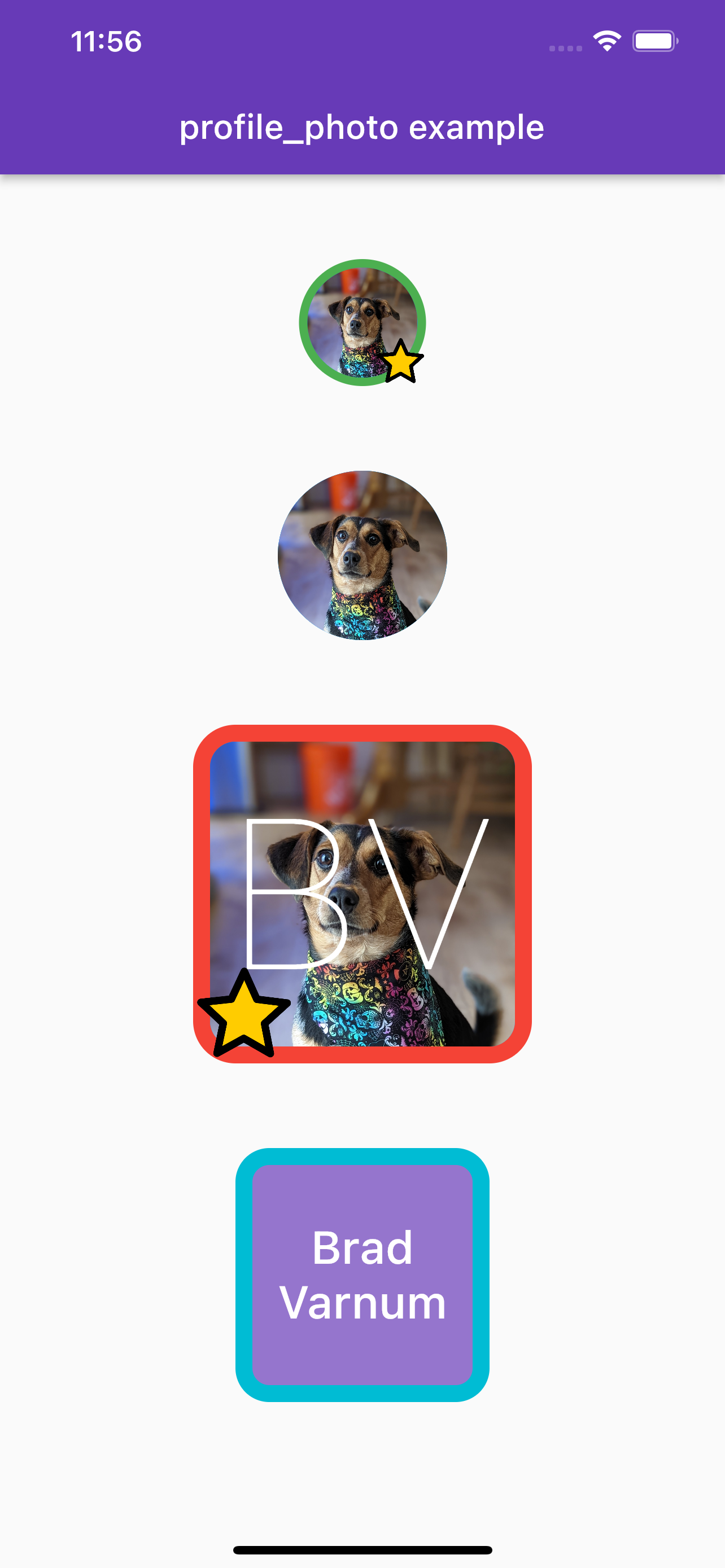
Creates a widget that was designed to be used to display a profile photo, but it could also be used in many other ways
Add the dependency and add anywhere in widget tree
Minimum required code for a simple round photo (2nd example)
ProfilePhoto(
    totalWidth: 100,
    cornerRadius: 80,
    color: Colors.blue,
    image: const AssetImage('assets/test_profile_photo.jpg'),
),
More complicated example with initals shown, custom boarder and colors, and badge (3rd example)
ProfilePhoto(
    totalWidth: 200,
    cornerRadius: 25,
    color: Colors.blue,
    outlineColor: Colors.red,
    outlineWidth: 10,
    textPadding: 10,
    name: 'Brad Varnum',
    fontColor: Colors.white,
    nameDisplayOption: NameDisplayOptions.initials,
    fontWeight: FontWeight.w100,
    showName: true,
    image: const AssetImage('assets/test_profile_photo.jpg'),
    badgeAlignment: Alignment.bottomLeft,
    badgeSize: 60,
    badgeImage: const AssetImage('assets/star.png'),
    onTap: () {
        // open profile for example
    },
    onLongPress: () {
        // popup to message user for example
    },
),
의존성 목록 2 개
{"sdk":"flutter"}{"sdk":"flutter"}사용 목적에 따라 검색하고 개발 활동을 비교한 뒤 원본 저장소에서 요구 사항을 확인하세요.
“A repository is the most basic element of GitHub.”
GitHub Docs — About repositories ↗