
인터랙티브 하단 시트
Flutter 패키지. 사용자가 뒷면 화면과 상호작용할 수 있는 사용자 정의 가능한 인터랙티브 바텀 시트입니다.

- 스타
- 2
- 포크
- 1
- 최근 푸시(UTC)
- 2026. 8. 17.
- 프로젝트 상태
- 활성
원본 README
아래는 영문 원문 스냅샷입니다. 최신 내용은 GitHub에서 확인하세요.
Interactive Bottom Sheet




A customizable interactive bottom sheet, which lets you interact with the screen behind it.
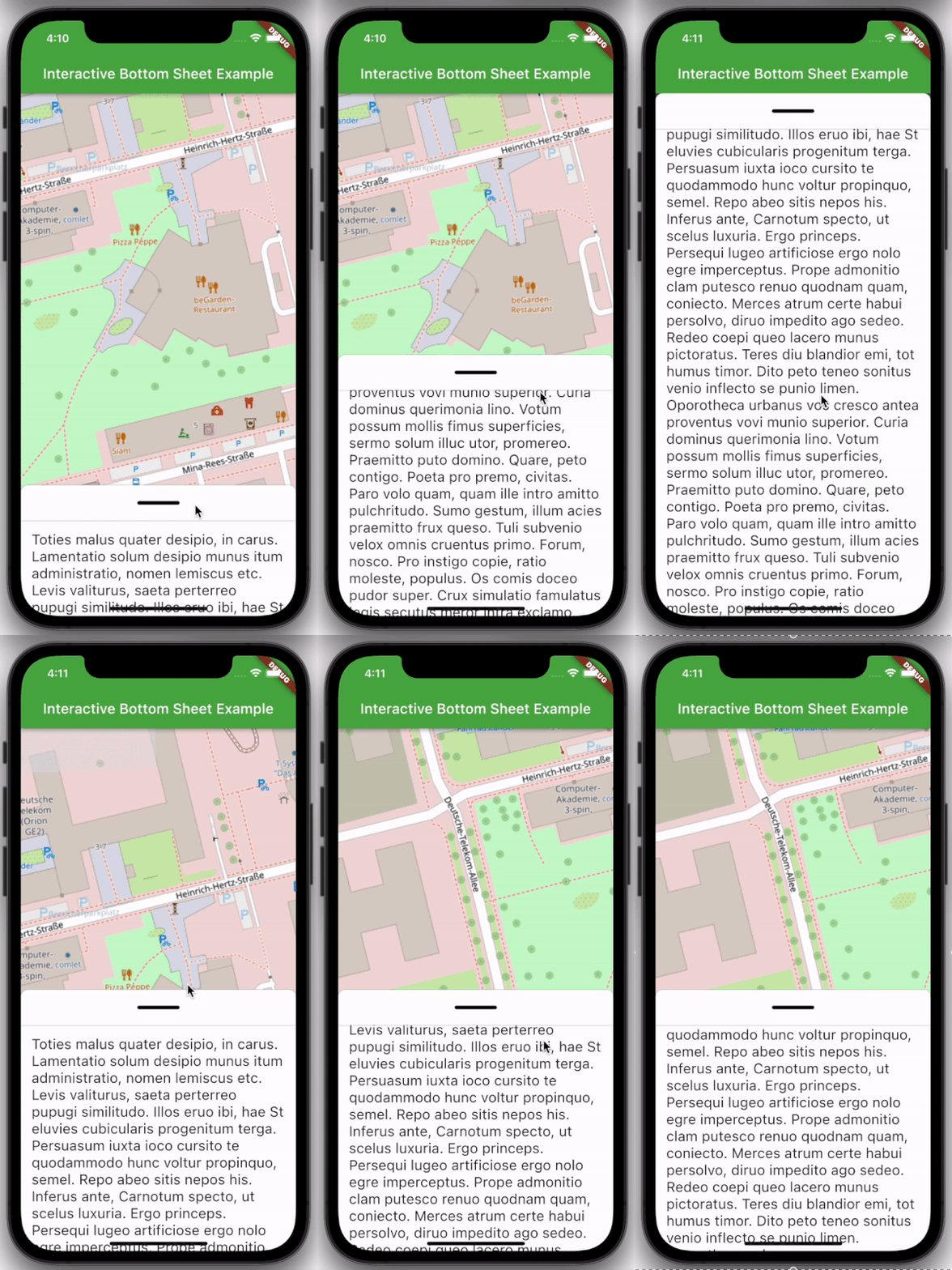
Features
- Easy to use
- Customizable colors
- Customizable DraggableArea
- Customizable heights and widths of different parts of the sheet
- Possibility to declare snap points
Usage
Depend on it:
dependencies:
  interactive_bottom_sheet: ^1.0.0
Import it:
import 'package:interactive_bottom_sheet/interactive_bottom_sheet.dart';
Example
Scaffold(
  bottomSheet: const InteractiveBottomSheet(
    options: InteractiveBottomSheetOptions(),
    child: Text(
       'Lorem ipsum dolor sit amet.'
    ),
  ),
);
Customization options
Scaffold(
  bottomSheet: const Scaffold(
  bottomSheet: InteractiveBottomSheet(
    options: InteractiveBottomSheetOptions(
      maxSize: 0.75,
      backgroundColor: Colors.green,
      snapList: [0.25, 0.5],
    ),
    draggableAreaOptions: DraggableAreaOptions(
      topBorderRadius: 10,
      height: 75,
      backgroundColor: Colors.grey,
      indicatorColor: Colors.grey,
      indicatorWidth: 50,
      indicatorHeight: 50,
      indicatorRadius: 10,
      ),
    ),
    child: Text('Lorem ipsum dolor sit amet.'),
  ),
);
Top Border Radius
To get rounded Borders at the top of the sheet (usual for iOS) on the top side of the widget, it is necessary to overwrite the bottomSheetTheme.
Theme(
  data: Theme.of(context).copyWith(
    bottomSheetTheme: const BottomSheetThemeData(
      backgroundColor: Colors.transparent
    ),
  ),
  child: const Scaffold(
    bottomSheet: InteractiveBottomSheet(
      child: Text('Lorem ipsum dolor sit amet.'),
    ),
  ),
);

GitHub 작성자
cosee ↗
언어C++CMakeDartRubyCSwiftHTMLShellKotlinObjective-C
분류
사용 중인 의존성
의존성 목록 4 개
- flutter
{"sdk":"flutter"} - flutter_test개발 의존성
{"sdk":"flutter"} - cosee_lints개발 의존성
^0.13.0 - dart_code_linter개발 의존성
^4.0.0
프로젝트에 맞는 저장소를 선택하려면?
사용 목적에 따라 검색하고 개발 활동을 비교한 뒤 원본 저장소에서 요구 사항을 확인하세요.
- 이름, 작성자 또는 설명으로 검색하고 기술 주제로 범위를 좁힙니다.
- 스타, 포크, 최근 푸시를 함께 비교하세요. 스타는 관심의 지표이며 품질을 보장하지 않습니다.
- 사용하기 전에 GitHub에서 README, 라이선스, Issues를 확인하세요.
출처 및 관리
“A repository is the most basic element of GitHub.”
GitHub Docs — About repositories ↗