
etch
Flutter에서 CustomPaint를 사용하는 간단하고 선언적인 방법
- 스타
- 58
- 포크
- 0
- 최근 푸시(UTC)
- 2022. 4. 23.
- 프로젝트 상태
- 활성
원본 README
아래는 영문 원문 스냅샷입니다. 최신 내용은 GitHub에서 확인하세요.
✍️ Etch
A Simplified, Declarative Implementation Of CustomPaint For Flutter
Features
- Create your CustomPaint widget declaratively.
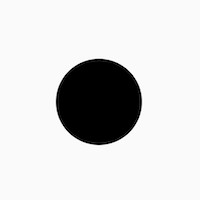
    EtchCanvas(
        etchElements: [
            EtchCircle.alignment(
                centerAlignment: Offset.zero,
                radius: 50.0,
            ),
        ],
        child: SizedBox(
          width: 100.0,
          height: 100.0,
        ),
    ),
- Use either points or alignments to define points everywhere
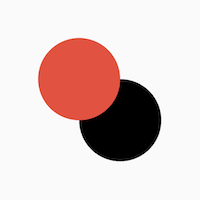
    EtchCanvas(
        etchElements: [
            EtchCircle(
              center: Offset(100, 100),
              radius: 50.0,
            ),
            EtchCircle.alignment(
               centerAlignment: Offset.zero,
               radius: 50.0,
               etchStyle: EtchStyle(
                   color: Colors.red,
               ),
           ),
        ],
        child: SizedBox(
          width: 100.0,
          height: 100.0,
        ),
    ),
- Easy support for Paths
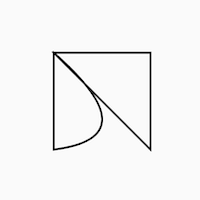
    EtchCanvas(
      etchElements: [
        EtchPath(
          etchPathElements: [
            EtchPathMoveTo(point: Offset(0, 0)),
            EtchPathAddPolygon.alignment(
              pointAlignments: [
                Offset(-1, -1),
                Offset(1, -1),
                Offset(1, 1),
              ],
            ),
            EtchPathQuadraticBezierTo.alignment(
              controlPointAlignment: Offset(1, 0.75),
              endPointAlignment: Offset(-1, 1),
            ),
            EtchPathClose(),
          ],
        ),
      ],
      child: SizedBox(
        width: 100.0,
        height: 100.0,
      ),
    ),
- Work with canvas layers easily
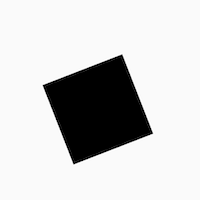
    EtchCanvas(
      etchElements: [
        EtchLayer.rotate(
          rotateZ: 1.2,
          etchElements: [
            EtchRect.alignment(
              topLeftAlignment: Offset(-1, -1),
              bottomRightAlignment: Offset(1, 1),
            ),
          ],
        ),
      ],
      child: SizedBox(
        width: 100.0,
        height: 100.0,
      ),
    ),
- Easy animations with
TweenAnimationBuilder
Add animations easily using TweenAnimationBuilder or using normal animation controllers without
having to pass down progress or other logic.
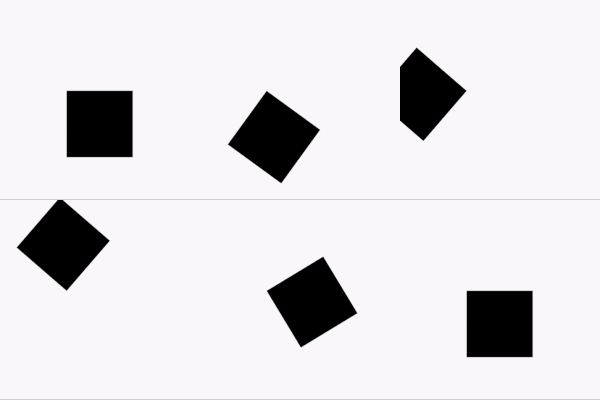
    TweenAnimationBuilder<double>(
      duration: const Duration(seconds: 1),
      tween: Tween(begin: 0, end: 2 * pi),
      builder: (context, val, _) {
        return EtchCanvas(
          etchElements: [
            EtchLayer.rotate(
              rotateZ: val,
              etchElements: [
                EtchRect.alignment(
                  topLeftAlignment: Offset(-1, -1),
                  bottomRightAlignment: Offset(1, 1),
                ),
              ],
            ),
          ],
          child: const SizedBox(
            width: 100.0,
            height: 100.0,
          ),
        );
      }
    ),
Getting started
- To get started, add an
EtchCanvasto your app:
    EtchCanvas(
        etchElements: [],
    ),
Any elements which have the format 'Etch----' can fit into these (EtchParagraph, EtchPath, EtchCircle, etc).
The default constructor arguments usually take in points while the .alignment constructor takes in
alignments. For alignments (-1, -1) is the top left while (1, 1) is the bottom right.
    EtchCanvas(
        etchElements: [
            EtchRect.alignment(
              topLeftAlignment: Offset.zero,
              bottomRightAlignment: Offset(1, 1),
            ),
            EtchOval.alignment(
              topLeftAlignment: Offset(-1, -1),
              bottomRightAlignment: Offset(0, 0),
            ),
            EtchArc.alignment(
              topLeftAlignment: Offset(-1, -1),
              bottomRightAlignment: Offset(1, 1),
              startAngle: 0,
              sweepAngle: 2,
            ),
        ],
    ),
- Use
EtchStyleto modify paint properties.
    EtchPath(
      etchPathElements: [
        //...
      ],
      etchStyle: EtchStyle(
        style: PaintingStyle.stroke,
      ),
    ),
You can also supply your own Paint object using EtchStyle.raw().
    EtchPath(
      etchPathElements: [
        //...
      ],
      etchStyle: EtchStyle.raw(
        Paint()..color = Colors.black..// add your props,
      ),
    ),
- To add a path to the elements, use
EtchPath. Etch path elements have the naming formatEtchPath---(EtchPathAddPolygon,EtchPathAddArc,EtchPathCubicTo, etc)
    EtchCanvas(
        etchElements: [
             EtchPath(
                 etchPathElements: [
                     EtchPathMoveTo(point: Offset(0, 0)),
                     EtchPathLine(point: Offset(110, 0)),
                     EtchPathLine(point: Offset(110, 110)),
                     EtchPathClose(),
                 ],
                 etchStyle: EtchStyle(
                     style: PaintingStyle.stroke,
                 ),
             ),
        ],
    ),
- To add a layer, use the
EtchLayerelement. This can have numerous EtchElements inside just like the normalEtchCanvas. Layers can have individual transformations without affecting the rest of the canvas - so you can rotate or scale one layer without affecting the others.EtchLayer, like theTransformwidget, has multiple inbuilt transformations - but you can pass in your ownMatrix4using the default constructor.
    EtchCanvas(
        etchElements: [
            EtchLayer.rotate(
              rotateX: 1.2,
              etchElements: [
                EtchRect.alignment(
                  topLeftAlignment: Offset(-1, -1),
                  bottomRightAlignment: Offset(1, 1),
                ),
              ],
            ),
            EtchLayer.scale(
              scale: Offset(1, 2),
              etchElements: [
                EtchRect.alignment(
                  topLeftAlignment: Offset(-1, -1),
                  bottomRightAlignment: Offset(1, 1),
                ),
              ],
            ),
            EtchLayer(
              transform: Matrix4.identity(),
              etchElements: [
                EtchRect.alignment(
                  topLeftAlignment: Offset(-1, -1),
                  bottomRightAlignment: Offset(1, 1),
                ),
              ],
            ),
        ],
    ),
Additional information
Note: This package is currently in an experimental stage and full metrics are not yet ascertained. Please feel free to launch issues or PRs if you face something unexpected while using it.

Deven Joshi ↗
분류
사용 중인 의존성
의존성 목록 3 개
- flutter
{"sdk":"flutter"} - flutter_test개발 의존성
{"sdk":"flutter"} - flutter_lints개발 의존성
^1.0.4
프로젝트에 맞는 저장소를 선택하려면?
사용 목적에 따라 검색하고 개발 활동을 비교한 뒤 원본 저장소에서 요구 사항을 확인하세요.
- 이름, 작성자 또는 설명으로 검색하고 기술 주제로 범위를 좁힙니다.
- 스타, 포크, 최근 푸시를 함께 비교하세요. 스타는 관심의 지표이며 품질을 보장하지 않습니다.
- 사용하기 전에 GitHub에서 README, 라이선스, Issues를 확인하세요.
출처 및 관리
“A repository is the most basic element of GitHub.”
GitHub Docs — About repositories ↗