

 v2.0.1
easy_mask
TextField, TextFormField 및 문자열용으로 간편하고 강력한 마스크입니다. 다중 마스크 지원, 통화용 역방향 마스크 및 플레이스홀더가 있습니다. 사용자의 커서를 제어합니다.
159좋아요 2.8만30일 다운로드150Pub 점수
AndroidiOSWebmacOSWindowsLinux
TextInputMask로 적용할 수 있는 간단한 텍스트 필드 마스크

아래는 영문 원문 스냅샷입니다. 최신 내용은 GitHub에서 확인하세요.
Easy way to apply a mask to Flutter's TextFields and on Strings
To use it, you only need to pass EasyMask on TextField's parameter inputFormatters.
The Easy Mask cares about user's cursor position, to make fluid it's usability.
Supports Multi Mask based on masks length.
Supports Placeholders.
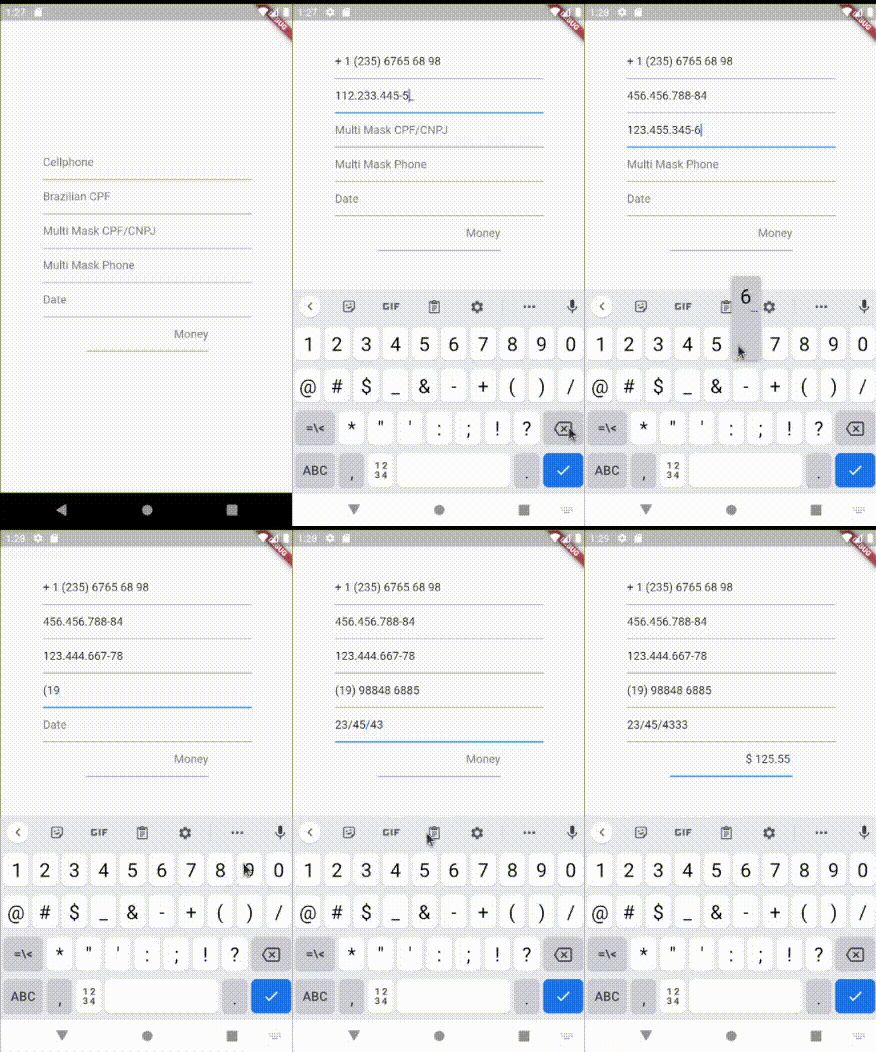
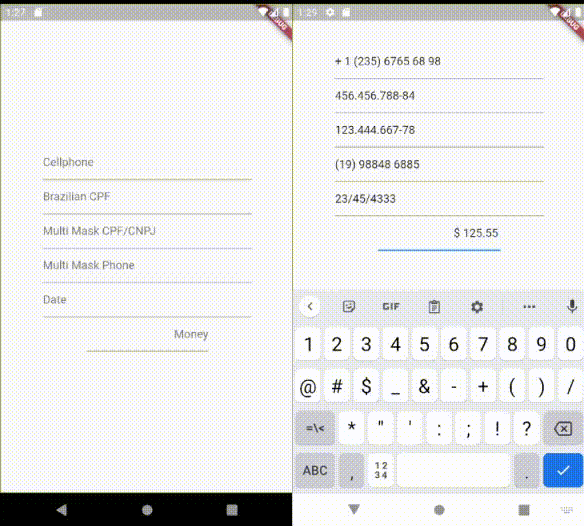
Import package:easy_mask/text_input_mask.dart
Then instantiate TextInputMask passing at least a String mask parameter.
import package:easy_mask/text_input_mask.dart
...
  TextField(
    inputFormatters: [ TextInputMask(mask: '99? (99) 999 99-99') ],
  ),
  TextField(
    inputFormatters: [ TextInputMask(mask: '999.999.999-99', reverse:true ) ],
  )
...
Formatting a String
import package:easy_mask/text_input_mask.dart
...
  String text = '432516565';
  MagicMask mask = MagicMask.buildMask('\\+99 (99) 99999-9999');
  String formattedString = mask.getMaskedString(text);
...
Import package:easy_mask/text_input_mask.dart
Then instantiate TextInputMask passing at least a String mask parameter.
import package:easy_mask/text_input_mask.dart
...
  TextField(
    inputFormatters: [ TextInputMask(mask: ['999.999.999-99', '99.999.999/9999-99'] ],
  ),
  TextField(
    inputFormatters: [ TextInputMask(mask: ['(99) 9999 9999', '(99) 99999 9999'], reverse:true ) ],
  )
...
Import package:easy_mask/text_input_mask.dart
Then instantiate TextInputMask passing at least a String mask parameter.
import package:easy_mask/text_input_mask.dart
...
  TextField(
    inputFormatters: [ TextInputMask(mask: '999.999.999-99', placeholder: '_', maxPlaceHolders: 11 ],
  ),
...
Import package:easy_mask/text_input_mask.dart
Then instantiate TextInputMask passing at least a String mask parameter.
import package:easy_mask/text_input_mask.dart
...
  TextField(
    inputFormatters: [ TextInputMask(mask: '\$! !9+,999.99', placeholder: '0', maxPlaceHolders: 3, reverse: true],
  ),
...
9 - is used to allow a number from 0-9
A - is used to allow a letter from a-z or A-Z
N - is used to allow a number or letter from 0-9, a-z or A-Z
X - is used to allow any character
? - indicates that is optional
+ - indicates that must have at least 1 or more repetitions
* - indicates that can have 0 or more repetitions
\ - is used as scape
! - Used to force print it, when it has at least 1 character typed on TextField.
Any other letters will be displayed on masking.
(card number) 999 999 999 999
(us cellphone) \+1 (999) 999 99 99
(currency) $! !9+,999.99
(version) 99?9?.99?9?.99?9?
(RG brazilian document) 99.999.999-N
의존성 목록 2 개
{"sdk":"flutter"}{"sdk":"flutter"}사용 목적에 따라 검색하고 개발 활동을 비교한 뒤 원본 저장소에서 요구 사항을 확인하세요.
“A repository is the most basic element of GitHub.”
GitHub Docs — About repositories ↗