
 v2.0.0
direct_select
이 패키지는 드롭다운에서 직접 값을 스크롤하거나 선택할 수 있게 해주어 노력과 시간을 절약할 수 있습니다.
186좋아요 66030일 다운로드140Pub 점수
AndroidiOSWebmacOSWindowsLinux
diegoveloper/flutter_direct_select open-source repository details.
아래는 영문 원문 스냅샷입니다. 최신 내용은 GitHub에서 확인하세요.

This package allows you to scroll/select the value directly from the dropdown with less effort and time.
Inspired by Virgil Pana shot
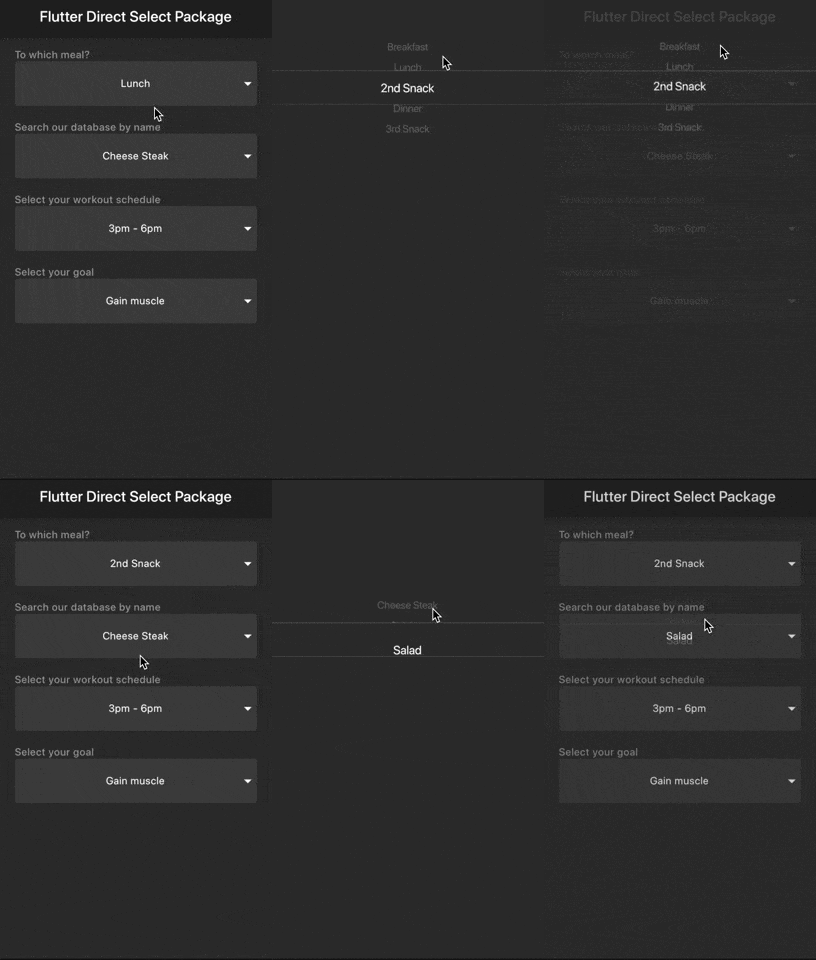
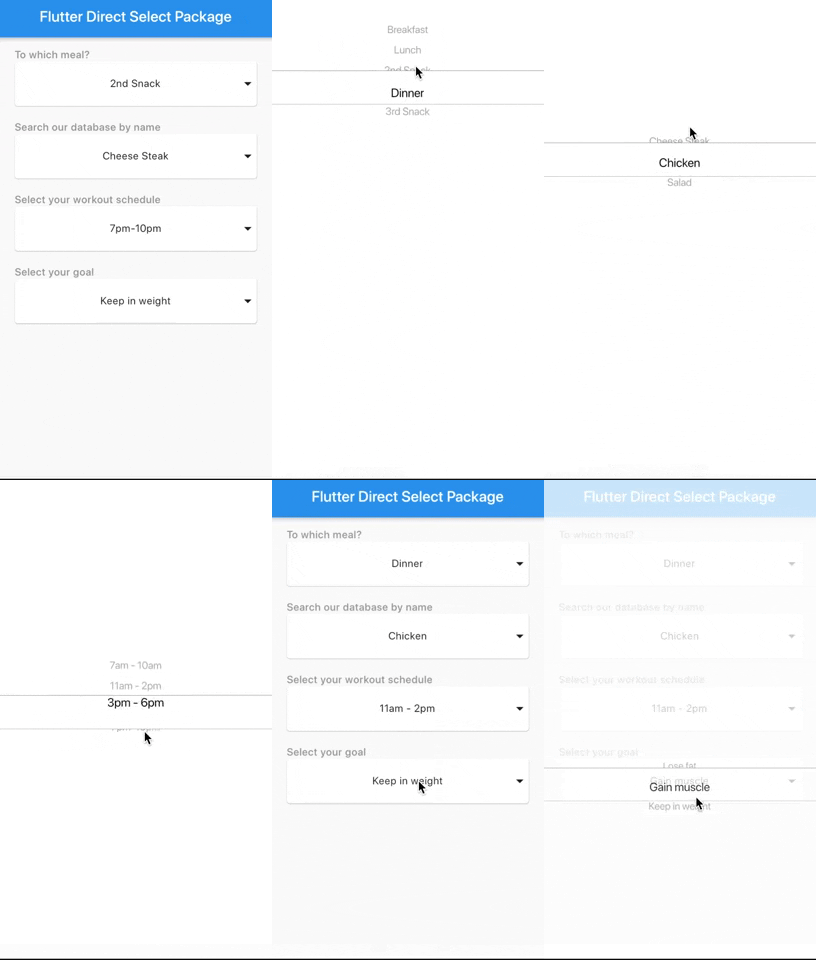
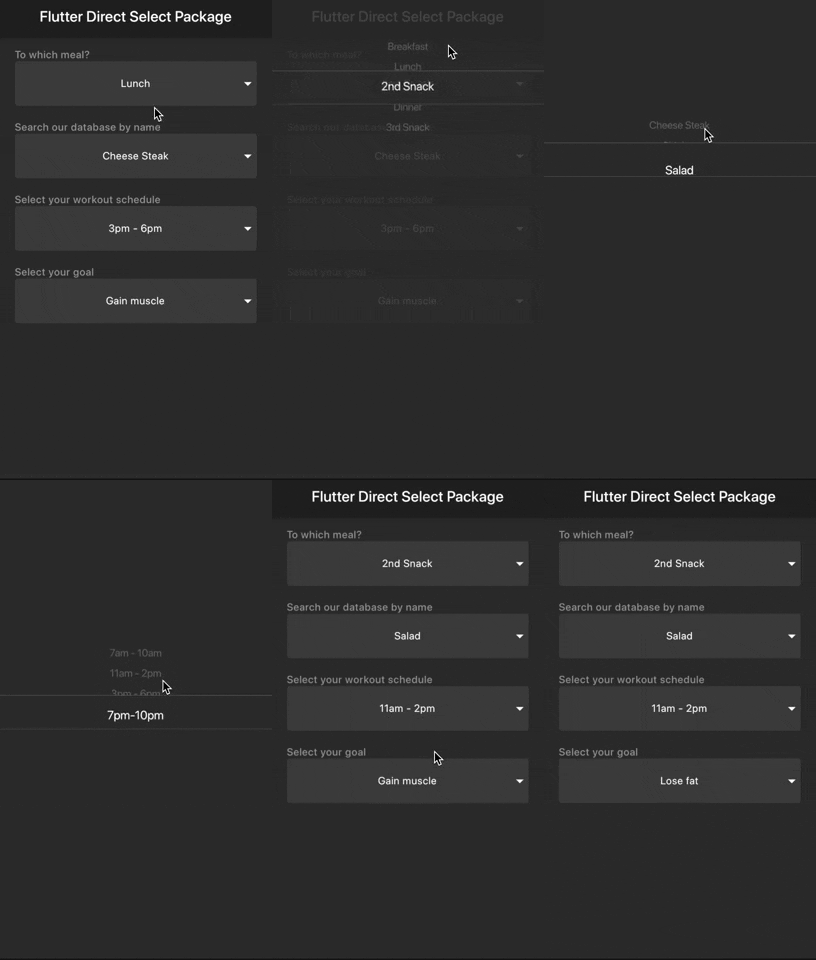
Samples
Light
Dark
You should ensure that you add the router as a dependency in your flutter project.
dependencies:
  direct_select: "^1.0.3"
You should then run flutter packages upgrade or update your packages in IntelliJ.
There is an example project in the example folder. Check it out. Otherwise, keep reading to get up and running.
import 'package:flutter/material.dart';
import 'package:direct_select/direct_select.dart';

class _MyHomePageState extends State<MyHomePage> {
  final elements1 = [
    "Breakfast",
    "Lunch",
    "2nd Snack",
    "Dinner",
    "3rd Snack",
  ];
  final elements2 = [
    "Cheese Steak",
    "Chicken",
    "Salad",
  ];

  final elements3 = [
    "7am - 10am",
    "11am - 2pm",
    "3pm - 6pm",
    "7pm-10pm",
  ];

  final elements4 = [
    "Lose fat",
    "Gain muscle",
    "Keep in weight",
  ];

  int selectedIndex1 = 0,
      selectedIndex2 = 0,
      selectedIndex3 = 0,
      selectedIndex4 = 0;

  List<Widget> _buildItems1() {
    return elements1
        .map((val) => MySelectionItem(
              title: val,
            ))
        .toList();
  }

  List<Widget> _buildItems2() {
    return elements2
        .map((val) => MySelectionItem(
              title: val,
            ))
        .toList();
  }

  List<Widget> _buildItems3() {
    return elements3
        .map((val) => MySelectionItem(
              title: val,
            ))
        .toList();
  }

  List<Widget> _buildItems4() {
    return elements4
        .map((val) => MySelectionItem(
              title: val,
            ))
        .toList();
  }

  @override
  Widget build(BuildContext context) {
    return Scaffold(
      appBar: AppBar(
        title: Text(widget.title),
      ),
      body: Padding(
        padding: const EdgeInsets.all(15.0),
        child: Center(
          child: Column(
              mainAxisAlignment: MainAxisAlignment.start,
              crossAxisAlignment: CrossAxisAlignment.stretch,
              children: <Widget>[
                Padding(
                  padding: const EdgeInsets.only(left: 10.0),
                  child: Text(
                    "To which meal?",
                    style: TextStyle(
                        color: Colors.grey, fontWeight: FontWeight.w500),
                  ),
                ),
                DirectSelect(
                    itemExtent: 35.0,
                    selectedIndex: selectedIndex1,
                    backgroundColor: Colors.red,
                    child: MySelectionItem(
                      isForList: false,
                      title: elements1[selectedIndex1],
                    ),
                    onSelectedItemChanged: (index) {
                      setState(() {
                        selectedIndex1 = index;
                      });
                    },
                    items: _buildItems1()),
                Padding(
                  padding: const EdgeInsets.only(left: 10.0, top: 20.0),
                  child: Text(
                    "Search our database by name",
                    style: TextStyle(
                        color: Colors.grey, fontWeight: FontWeight.w500),
                  ),
                ),
                DirectSelect(
                    itemExtent: 35.0,
                    selectedIndex: selectedIndex2,
                    child: MySelectionItem(
                      isForList: false,
                      title: elements2[selectedIndex2],
                    ),
                    onSelectedItemChanged: (index) {
                      setState(() {
                        selectedIndex2 = index;
                      });
                    },
                    items: _buildItems2()),
                Padding(
                  padding: const EdgeInsets.only(left: 10.0, top: 20.0),
                  child: Text(
                    "Select your workout schedule",
                    style: TextStyle(
                        color: Colors.grey, fontWeight: FontWeight.w500),
                  ),
                ),
                DirectSelect(
                    itemExtent: 35.0,
                    selectedIndex: selectedIndex3,
                    child: MySelectionItem(
                      isForList: false,
                      title: elements3[selectedIndex3],
                    ),
                    onSelectedItemChanged: (index) {
                      setState(() {
                        selectedIndex3 = index;
                      });
                    },
                    items: _buildItems3()),
                Padding(
                  padding: const EdgeInsets.only(left: 10.0, top: 20.0),
                  child: Text(
                    "Select your goal",
                    style: TextStyle(
                        color: Colors.grey, fontWeight: FontWeight.w500),
                  ),
                ),
                DirectSelect(
                    itemExtent: 35.0,
                    selectedIndex: selectedIndex4,
                    child: MySelectionItem(
                      isForList: false,
                      title: elements4[selectedIndex4],
                    ),
                    onSelectedItemChanged: (index) {
                      setState(() {
                        selectedIndex4 = index;
                      });
                    },
                    items: _buildItems4()),
              ]),
        ),
      ),
    );
  }
}

//You can use any Widget
class MySelectionItem extends StatelessWidget {
  final String title;
  final bool isForList;

  const MySelectionItem({Key key, this.title, this.isForList = true})
      : super(key: key);

  @override
  Widget build(BuildContext context) {
    return SizedBox(
      height: 60.0,
      child: isForList
          ? Padding(
              child: _buildItem(context),
              padding: EdgeInsets.all(10.0),
            )
          : Card(
              margin: EdgeInsets.symmetric(horizontal: 10.0),
              child: Stack(
                children: <Widget>[
                  _buildItem(context),
                  Align(
                    alignment: Alignment.centerRight,
                    child: Icon(Icons.arrow_drop_down),
                  )
                ],
              ),
            ),
    );
  }

  _buildItem(BuildContext context) {
    return Container(
      width: MediaQuery.of(context).size.width,
      alignment: Alignment.center,
      child: Text(title),
    );
  }
}
You can follow me on twitter @diegoveloper

의존성 목록 2 개
{"sdk":"flutter"}{"sdk":"flutter"}사용 목적에 따라 검색하고 개발 활동을 비교한 뒤 원본 저장소에서 요구 사항을 확인하세요.
“A repository is the most basic element of GitHub.”
GitHub Docs — About repositories ↗