

v0.2.1
flutter_wordpress
이 라이브러리는 애플리케이션이 WordPress 웹사이트와 상호 작용할 수 있도록 WordPress REST-API-V2를 사용합니다.
120좋아요 6530일 다운로드40Pub 점수
플랫폼 정보 없음
Flutter WordPress API

아래는 영문 원문 스냅샷입니다. 최신 내용은 GitHub에서 확인하세요.
This library uses WordPress REST API V2 to provide a way for your application to interact with your WordPress website.
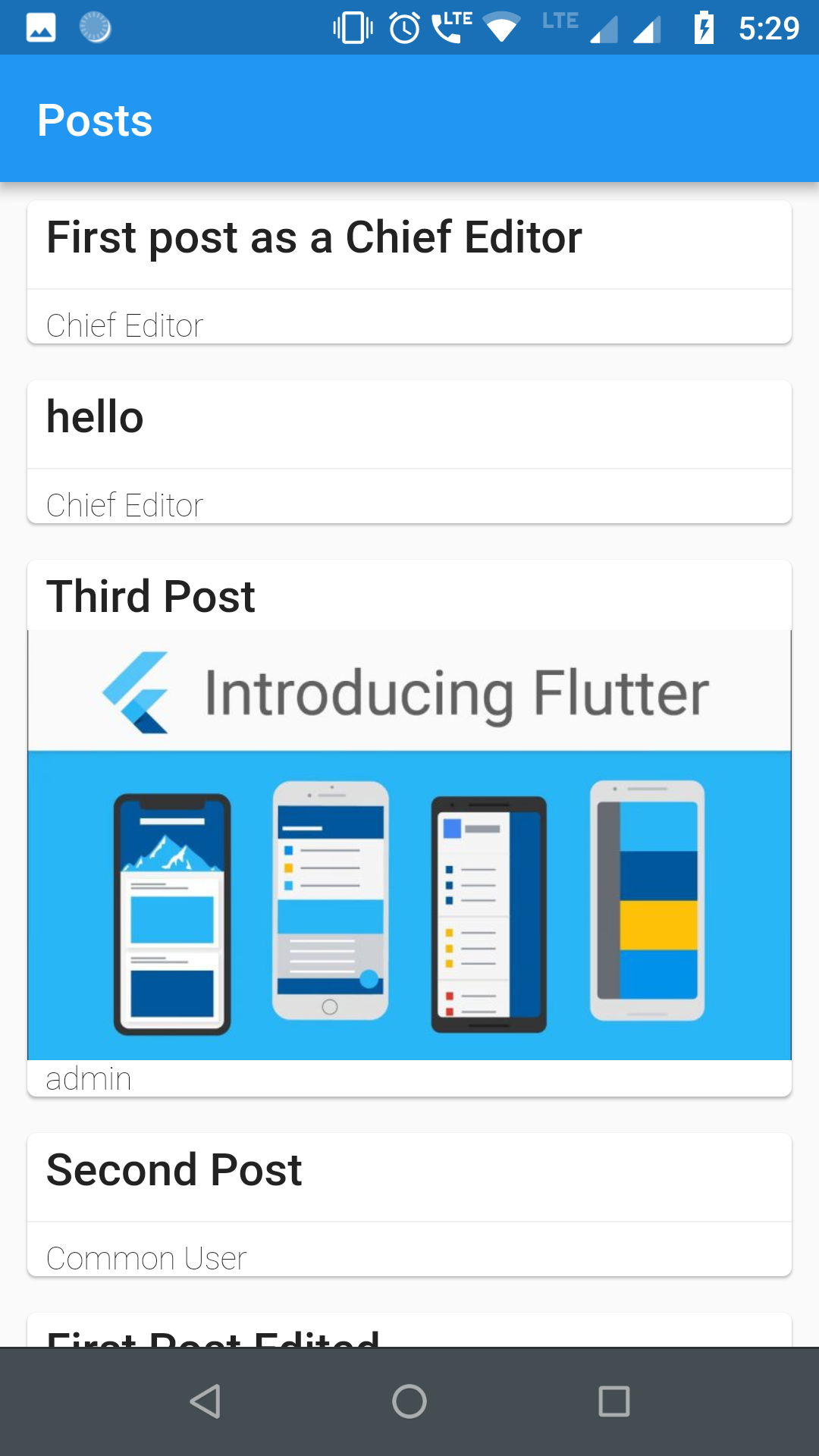
For authentication and usage of administrator level REST APIs, you need to use either of the two popular authentication plugins in your WordPress site:
Find your pubspec.yaml in the root of your project and add flutter_wordpress: ^0.2.0 under dependencies:
import 'package:flutter_wordpress/flutter_wordpress.dart' as wp;
wp.WordPress wordPress;

// adminName and adminKey is needed only for admin level APIs
wordPress = wp.WordPress(
  baseUrl: 'http://localhost',
  authenticator: wp.WordPressAuthenticator.JWT,
  adminName: '',
  adminKey: '',
);
Future<wp.User> response = wordPress.authenticateUser(
  username: 'ChiefEditor',
  password: 'chiefeditor@123',
);

response.then((user) {
  createPost(user);
}).catchError((err) {
  print('Failed to fetch user: $err');
});
Future<List<wp.Post>> posts = wordPress.fetchPosts(
  postParams: wp.ParamsPostList(
    context: wp.WordPressContext.view,
    pageNum: 1,
    perPage: 20,
    order: wp.Order.desc,
    orderBy: wp.PostOrderBy.date,
  ),
  fetchAuthor: true,
  fetchFeaturedMedia: true,
  fetchComments: true,
  postType: 'post'
);
Future<List<wp.User>> users = wordPress.fetchUsers(
  params: wp.ParamsUserList(
    context: wp.WordPressContext.view,
    pageNum: 1,
    perPage: 30,
    order: wp.Order.asc,
    orderBy: wp.UsersOrderBy.name,
    roles: ['subscriber'],
  ),
);
Future<List<wp.Comment>> comments = wordPress.fetchComments(
  params: wp.ParamsCommentList(
    context: wp.WordPressContext.view,
    pageNum: 1,
    perPage: 30,
    includePostIDs: [1],
  ),
);
Future<void> createUser({@required String email, @required String username, @required String password, @required List<String> roles}) async {
    await widget.wordPress.createUser(
      user: wp.User(
        email: email,
        password: password,
        username: username,
        roles: roles
      )
    ).then((p) {
      print('User created successfully ${p}');
    }).catchError((err) {
      print('Failed to create user: $err');
    });
  }
  void createPost({@required wp.User user}) {
    final post = widget.wordPress.createPost(
      post: new wp.Post(
        title: 'First post as a Chief Editor',
        content: 'Blah! blah! blah!',
        excerpt: 'Discussion about blah!',
        authorID: user.id,
        commentStatus: wp.PostCommentStatus.open,
        pingStatus: wp.PostPingStatus.closed,
        status: wp.PostPageStatus.publish,
        format: wp.PostFormat.standard,
        sticky: true,
      ),
    );

    post.then((p) {
      print('Post created successfully with ID: ${p.id}');
    }).catchError((err) {
      print('Failed to create post: $err');
    });
  }
  void createComment({@required int userId, @required int postId}) {
    final comment = widget.wordPress.createComment(
      comment: new wp.Comment(
        author: userId,
        post: postId,
        content: "First!",
        parent: 0,
      ),
    );

    comment.then((c) {
      print('Comment successfully posted with ID: ${c.id}');
    }).catchError((err) {
      print('Failed to comment: $err');
    });
  }
Future<void> updateComment({@required int id, @required int postId, @required wp.User user}) async {
    await widget.wordPress.updateComment(
      comment: new wp.Comment(
        content: "Comment Updated2!",
        author: user.id,
        post: postId,
      ),
      id: id,
    ).then((c) {
      print('Comment updated successfully "$c"');
    }).catchError((err) {
      print('Failed to update Comment: $err');
    });
  }
Future<void> updatePost({@required int id, @required int userId}) async {
    await widget.wordPress.updatePost(
      post: new wp.Post(
        title: 'First post as a Chief Editor',
        content: 'Blah! blah! blah!',
        excerpt: 'Discussion about blah!',
        authorID: userId,
        commentStatus: wp.PostCommentStatus.open,
        pingStatus: wp.PostPingStatus.closed,
        status: wp.PostPageStatus.publish,
        format: wp.PostFormat.standard,
        sticky: true,
      ),
      id: id, //
    ).then((p) {
      print('Post updated successfully with ID ${p}');
    }).catchError((err) {
      print('Failed to update post: $err');
    });
  }
Future<void> updateUser({@required int id, @required String username, @required String email}) async {
    await widget.wordPress.updateUser(
      user: new wp.User(
        description: "This is description for this user",
        username: username,
        id: id,
        email: email
      ),
      id: id,
    ).then((u) {
      print('User updated successfully $u');
    }).catchError((err) {
      print('Failed to update User: $err');
    });
  }
Future<void> deleteComment({@required int id}) async {
    await widget.wordPress.deleteComment(id: id).then((c) {
      print('Comment Deleted successfully: $c');
    }).catchError((err) {
      print('Failed to Delete comment: $err');
    });
  }
  Future<void> deletePost({@required int id}) async {
    await widget.wordPress.deletePost(id: id).then((p) {
      print('Post Deleted successfully: $p');
    }).catchError((err) {
      print('Failed to Delete post: $err');
    });
  }
  Future<void> deleteUser({@required int id, @required int reassign}) async {
    await widget.wordPress.deleteUser(id: id, reassign: reassign).then((u) {
      print('User Deleted successfully: $u');
    }).catchError((err) {
      print('Failed to Delete user: $err');
    });
  }
  uploadMedia(File image) async {
  var media = await wordPress.uploadMedia(image).then((m) {
    print('Media uploaded successfully: $m');
  }).catchError((err) {
    print('Failed to upload Media: $err');
  });
  int mediaID = media['id'];
}
의존성 목록 1 개
^0.13.4사용 목적에 따라 검색하고 개발 활동을 비교한 뒤 원본 저장소에서 요구 사항을 확인하세요.
“A repository is the most basic element of GitHub.”
GitHub Docs — About repositories ↗