

v0.8.0
flutter_android
Android 플랫폼 전용 API를 위한 Flutter 플러그인으로, Android 바인딩을 하나의 패키지에 중앙 집중화하여 중복 작업을 줄입니다.
40좋아요 22630일 다운로드30Pub 점수
플랫폼 정보 없음
Flutter용 Android 바인딩 플러그인.

아래는 영문 원문 스냅샷입니다. 최신 내용은 GitHub에서 확인하세요.


This is a Flutter plugin for using Android's numerous platform-specific APIs in Flutter apps.
Android only.
dependencies:
  flutter_android: ^0.8.0
Implements bindings to a growing set of Android's platform-specific APIs.
Reduces duplication of effort by centralizing Android bindings in a single package.
| Feature | Flutter API |
|---|---|
| Activity launch | android_content.Intent#startActivity() |
| Bluetooth scanning | android_bluetooth.BluetoothLeScanner |
| Distance calculation | android_location.Location.distanceBetween() |
| Face detection | android_media.FaceDetector |
| Heart-rate monitoring | android_hardware.SensorManager.getDefaultSensor() |
| Parcel serialization | android_os.Parcel |
| Sensor event streams | android_hardware.Sensor#subscribe() |
TODO: dirs
import 'package:flutter_android/android_content.dart' show Intent;

await Intent(
  action: "android.intent.action.VIEW", // Intent.ACTION_VIEW
  data: Uri.parse("https://flutter.dev"),
).startActivity();
import 'package:flutter_android/android_os.dart' show Parcel;

var parcel = Parcel.obtain()
  ..writeBoolean(true)
  ..writeInt(42)
  ..writeDouble(3.1415)
  ..writeString("Hello, world!")
  ..writeList(<Object>[1, 2, 3])
  ..writeMap(<String, Object>{"a": 1, "b": 2, "c": 3});

await _channel.invokeMethod('someJavaMethod', parcel.asUint8List());

// In Java, your MethodCallHandler's call.arguments contains the marshaled Parcel
import 'package:flutter_android/android_graphics.dart' show Bitmap;
import 'package:flutter_android/android_media.dart' show Face, FaceDetector;

var photo = Image.asset("images/einstein.png");

var bitmap = Bitmap.fromAssetImage(photo.image as AssetImage);
var detector = FaceDetector(width: 280, height: 396);

for (var face in await detector.findFaces(bitmap)) {
  if (face.confidence < Face.CONFIDENCE_THRESHOLD) {
    continue; // skip dubious results below the cut-off threshold
  }
  print("Found a face at (${face.midPoint.x}, ${face.midPoint.y}) with confidence ${face.confidence}");
}
import 'package:flutter_android/android_hardware.dart'
    show Sensor, SensorEvent, SensorManager;

var sensor = await SensorManager.getDefaultSensor(Sensor.TYPE_HEART_RATE);

var events = await sensor.subscribe();
events.listen((SensorEvent event) {
  print(event.values[0]);
});
TODO
flutter_android APIs throw an AssertionError if they are invoked
when running on iOS. For cross-platform apps, we recommend that you depend
on the platform package to
conditionalize your use of Android APIs.androidimport 'package:flutter_android/android.dart' as android;
android_appimport 'package:flutter_android/android_app.dart' as android_app;
android_bluetoothimport 'package:flutter_android/android_bluetooth.dart' as android_bluetooth;
android_contentimport 'package:flutter_android/android_content.dart' as android_content;
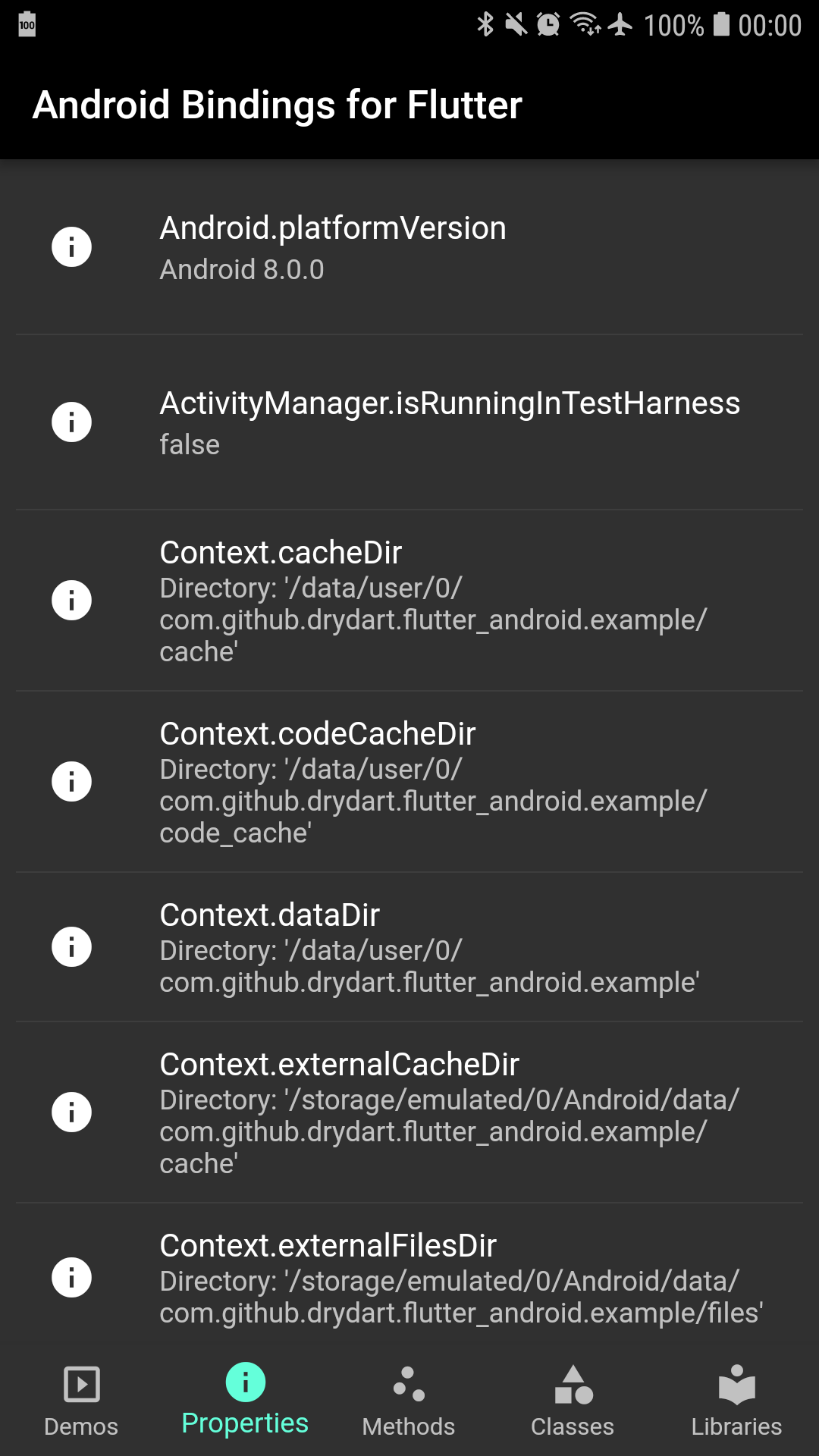
ComponentNameContentValuesContext.cacheDirContext.codeCacheDirContext.dataDirContext.externalCacheDirContext.externalFilesDirContext.filesDirContext.getSharedPreferences()Context.getSystemService()Context.noBackupFilesDirContext.packageCodePathContext.packageNameContext.packageResourcePathIntentSharedPreferencesandroid_databaseimport 'package:flutter_android/android_database.dart' as android_database;
android_graphicsimport 'package:flutter_android/android_graphics.dart' as android_graphics;
android_hardwareimport 'package:flutter_android/android_hardware.dart' as android_hardware;
android_locationimport 'package:flutter_android/android_location.dart' as android_location;
android_mediaimport 'package:flutter_android/android_media.dart' as android_media;
android_osimport 'package:flutter_android/android_os.dart' as android_os;
BundleEnvironment.dataDirectoryEnvironment.downloadCacheDirectoryEnvironment.externalStorageDirectoryEnvironment.externalStorageStateEnvironment.rootDirectoryEnvironment.isExternalStorageEmulatedEnvironment.isExternalStorageRemovable| Android | Flutter |
|---|---|
android.app |
android_app |
android.app.Activity |
android_app.Activity |
android.app.ActivityManager |
android_app.ActivityManager |
android.app.AlarmManager |
android_app.AlarmManager |
android.app.AuthenticationRequiredException |
android_app.AuthenticationRequiredException |
android.app.DownloadManager |
android_app.DownloadManager |
android.app.KeyguardManager |
android_app.KeyguardManager |
android.app.Notification |
android_app.Notification |
android.app.Notification.Action |
android_app.NotificationAction |
android.app.Notification.Builder |
android_app.NotificationBuilder |
android.app.NotificationManager |
android_app.NotificationManager |
android.app.PendingIntent |
android_app.PendingIntent |
android.app.SearchManager |
android_app.SearchManager |
android.app.WallpaperColors |
android_app.WallpaperColors |
android.app.WallpaperInfo |
android_app.WallpaperInfo |
android.app.WallpaperManager |
android_app.WallpaperManager |
android.bluetooth |
android_bluetooth |
android.bluetooth.BluetoothAdapter |
android_bluetooth.BluetoothAdapter |
android.bluetooth.BluetoothDevice |
android_bluetooth.BluetoothDevice |
android.bluetooth.BluetoothHeadset |
android_bluetooth.BluetoothHeadset |
android.bluetooth.BluetoothManager |
android_bluetooth.BluetoothManager |
android.bluetooth.le.BluetoothLeScanner |
android_bluetooth.BluetoothLeScanner |
android.bluetooth.le |
android_bluetooth |
android.content |
android_content |
android.content.ActivityNotFoundException |
android_content.ActivityNotFoundException |
android.content.ComponentName |
android_content.ComponentName |
android.content.ContentValues |
android_content.ContentValues |
android.content.Context |
android_content.Context |
android.content.Intent |
android_content.Intent |
android.content.IntentFilter |
android_content.IntentFilter |
android.content.SharedPreferences |
android_content.SharedPreferences |
android.database |
android_database |
android.database.Cursor |
android_database.Cursor |
android.database.CursorIndexOutOfBoundsException |
android_database.CursorIndexOutOfBoundsException |
android.database.DatabaseUtils |
android_database.DatabaseUtils |
android.database.MatrixCursor |
android_database.MatrixCursor |
android.database.SQLException |
android_database.SQLException |
android.graphics |
android_graphics |
android.graphics.Bitmap |
android_graphics.Bitmap |
android.graphics.Color |
dart-ui.Color |
android.graphics.Point |
android_graphics.Point |
android.graphics.PointF |
android_graphics.PointF |
android.graphics.drawable.Icon |
flutter.Icon |
android.hardware |
android_hardware |
android.hardware.Sensor |
android_hardware.Sensor |
android.hardware.SensorEvent |
android_hardware.SensorEvent |
android.hardware.SensorEventListener |
android_hardware.SensorEventListener |
android.hardware.SensorManager |
android_hardware.SensorManager |
android.location |
android_location |
android.location.Location |
android_location.Location |
android.media |
android_media |
android.media.FaceDetector |
android_media.FaceDetector |
android.media.FaceDetector.Face |
android_media.Face |
android.net |
android_net |
android.nfc |
android_nfc |
android.os |
android_os |
android.os.BatteryManager |
android_os.BatteryManager |
android.os.Build |
android_os.Build |
android.os.Bundle |
android_os.Bundle |
android.os.Environment |
android_os.Environment |
android.os.HardwarePropertiesManager |
android_os.HardwarePropertiesManager |
android.os.Parcel |
android_os.Parcel |
android.os.Parcelable |
android_os.Parcelable |
android.os.PowerManager |
android_os.PowerManager |
android.os.Process |
android_os.Process |
android.os.StatFs |
android_os.StatFs |
android.os.SystemClock |
android_os.SystemClock |
android.os.UserManager |
android_os.UserManager |
android.os.VibrationEffect |
android_os.VibrationEffect |
android.os.Vibrator |
android_os.Vibrator |
android.provider |
android_provider |
android.security |
android_security |
android.speech |
android_speech |
android.telephony |
android_telephony |
android.view |
android_view |
java.util.Locale |
dart-ui.Locale |
의존성 목록 4 개
{"sdk":"flutter"}^1.2.0{"sdk":"flutter"}^1.9.0사용 목적에 따라 검색하고 개발 활동을 비교한 뒤 원본 저장소에서 요구 사항을 확인하세요.
“A repository is the most basic element of GitHub.”
GitHub Docs — About repositories ↗