

 v0.1.5
ripple_wave
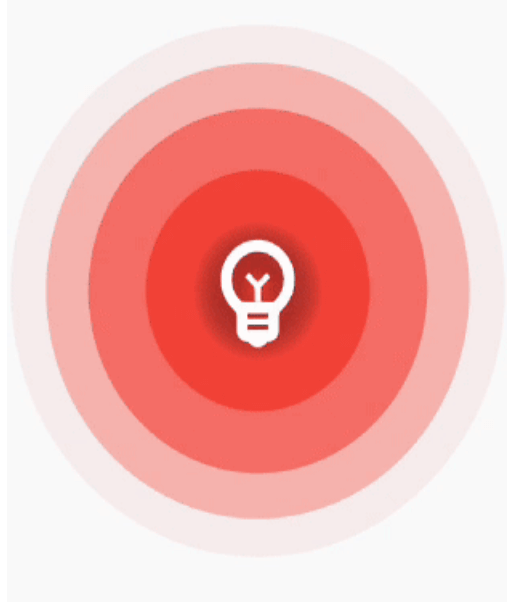
간단하고 사용하기 쉬운 리플 애니메이션으로 위젯에 감싸서 아름다운 리플 효과를 만들 수 있습니다
67좋아요 1.8천30일 다운로드150Pub 점수
AndroidiOSWebmacOSWindowsLinux
dtilhoo/ripple_wave open-source repository details.

아래는 영문 원문 스냅샷입니다. 최신 내용은 GitHub에서 확인하세요.
Simple and easy to use ripple animation that can be wrapped in widgets to create beautiful ripple effects.


Add ripple_wave to your pubspec.yaml file.
dependencies:
  ripple_wave:
Import ripple_wave in files that it will be used.
import 'package:ripple_wave/ripple_wave.dart';
To use this package, add ripple_wave as a dependency in your pubspec.yaml file.
Then wrap your desired widget with RippleWave widget to get the ripple animation.
Usage without repeated animation:
class MyHomePage extends StatelessWidget {
  const MyHomePage({Key? key}) : super(key: key);
  @override
  Widget build(BuildContext context) {
    return Scaffold(
      body: RippleWave(
        color: Colors.green,
        repeat: false,
        child: const Icon(
          Icons.emoji_emotions,
          size: 100,
          color: Colors.white,
        ),
      ),
    );
  }
}
Usage with tween effect on child widget of the RippleWave:
class MyHomePage extends StatelessWidget {
  const MyHomePage({Key? key}) : super(key: key);

  @override
  Widget build(BuildContext context) {
    return Scaffold(
      body: RippleWave(
        color: Colors.red,
        childTween: Tween(begin: 0.2, end: 1),
        child: const Icon(
          Icons.emoji_emotions,
          size: 100,
          color: Colors.white,
        ),
      ),
    );
  }
}
Usage with animation controller to manually start or stop the animation:
class DemoPage extends StatefulWidget {
  const DemoPage({Key? key}) : super(key: key);

  @override
  State<DemoPage> createState() => _DemoPageState();
}

late AnimationController animationController;

void start() {
  animationController.repeat();
}

void stop() {
  animationController.stop();
}

class _DemoPageState extends State<DemoPage>
    with SingleTickerProviderStateMixin {
  @override
  void initState() {
    animationController = AnimationController(
      duration: const Duration(seconds: 3),
      vsync: this,
    );
    super.initState();
  }

  @override
  Widget build(BuildContext context) {
    return Scaffold(
      appBar: AppBar(
        title: const Text("Ripple Demo"),
      ),
      body: Column(
        mainAxisAlignment: MainAxisAlignment.center,
        children: [
          RippleWave(
            childTween: Tween(begin: 0.1, end: 1.0),
            color: Colors.deepPurpleAccent,
            repeat: false,
            animationController: animationController,
            child: const Icon(
              Icons.emoji_emotions,
              size: 100,
              color: Colors.white,
            ),
          ),
          const SizedBox(
            height: 200,
          ),
          TextButton(
            onPressed: () {
              start();
            },
            child: const Text(
              'Start animation',
            ),
          ),
          const SizedBox(
            height: 40,
          ),
          TextButton(
            onPressed: () {
              stop();
            },
            child: const Text(
              'Stop animation',
            ),
          ),
        ],
      ),
    );
  }
}
의존성 목록 3 개
{"sdk":"flutter"}{"sdk":"flutter"}^5.0.0사용 목적에 따라 검색하고 개발 활동을 비교한 뒤 원본 저장소에서 요구 사항을 확인하세요.
“A repository is the most basic element of GitHub.”
GitHub Docs — About repositories ↗