

 v0.4.0
flutter_bluetooth_serial
기본적인 Flutter 블루투스 시리얼 라이브러리
377좋아요 9.6천30일 다운로드130Pub 점수
Android
기본적인 플러터 블루투스 시리얼

아래는 영문 원문 스냅샷입니다. 최신 내용은 GitHub에서 확인하세요.
flutter_bluetooth_serial
Flutter basic implementation for Classical Bluetooth (only RFCOMM for now).
The first goal of this project, started by @edufolly was making an interface for Serial Port Protocol (HC-05 Adapter). Now the plugin features:
Adapter status monitoring,
Turning adapter on and off,
Opening settings,
Discovering devices (and requesting discoverability),
Listing bonded devices and pairing new ones,
Connecting to multiple devices at the same time,
Sending and receiving data (multiple connections).
The plugin (for now) uses Serial Port profile for moving data over RFCOMM, so make sure there is running Service Discovery Protocol that points to SP/RFCOMM channel of the device. There could be max up to 7 Bluetooth connections.
For now there is only Android support.
Your contribution will help drive the development of quality tools for the Flutter and Dart developer community. Any amount will be appreciated. Thank you for your continued support!

Sua contribuição ajudará a impulsionar o desenvolvimento de ferramentas de qualidade para a comunidade de desenvolvedores Flutter e Dart. Qualquer quantia será apreciada. Obrigado pelo seu apoio contínuo!

# Add dependency to `pubspec.yaml` of your project.
dependencies:
  # ...
  flutter_bluetooth_serial: ^0.4.0
flutter pub get
import 'package:flutter_bluetooth_serial/flutter_bluetooth_serial.dart';
You should look to the Dart code of the library (mostly documented functions) or to the examples code.
// Some simplest connection :F
try {
    BluetoothConnection connection = await BluetoothConnection.toAddress(address);
    print('Connected to the device');

    connection.input.listen((Uint8List data) {
        print('Data incoming: ${ascii.decode(data)}');
        connection.output.add(data); // Sending data

        if (ascii.decode(data).contains('!')) {
            connection.finish(); // Closing connection
            print('Disconnecting by local host');
        }
    }).onDone(() {
        print('Disconnected by remote request');
    });
}
catch (exception) {
    print('Cannot connect, exception occured');
}
Note: Work is underway to make the communication easier than operations on byte streams. See #41 for discussion about the topic.
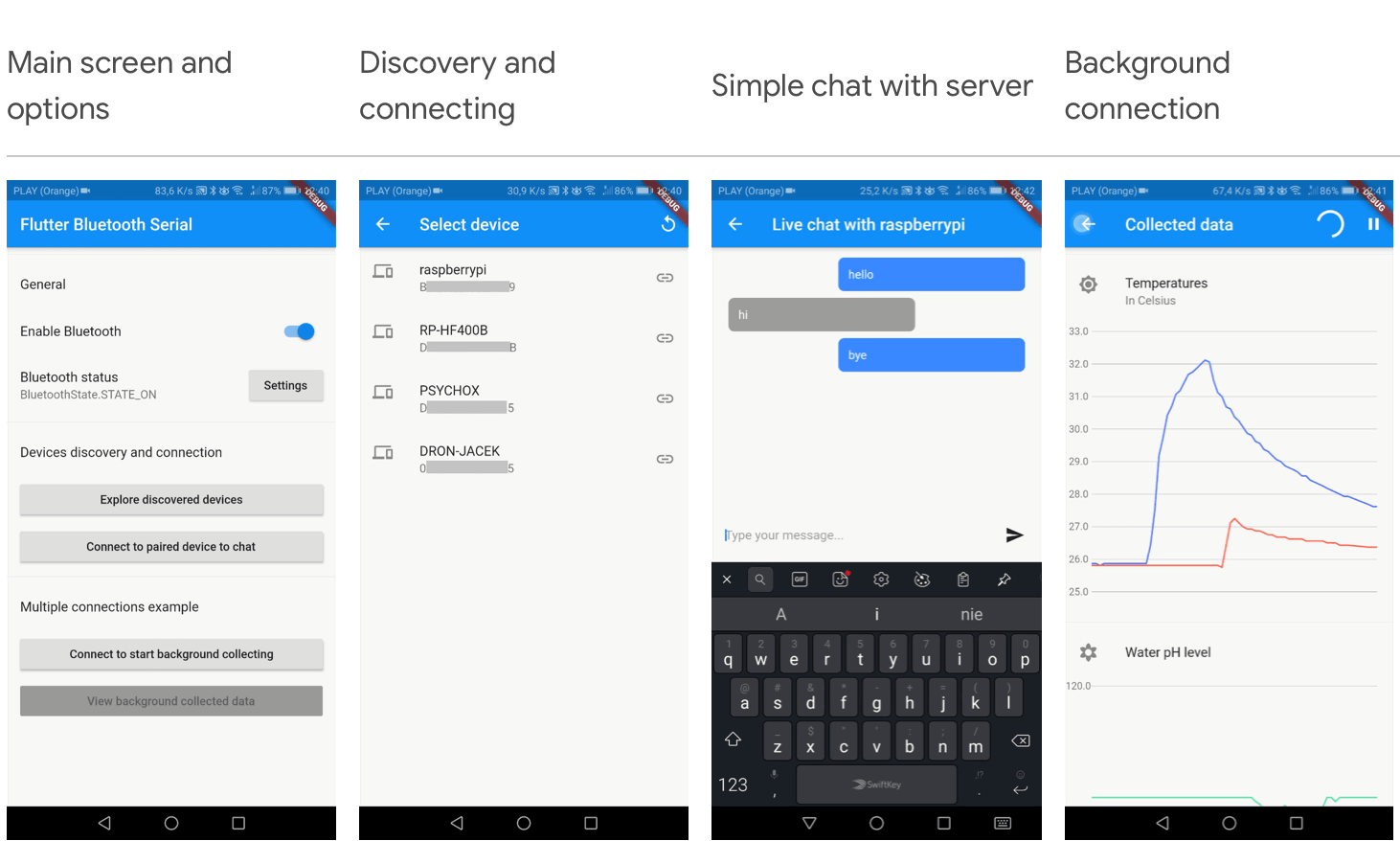
Check out example application with connections with both Arduino HC-05 and Raspberry Pi (RFCOMM) Bluetooth interfaces.
| Main screen and options | Discovery and connecting | Simple chat with server | Background connection |
|---|---|---|---|
 |
 |
 |
 |
BluetoothConnection (see discussion #41),BluetoothClass of device,flutter_blue one day ;)You might also want to check milestones.
After version 0.3.0 we have a lot of collaborators. If you would like to be credited, please send me an [email](mailto:edufolly@gmail.com).
의존성 목록 1 개
{"sdk":"flutter"}사용 목적에 따라 검색하고 개발 활동을 비교한 뒤 원본 저장소에서 요구 사항을 확인하세요.
“A repository is the most basic element of GitHub.”
GitHub Docs — About repositories ↗