
v0.2.0
fast_qr_reader_view
iOS 및 Android용 실시간 미리보기 기능을 갖춘 다중 코드 리더 위젯입니다. 네이티브 코드를 사용하여 QR, PDF417, CODE39 등 다양한 코드를 스캔합니다.
51좋아요 5630일 다운로드40Pub 점수
플랫폼 정보 없음
Flutter용 빠른 QR 리더 위젯. Android 및 iOS 모두 지원
아래는 영문 원문 스냅샷입니다. 최신 내용은 GitHub에서 확인하세요.
A Flutter plugin for iOS and Android allowing access to the device cameras to scan multiple type of codes (QR, PDF417, CODE39, etc). Heavily based on camera
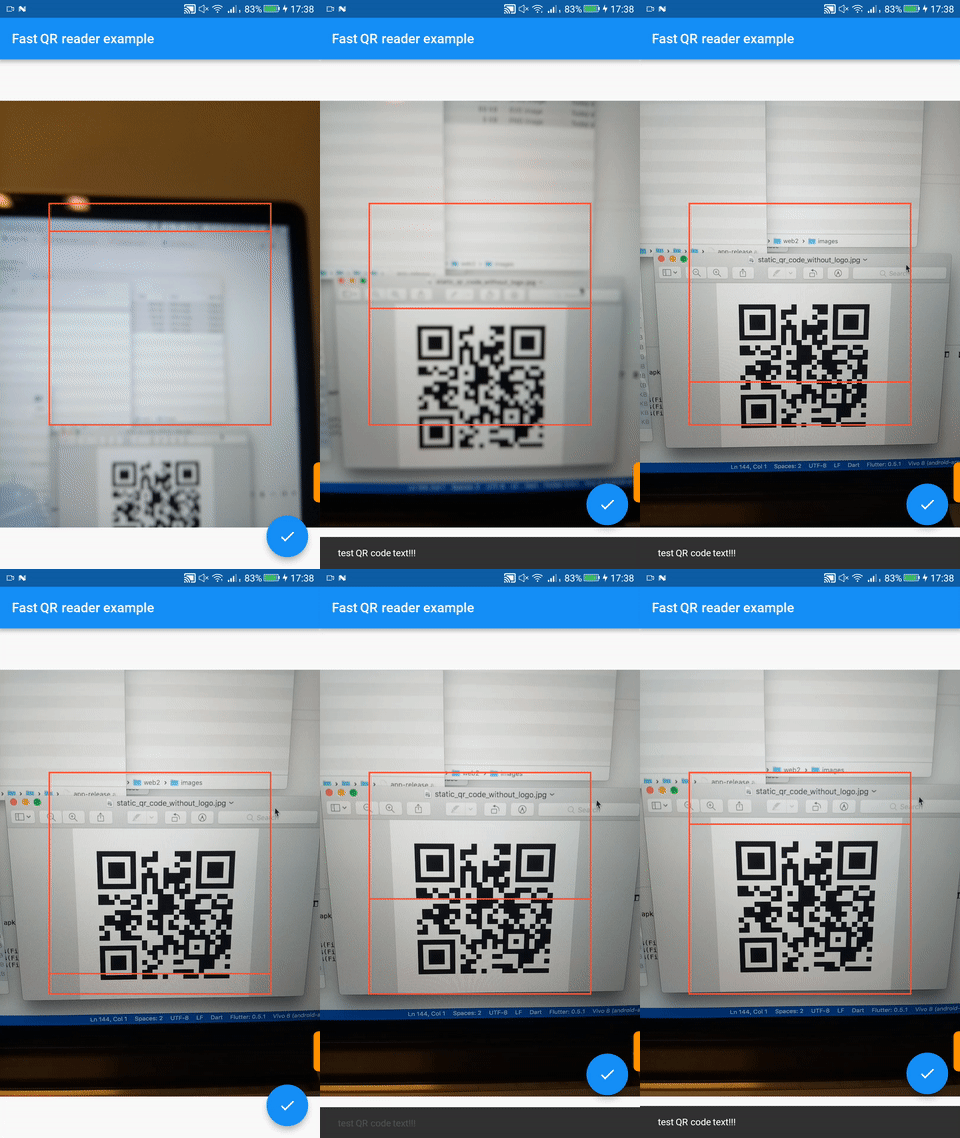

Red box is a Flutter animation (removable). Low FPS due to GIF
First, add fast_qr_reader_view as a dependency in your pubspec.yaml file.
Add a row to the ios/Runner/Info.plist with the key Privacy - Camera Usage Description and a usage description.
Or in text format add the key:
<key>NSCameraUsageDescription</key>
<string>Can I use the camera please?</string>
Change the minimum Android sdk version to 21 (or higher) in your android/app/build.gradle file.
minSdkVersion 21
Here is a small example flutter app displaying a full screen camera preview.
import 'dart:async';
import 'package:flutter/material.dart';
import 'package:fast_qr_reader_view/fast_qr_reader_view.dart';

List<CameraDescription> cameras;

Future<Null> main() async {
  cameras = await availableCameras();
  runApp(new CameraApp());
}

class CameraApp extends StatefulWidget {
  @override
  _CameraAppState createState() => new _CameraAppState();
}

class _CameraAppState extends State<CameraApp> {
  QRReaderController controller;

  @override
  void initState() {
    super.initState();
    controller = new QRReaderController(cameras[0], ResolutionPreset.medium, [CodeFormat.qr], (dynamic value){
        print(value); // the result!
    // ... do something
    // wait 3 seconds then start scanning again.
    new Future.delayed(const Duration(seconds: 3), controller.startScanning);
    });
    controller.initialize().then((_) {
      if (!mounted) {
        return;
      }
      setState(() {});
      controller.startScanning();
    });
  }

  @override
  void dispose() {
    controller?.dispose();
    super.dispose();
  }

  @override
  Widget build(BuildContext context) {
    if (!controller.value.isInitialized) {
      return new Container();
    }
    return new AspectRatio(
        aspectRatio:
        controller.value.aspectRatio,
        child: new QRReaderPreview(controller));
  }
}
For a more elaborate usage example see here.
Note: This plugin is still under development, and some APIs might not be available yet. Feedback welcome and Pull Requests are most welcome!

의존성 목록 1 개
{"sdk":"flutter"}사용 목적에 따라 검색하고 개발 활동을 비교한 뒤 원본 저장소에서 요구 사항을 확인하세요.
“A repository is the most basic element of GitHub.”
GitHub Docs — About repositories ↗