

 v0.1.6
card_stack_widget
Flutter 애플리케이션용 수직으로 스크롤하여 닫을 수 있고 사용자 정의 가능한 카드 스택
88좋아요 28630일 다운로드160Pub 점수
AndroidiOSWebmacOSWindowsLinux
Dart + Flutter로 만든 카드 스택

아래는 영문 원문 스냅샷입니다. 최신 내용은 GitHub에서 확인하세요.
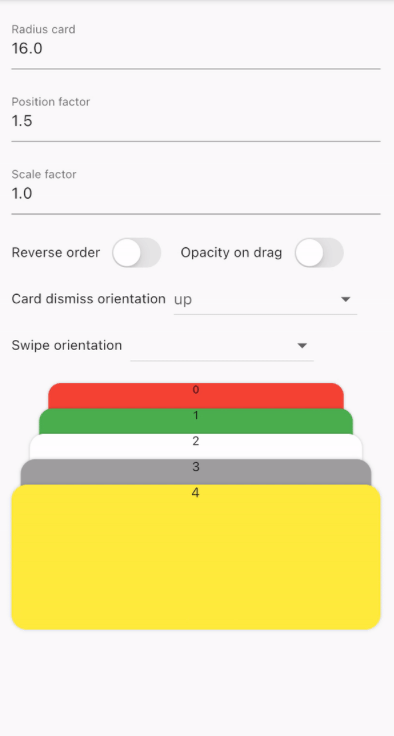
A vertical dismissible and customizable stack of cards for a Flutter application.
CardStackWidget requires a list of CardModel, in order to create a stack of cards. You can
customize their swipe or dismiss orientation, change the scale or the position factor. You can also
apply an opacity, that change on drag movement.
Below, you can find an example of the usage of CardStackWidget and CardModel:
CardStackWidget _buildCardStackWidget(BuildContext context) {
  final mockList = _buildMockList(context, size: 4);

  return CardStackWidget(
    opacityChangeOnDrag: true,
    swipeOrientation: CardOrientation.both,
    cardDismissOrientation: CardOrientation.both,
    positionFactor: 3,
    scaleFactor: 1.5,
    alignment: Alignment.center,
    reverseOrder: true,
    animateCardScale: true,
    dismissedCardDuration: const Duration(milliseconds: 150),
    cardList: mockList,
  );
}

/// Create a mock list of `CardModel` to use inside `CardStackWidget`
_buildMockList(BuildContext context, {int size = 0}) {
  final double containerWidth = MediaQuery
      .of(context)
      .size
      .width - 16;

  var list = <CardModel>[];
  for (int i = 0; i < size; i++) {
    var color = Color((Random().nextDouble() * 0xFFFFFF).toInt() << 0)
        .withOpacity(1.0);

    list.add(
      CardModel(
        backgroundColor: color,
        radius: 8,
        shadowColor: Colors.black.withOpacity(0.2),
        child: SizedBox(
          height: 310,
          width: containerWidth,
          child: Container(), // Whatever you want
        ),
      ),
    );
  }

  return list;
}


CardStackWidget:
CardModel:
의존성 목록 3 개
{"sdk":"flutter"}{"sdk":"flutter"}^4.0.0사용 목적에 따라 검색하고 개발 활동을 비교한 뒤 원본 저장소에서 요구 사항을 확인하세요.
“A repository is the most basic element of GitHub.”
GitHub Docs — About repositories ↗