
 v1.1.1
quick_actions
홈 화면에 바로 가기(또는 iOS의 빠른 작업 및 안드로이드의 앱 바로 가기)를 생성하기 위한 플러터 플러그인입니다.
1.1천좋아요 20.7만30일 다운로드160Pub 점수
AndroidiOS
단위 변환 앱: 간편하고 즉각적이며 다중 플랫폼
 v1.1.1
홈 화면에 바로 가기(또는 iOS의 빠른 작업 및 안드로이드의 앱 바로 가기)를 생성하기 위한 플러터 플러그인입니다.
이진 인코딩을 사용한 Flutter용 벡터 그래픽 렌더링 패키지입니다.
다수의 패키지(모노레포)를 포함한 Dart 및 Flutter 저장소를 관리하기 위한 도구입니다. 일반 커밋을 통해 자동 버전 관리를 지원합니다. JavaScript의 Lerna 패키지에서 영감을 받았습니다.
Flutter Windows 빌드 파일에서 Msix 설치 프로그램을 생성하는 명령줄 도구입니다.
모든 필요에 대응하는 간단하고 가벼운 단위 변환 패키지입니다.
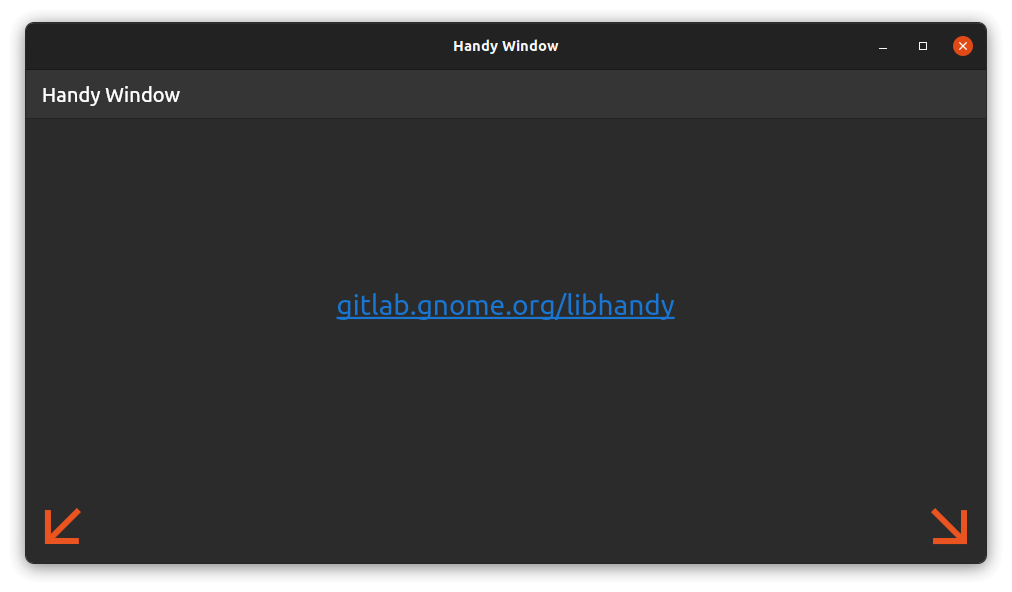 v0.4.2
이 패키지는 라운드된 아래 모서리가 있는 현대적인 핸디 창을 제공함으로써 Linux에서의 Flutter 애플리케이션 시각적 외관을 향상시킵니다.
{"sdk":"flutter"}{"sdk":"flutter"}^1.19.1^2.1.0^12.0.0^3.4.2^2.3.0^17.5.0^0.4.2^1.6.0^0.20.3^1.0.0^10.2.1^2.1.6^1.1.0^13.3.0^2.5.5^3.3.1^6.3.2^1.2.3{"git":{"url":"https://github.com/google/flutter-desktop-embedding","ref":"eb3964990cf19629c89ff8cb4a37640c7b3d5601","path":"plugins/window_size"}}{"path":"packages/calculator_widget"}{"path":"packages/translations"}^6.0.0{"sdk":"flutter"}{"sdk":"flutter"}^8.3.0^3.18.0^1.31.1아래는 영문 원문 스냅샷입니다. 최신 내용은 GitHub에서 확인하세요.
Tired of complicated, cluttered, and ad-filled unit converters? Converter NOW is your perfect solution! A few years ago, we realized that most unit converters were not only visually unappealing but also lacked functionality, privacy, and ease of use. So, we created Converter NOW to change that!
🚀 Fast & Intuitive: Experience lightning-fast, real-time conversions as soon as you start typing. No more navigating through confusing menus – just instant results with all measurement units!
🛠️ Fully Customizable: Tailor your experience by reorganizing units based on your preferences and priorities. Make Converter NOW truly yours!
🔢 Built-in Calculator: Perform complex calculations effortlessly on any page. No need to switch between apps – it's all integrated seamlessly.
💱 Daily Currency Exchange Updates: Stay up-to-date with accurate, real-time currency conversions updated daily, perfect for travelers and global professionals.
🎨 Personalize Your Style: Choose your favorite accent color, matching your device's theme or your unique style preferences.
⚫⚪ Light & Dark Modes: Switch between dark and light themes for a comfortable experience, day or night.
📱🖥️ Cross-Platform Support: Enjoy Converter NOW on Android, Web, Linux, and Windows. Whether you're on your phone or desktop, we've got you covered!
💯 Completely Free: No ads, no data collection, and no intrusive permissions (just internet access for currency updates). Best of all, it's 100% open source!
Run the following command:
winget install -e 9P0Q79HWJH72
You can easily self-host the Converter NOW web app on your own machine using either Docker or Podman. Simply run one of the commands below, depending on your containerization tool of choice:
docker run -d -p 8080:80 ghcr.io/ferraridamiano/converternow:latest
podman run -d -p 8080:80 ghcr.io/ferraridamiano/converternow:latest
After running the command, the web app will be accessible in your web browser at
http://localhost:8080.
First you need to
install flutter and all the
tooling for your target platform (e.g. Android Studio for Android, etc.). Then
you have to install melos in order to do some pre-compiling task:
dart pub global activate melos
Then, run melos bootstrap in the root of the project in order to get all the
dependencies, generate the translation files and optimize the svg icons. Then
follow the instructions for the platform you want to target.
On Android you should first disable the signing option in
android/app/build.gradle.kts
Then you can type flutter build apk --split-per-abi to compile the code. You
can find the output in build/app/outputs/flutter-apk folder.
Type flutter build linux to build the Linux app. You can find the output in
build/linux/x64/release/bundle.
Type flutter build windows to build the Windows app. You can find the output
in build/windows/runner/Release.
Type flutter build web to build the Web app. You can find the output in
build/web.
Note: if you deploy it not on the base path, add --base-href=/path/ to the command above, change /path/ with your path.
You can build the Docker image of Converter NOW in your environment with the following command:
docker buildx build -t converternow .
Then, run the docker container:
docker run -d -p 80:80 converternow
You can access it via browser at localhost:80
The app is not tested against iOS and MacOS, but you should be able to compile it even for these platforms. You first need to generate the platform specific code and then compile them.