

 v0.0.4
sticker_view
텍스트, 사진 또는 기타 위젯을 회전, 크기 조정, 이동, 삭제할 수 있는 Flutter 플러그인입니다.
76좋아요 8730일 다운로드130Pub 점수
AndroidiOS
텍스트, 사진 또는 기타 위젯을 회전, 크기 조정, 이동, 삭제할 수 있는 플러터 플러그인입니다.

아래는 영문 원문 스냅샷입니다. 최신 내용은 GitHub에서 확인하세요.
A Flutter plugin to rotate, resize, move, delete any text, image or any other widget.
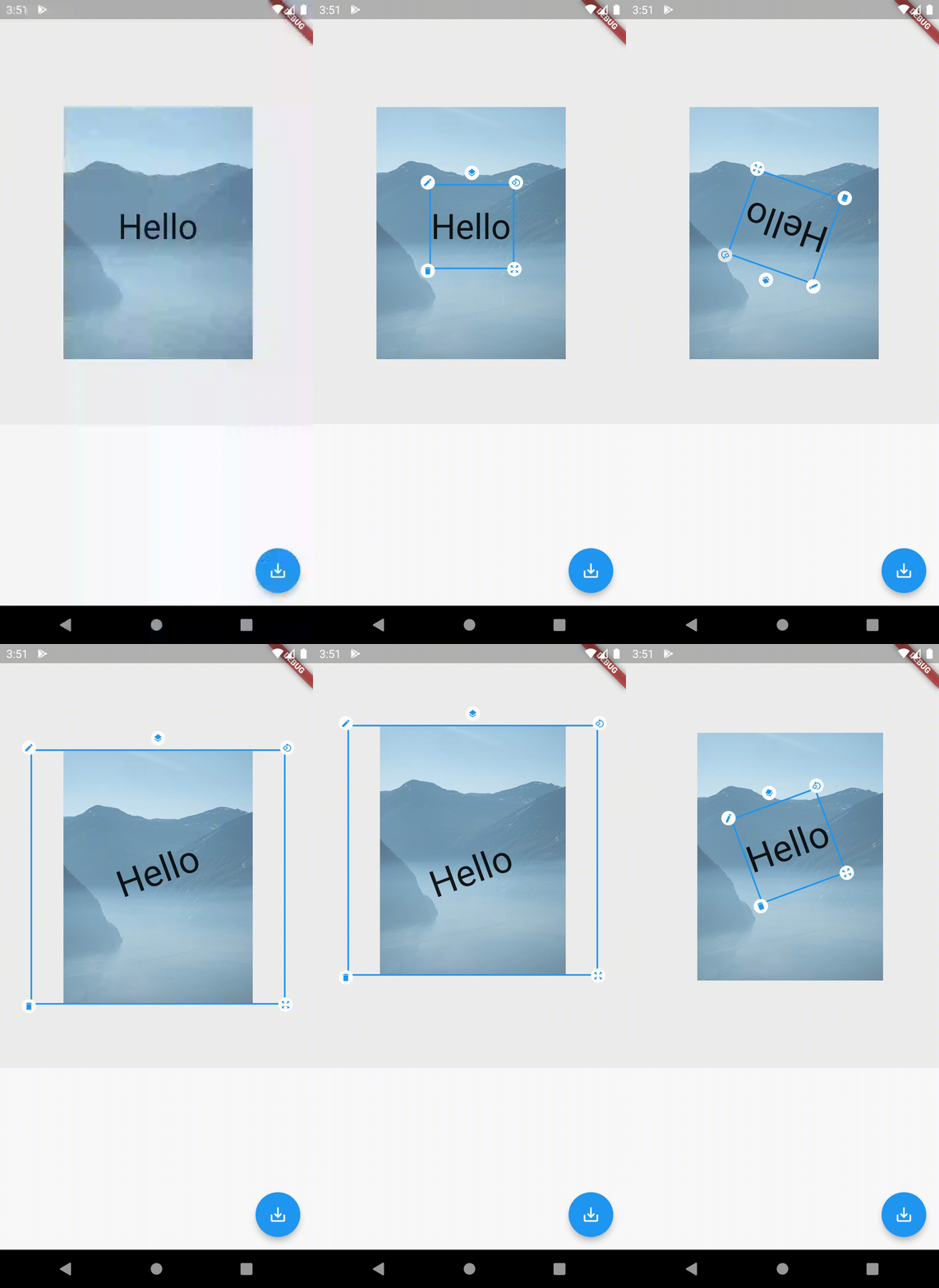
✅ Rotate
✅ Resize
✅ Move
✅ Layer Update (Change Stack position)
✅ Delete
This plugin is available on Pub: https://pub.dev/packages/sticker_view
Add this to dependencies in your app's pubspec.yaml
sticker_view : latest_version
Sample code to integrate can be found in example/lib/main.dart.
 StickerView(
            // List of Stickers
            stickerList: [
              Sticker(
                // You can give any widget as it's child
                child: Image.network(
                    "https://tinyurl.com/48ne4wj5"),
                // Must have unique id for every Sticker
                id: "uniqueId_111",
              ),
              Sticker(
                child: const Text("Hello"),
                id: "uniqueId_222",
                isText: true,
              ),
            ],
          ),
  // Give the Image Quality (High, Medium, Low)
  await StickerView.saveAsUint8List(ImageQuality.high);
If you found this project useful, then please consider giving it a :star: on Github and sharing it with your friends via social media.
=======
Contributions are welcome! Feel free to submit a pull request or open an issue for any feature requests or bugs, Create a Ticket.
의존성 목록 4 개
{"sdk":"flutter"}^2.0.2{"sdk":"flutter"}^1.0.0사용 목적에 따라 검색하고 개발 활동을 비교한 뒤 원본 저장소에서 요구 사항을 확인하세요.
“A repository is the most basic element of GitHub.”
GitHub Docs — About repositories ↗