

 v2.3.0
statsfl
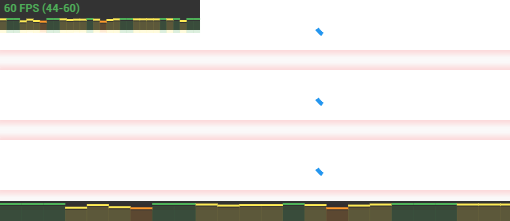
Flutter용 간단한 FPS 모니터입니다. 애플리케이션의 성능 문제를 쉽게 진단하는 데 도움이 됩니다.
130좋아요 6.1천30일 다운로드145Pub 점수
AndroidiOSWebmacOSWindowsLinux
Flutter용 간단한 FPS 모니터

아래는 영문 원문 스냅샷입니다. 최신 내용은 GitHub에서 확인하세요.

dependencies:
  statsfl: ^2.2.0+1
import 'package:statsfl/statsfl.dart';
Just wrap your root view in the StatsFl widget:
StatsFl(child: MyApp());
There are a few additional options you can play with:
return StatsFl(
        isEnabled: true, //Toggle on/off
        width: 600, //Set size
        height: 20, //
        maxFps: 90, // Support custom FPS target (default is 60)
        showText: true, // Hide text label
        sampleTime: .5, //Interval between fps calculations, in seconds.
        totalTime: 15, //Total length of timeline, in seconds.
        align: Alignment.topLeft, //Alignment of statsbox
        child: MyApp());
If you encounter any problems please open an issue. If you feel the library is missing a feature, please raise a ticket on Github and we'll look into it. Pull request are welcome.
MIT License
의존성 목록 1 개
{"sdk":"flutter"}사용 목적에 따라 검색하고 개발 활동을 비교한 뒤 원본 저장소에서 요구 사항을 확인하세요.
“A repository is the most basic element of GitHub.”
GitHub Docs — About repositories ↗