
v0.1.6
flutter_page_transition
풍부하고 편리하며 사용하기 쉬운 플러터 페이지 전환 패키지입니다.
61좋아요 7530일 다운로드40Pub 점수
플랫폼 정보 없음
풍부하고 편리하며 사용하기 쉬운 플러터 페이지 전환 패키지
아래는 영문 원문 스냅샷입니다. 최신 내용은 GitHub에서 확인하세요.
A rich, convenient, easy-to-use flutter page transition package.


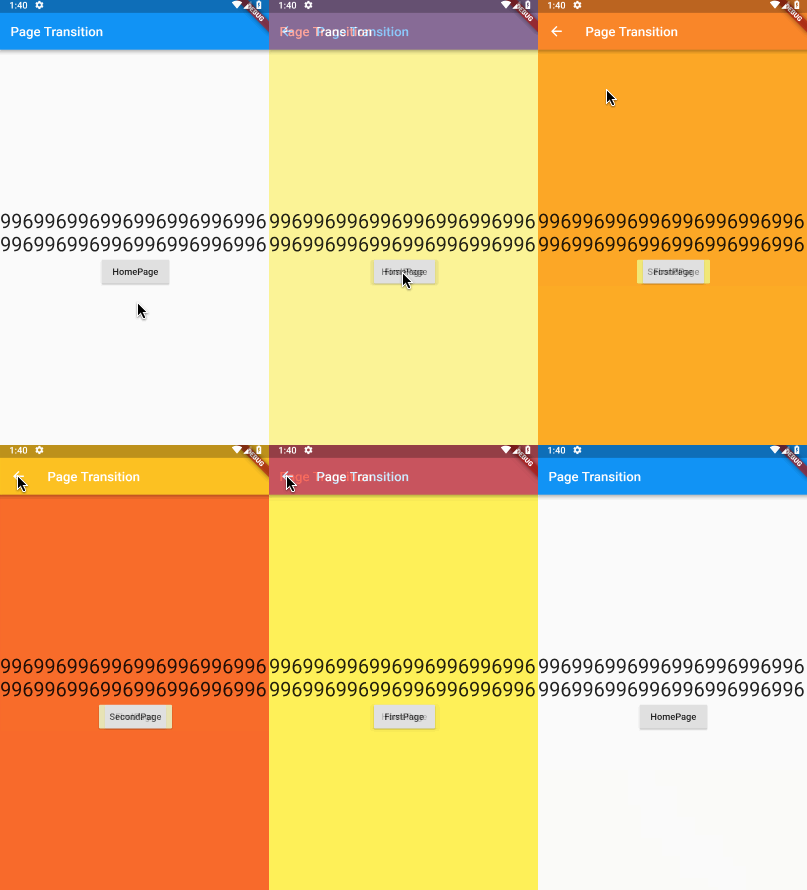
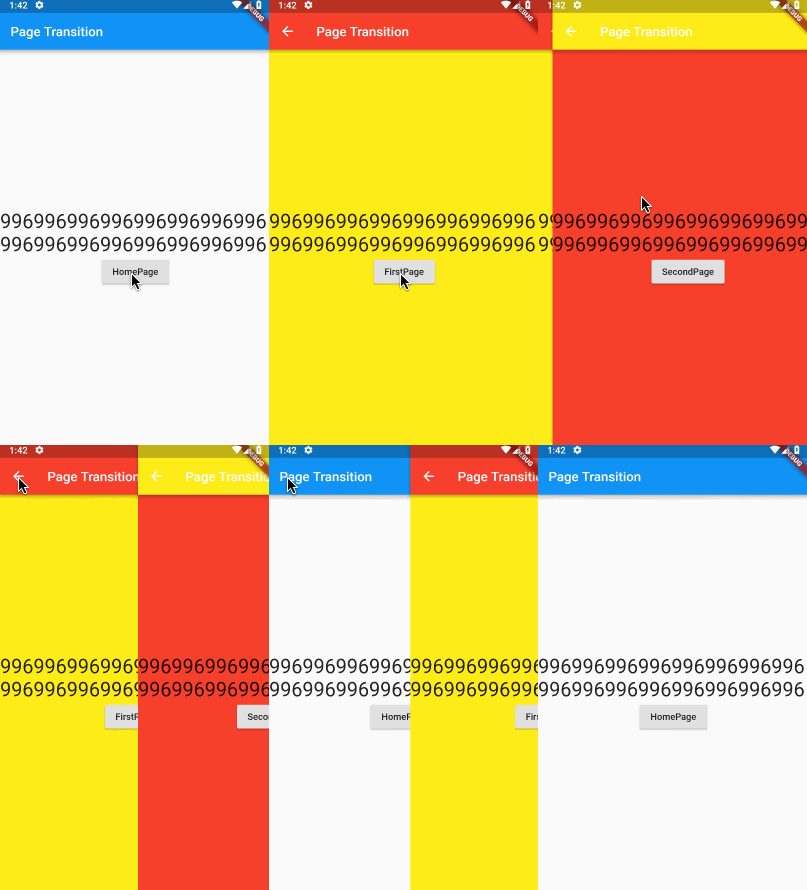
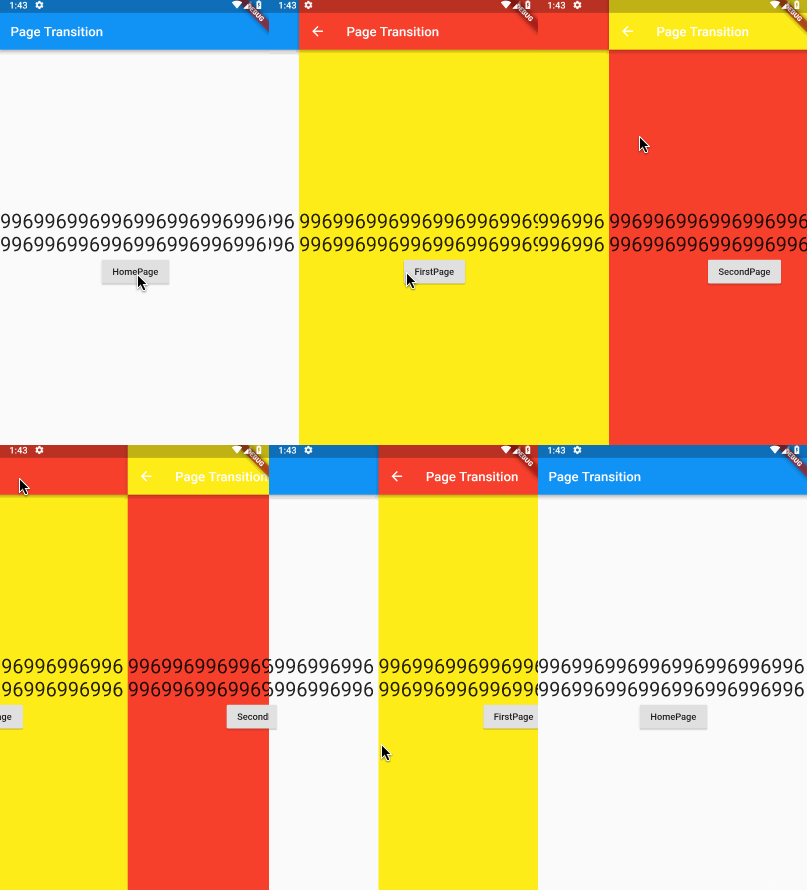
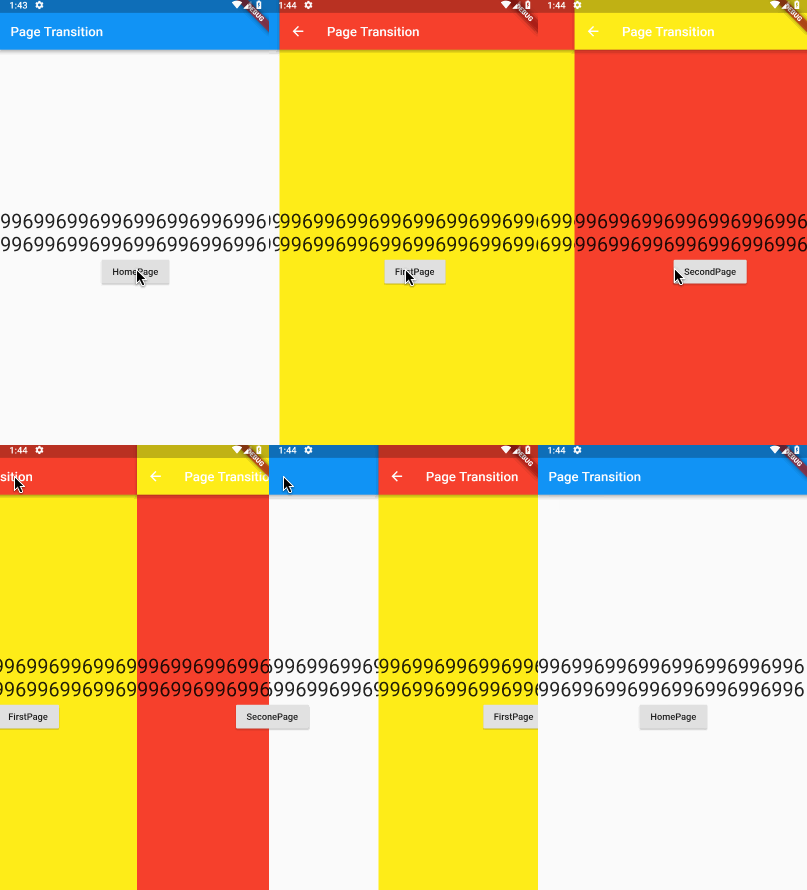
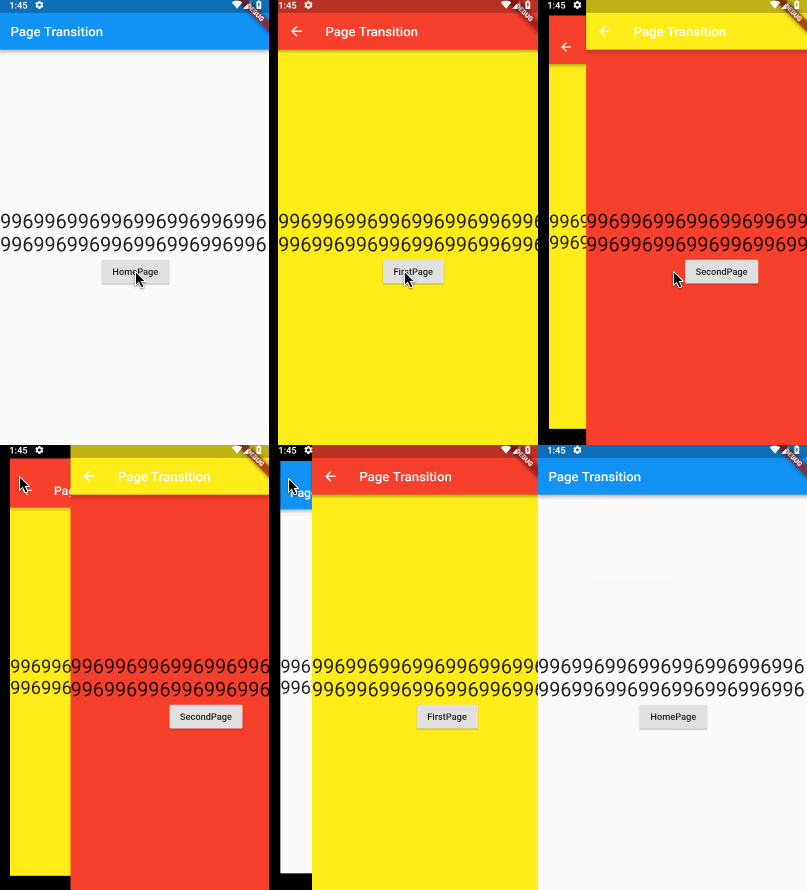
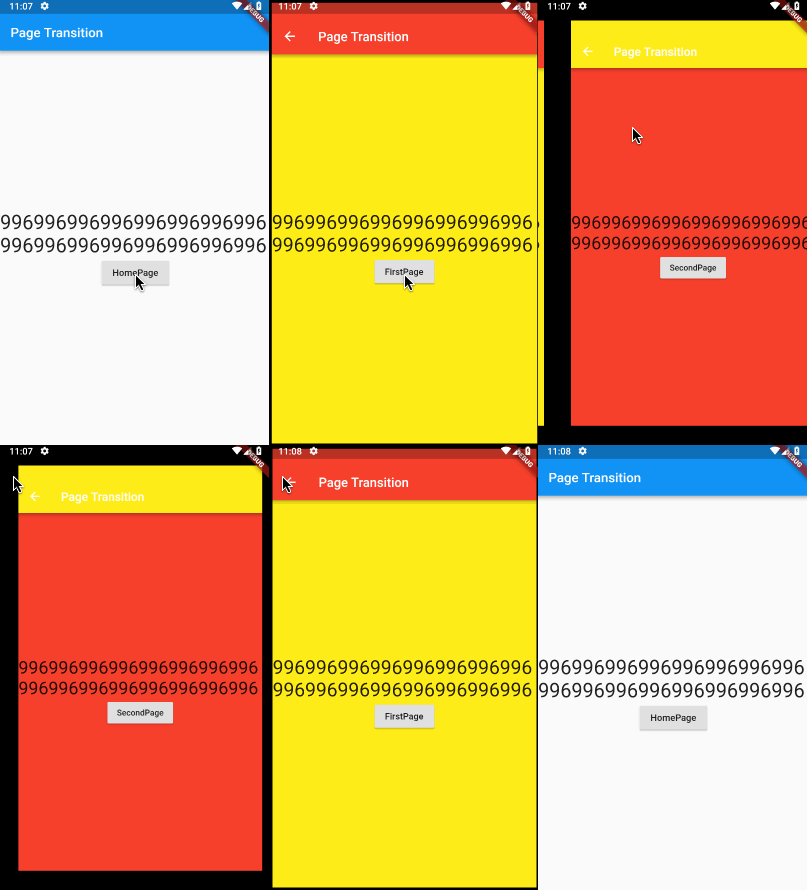
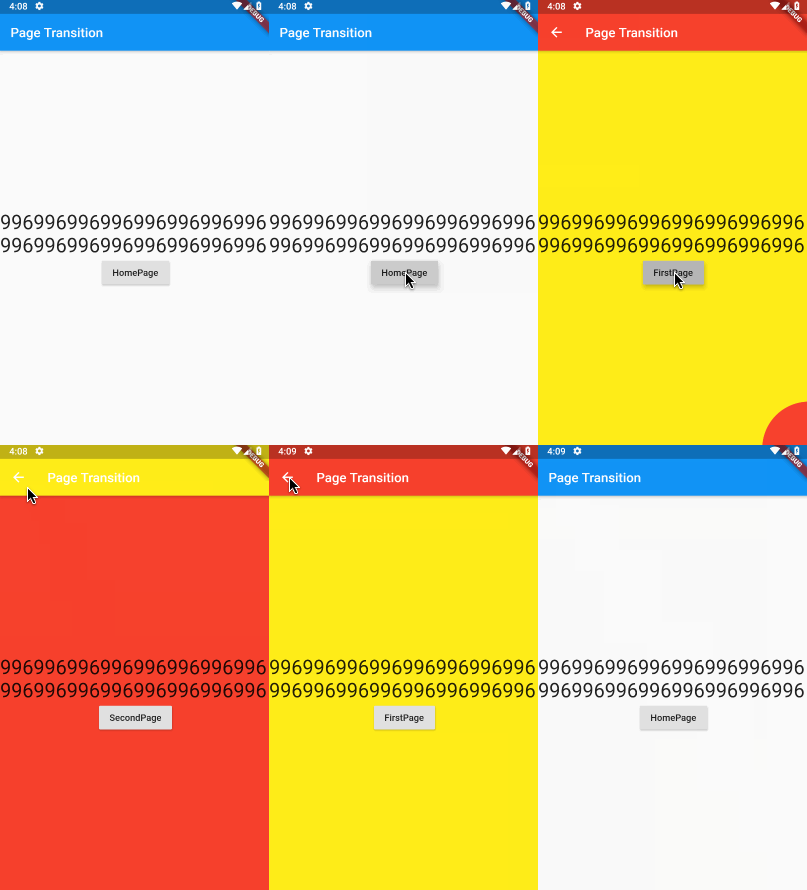
Add this to your package's pubspec.yaml file:
dependencies:
  flutter_page_transition: ^0.1.0
You can also depend on this package stored in my repository:
flutter_page_transition:
  git:
    url: git://github.com/handoing/flutter_page_transition.git
You should then run flutter packages upgrade.
| Page Transition Type | Direction |
|---|---|
| slideInLeft | ⬅️ |
| slideInLeft | ➡️ |
| slideInUp | ⬆️ |
| slideInDown | ⬇️ |
| slideLeft | ⬅️ |
| slideRight | ➡️ |
| slideUp | ⬆️ |
| slideDown | ⬇️ |
| slideParallaxLeft | ⬅️ |
| slideParallaxRight | ➡️ |
| slideParallaxUp | ⬆️ |
| slideParallaxDown | ⬇️ |
| slideZoomLeft | ⬅️ |
| slideZoomRight | ➡️ |
| slideZoomUp | ⬆️ |
| slideZoomDown | ⬇️ |
| rippleRightUp | ↖️ |
| rippleLeftUp | ↗️ |
| rippleLeftDown | ↘️ |
| rippleRightDown | ↙️ |
| rippleMiddle | 🎆 |
| transferRight | ⬅️ |
| transferUp | ⬆️ |
| fadeIn | ❌ |
| custom | ❌ |
Use PageRouteBuilder Widget
initialRoute: 'Home',
onGenerateRoute: (RouteSettings routeSettings){
    return new PageRouteBuilder<dynamic>(
      settings: routeSettings,
      pageBuilder: (BuildContext context, Animation<double> animation, Animation<double> secondaryAnimation) {
        switch (routeSettings.name){
          case 'Home':
            return HomePage();
          case 'Other':
            return OtherPage();
          default:
            return null;
        }
      },
      transitionDuration: const Duration(milliseconds: 300),
      transitionsBuilder: (BuildContext context, Animation<double> animation,
          Animation<double> secondaryAnimation, Widget child) {
          return effectMap[PageTransitionType.slideInLeft](Curves.linear, animation, secondaryAnimation, child);
      }
    );
}

// use Navigator
Navigator.of(context).pushNamed('Other');
// or
Navigator.of(context).push(PageTransition(type: PageTransitionType.slideInLeft, child: FirstPage()));
Create custom methods:
transitionEffect.createCustomEffect(
  handle: (Curve curve, Animation<double> animation, Animation<double> secondaryAnimation, Widget child) {
    return new SlideTransition(
      position: new Tween<Offset>(
        begin: const Offset(1.0, 0.0),
        end: const Offset(0.0, 0.0),
      ).animate(CurvedAnimation(parent: animation, curve: curve)),
      child: child,
    );
  }
);

// use custom
effectMap[PageTransitionType.custom](Curves.linear, animation, secondaryAnimation, child);
run test
flutter test
run driver test
cd example/
flutter drive --target=test_driver/app.dart

의존성 목록 2 개
{"sdk":"flutter"}{"sdk":"flutter"}사용 목적에 따라 검색하고 개발 활동을 비교한 뒤 원본 저장소에서 요구 사항을 확인하세요.
“A repository is the most basic element of GitHub.”
GitHub Docs — About repositories ↗