
스크롤 가능한 테이블 뷰
herbertamukhuma/scrollable_table_view open-source repository details.

- 스타
- 17
- 포크
- 8
- 최근 푸시(UTC)
- 2023. 11. 23.
- 프로젝트 상태
- 활성
원본 README
아래는 영문 원문 스냅샷입니다. 최신 내용은 GitHub에서 확인하세요.
This is a multi axis scrollable data table, that allows you to scroll on both the vertical and horizontal axis, with the header remaining static on the vertical axis. Please look at the demo below.
Features
Demo
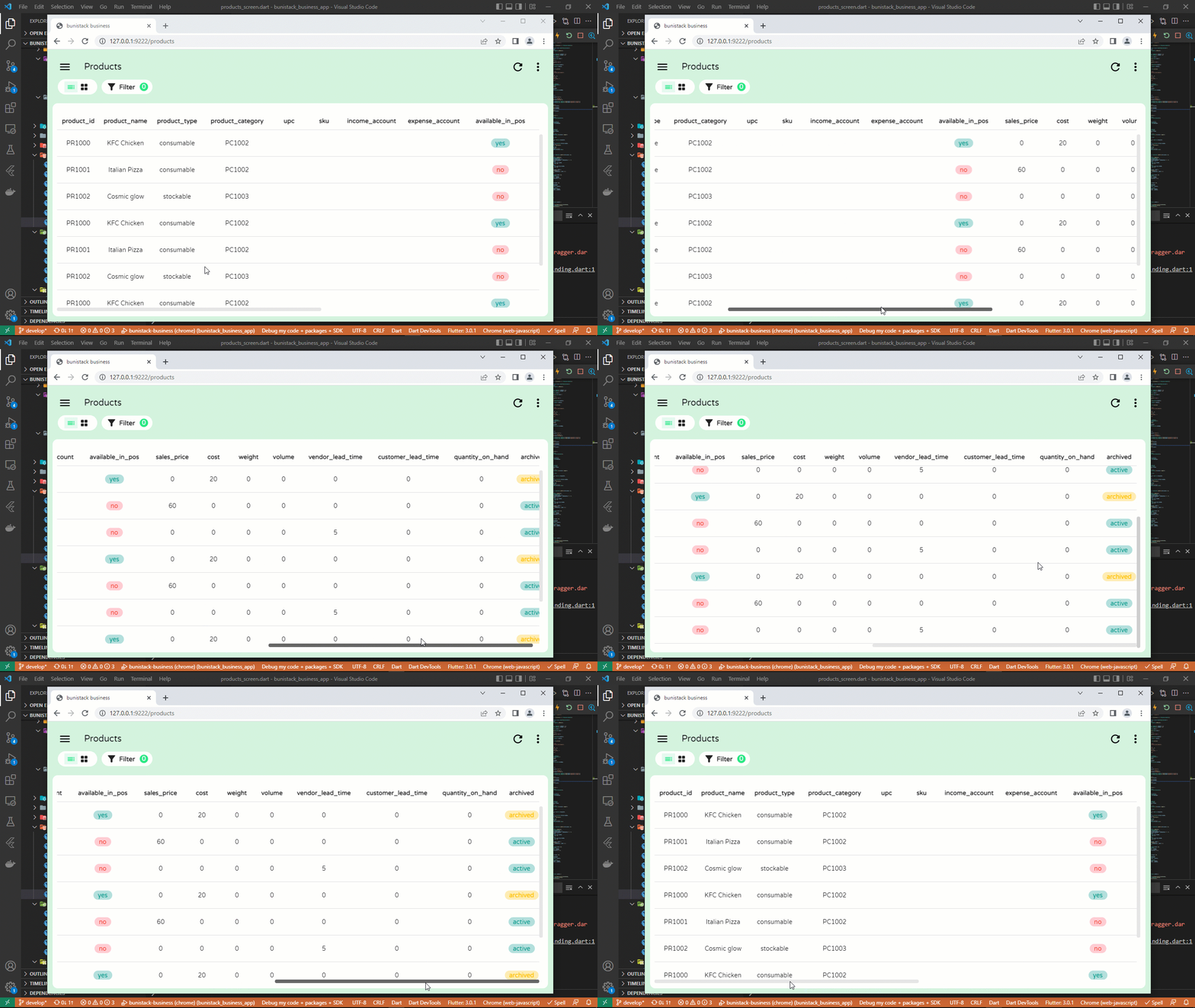
This widget serves the same purpose as a DataTable, with the advantage that it can scroll in both the horizontal and vertical axis, while maintaining the vertical position of the header.
Note
For more complex features like freezing columns and rows, kindly take a look at the data_table_2 package
Getting started
Simply add into your dependencies the following line.
dependencies:
  scrollable_table_view: <latest-version>
Usage
ScrollableTableView(
  headers: [
    "product_id",
    "product_name",
    "price",
  ].map((label) {
    return TableViewHeader(
      label: label,
    );
  }).toList(),
  rows: [
    ["PR1000", "Milk", "20.00"],
    ["PR1001", "Soap", "10.00"],
  ].map((record) {
    return TableViewRow(
      height: 60,
      cells: record.map((value) {
        return TableViewCell(
          child: Text(value),
        );
      }).toList(),
    );
  }).toList(),
);
Pagination
Pagination is supported from version 1.0.0-beta. First, initialize a PaginationController as follows:
final PaginationController paginationController = PaginationController(
    rowCount: many_products.length,
    rowsPerPage: 10,
  );
Next, initialize your table and pass the pagination controller to the paginationController parameter:
ScrollableTableView(
  paginationController: paginationController,
  headers: labels.map((label) {
    return TableViewHeader(
      label: label,
    );
  }).toList(),
  rows: many_products.map((product) {
    return TableViewRow(
      height: 60,
      cells: labels.map((label) {
        return TableViewCell(
          child: Text(product[label] ?? ""),
        );
      }).toList(),
    );
  }).toList(),
)
With the above setup, navigate forward and backwards using paginationController.next() and paginationController.backwards() respectively. To jump to a page directly, use paginationController.jumpTo(pageToJumpTo).
For the full example, go to the main.dart file in the example project.
Additional information
GitHub Repo: https://github.com/herbertamukhuma/scrollable_table_view Raise Issues and Feature requests: https://github.com/herbertamukhuma/scrollable_table_view/issues
Common Issues
- Loading too many records: From version 1.0.0-beta, pagination has been implemented. Kindly use this to avoid loading too many records at a time, which will inturn overwhelm your app.

Herbert Amukhuma ↗
사용 중인 의존성
의존성 목록 3 개
- flutter
{"sdk":"flutter"} - flutter_test개발 의존성
{"sdk":"flutter"} - flutter_lints개발 의존성
^2.0.0
프로젝트에 맞는 저장소를 선택하려면?
사용 목적에 따라 검색하고 개발 활동을 비교한 뒤 원본 저장소에서 요구 사항을 확인하세요.
- 이름, 작성자 또는 설명으로 검색하고 기술 주제로 범위를 좁힙니다.
- 스타, 포크, 최근 푸시를 함께 비교하세요. 스타는 관심의 지표이며 품질을 보장하지 않습니다.
- 사용하기 전에 GitHub에서 README, 라이선스, Issues를 확인하세요.
출처 및 관리
“A repository is the most basic element of GitHub.”
GitHub Docs — About repositories ↗