

 v3.0.6
flutter_locales
다양한 언어로 앱을 쉽게 현지화하세요
59좋아요 1.4천30일 다운로드130Pub 점수
AndroidiOSWebmacOSWindowsLinux
iampopal/flutter_locales open-source repository details.

아래는 영문 원문 스냅샷입니다. 최신 내용은 GitHub에서 확인하세요.
Localize your Flutter app to multiple locales within seconds
✅ Easily Localize your app
✅ Change App Locale within the app
✅ Get Last Changed locale on App starts
✅ Save Locale Language After changed buy LocaleNotifier
✅ Get Translation with LocaleText('key') Widget
Look at a Simple app at GitHub.

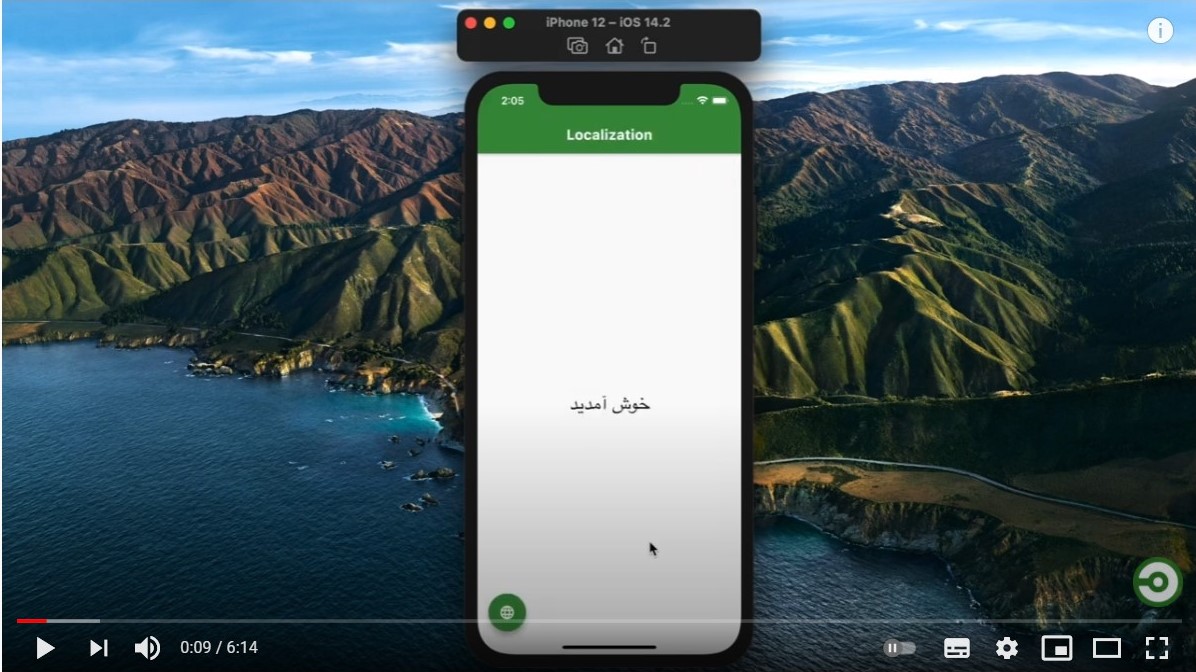
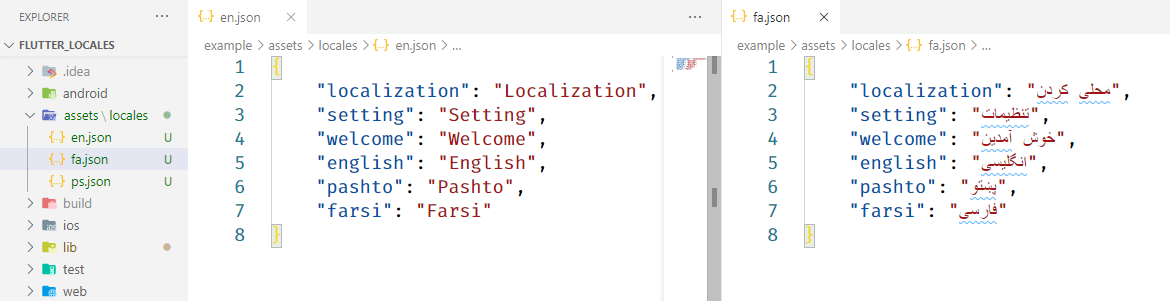
Create an assets/locales folder at the root of your project and add your locales json files.
like:
Include latest dependency of flutter_locales
dependencies:
  flutter:
    sdk: flutter
  flutter_locales:
Include assets/locales/ folder
flutter:
  uses-material-design: true
  assets:
    - assets/locales/
Replace your main app with
void main() async {
  WidgetsFlutterBinding.ensureInitialized();
  await Locales.init(['en', 'fa', 'ps']); // get last saved language
  // remove await if you want to get app default language

  runApp(MyApp());
}
['en', 'fa', 'ps'] are language codes of .json files located in located in assets/locales folderWrap your
MaterialAppwithLocaleBuilderthen provide locale to app
class MyApp extends StatelessWidget {
  @override
  Widget build(BuildContext context) {
    return LocaleBuilder(
      builder: (locale) => MaterialApp(
        title: 'Flutter Locales',
        localizationsDelegates: Locales.delegates,
        supportedLocales: Locales.supportedLocales,
        locale: locale,
        home: HomeScreen(),
      ),
    );
  }
}
LocaleBuilder rebuild the app you change the app locale by Locales.change(context, 'fa')LocaleText Widget Use to translate a key
LocaleText(`welcome`);
LocaleText Translate a key to stringLocales.string(context, 'welcome')
// with extension
context.localeString('welcome');
To change app locale language
Locales.change(context, 'fa');

//with extension
context.changeLocale('fa');
Locales.currentLocale(context);

//with extension
context.currentLocale;
This project is a starting point for a Dart package, a library module containing code that can be shared easily across multiple Flutter or Dart projects.
For help getting started with Flutter, view our online documentation, which offers tutorials, samples, guidance on mobile development, and a full API reference.
의존성 목록 5 개
{"sdk":"flutter"}{"sdk":"flutter"}^2.2.3^0.19.0{"sdk":"flutter"}사용 목적에 따라 검색하고 개발 활동을 비교한 뒤 원본 저장소에서 요구 사항을 확인하세요.
“A repository is the most basic element of GitHub.”
GitHub Docs — About repositories ↗