
Argon-Flutter-Buttons
Flutter에서 아름다운 로딩 및 타이머 버튼 만들기
- 스타
- 225
- 포크
- 46
- 최근 푸시(UTC)
- 2022. 8. 31.
- 프로젝트 상태
- 활성
원본 README
아래는 영문 원문 스냅샷입니다. 최신 내용은 GitHub에서 확인하세요.
Argon Buttons (Timer and Loading)
Create beautiful Loading and Timer buttons using Argon Buttons. No need to worry about handling animations or timers as this pakage does all the messy stuff for you.
Getting Started
You basically have two widgets that you can use, ArgonButton and ArgonTimerButton. ArgonButton helps you create beautiful loading animation in your buttons. ArgonTimerButton helps you create timer buttons that you can use to handle stuff like "Resend OTP" => "Wait for 10 sec".
Demo
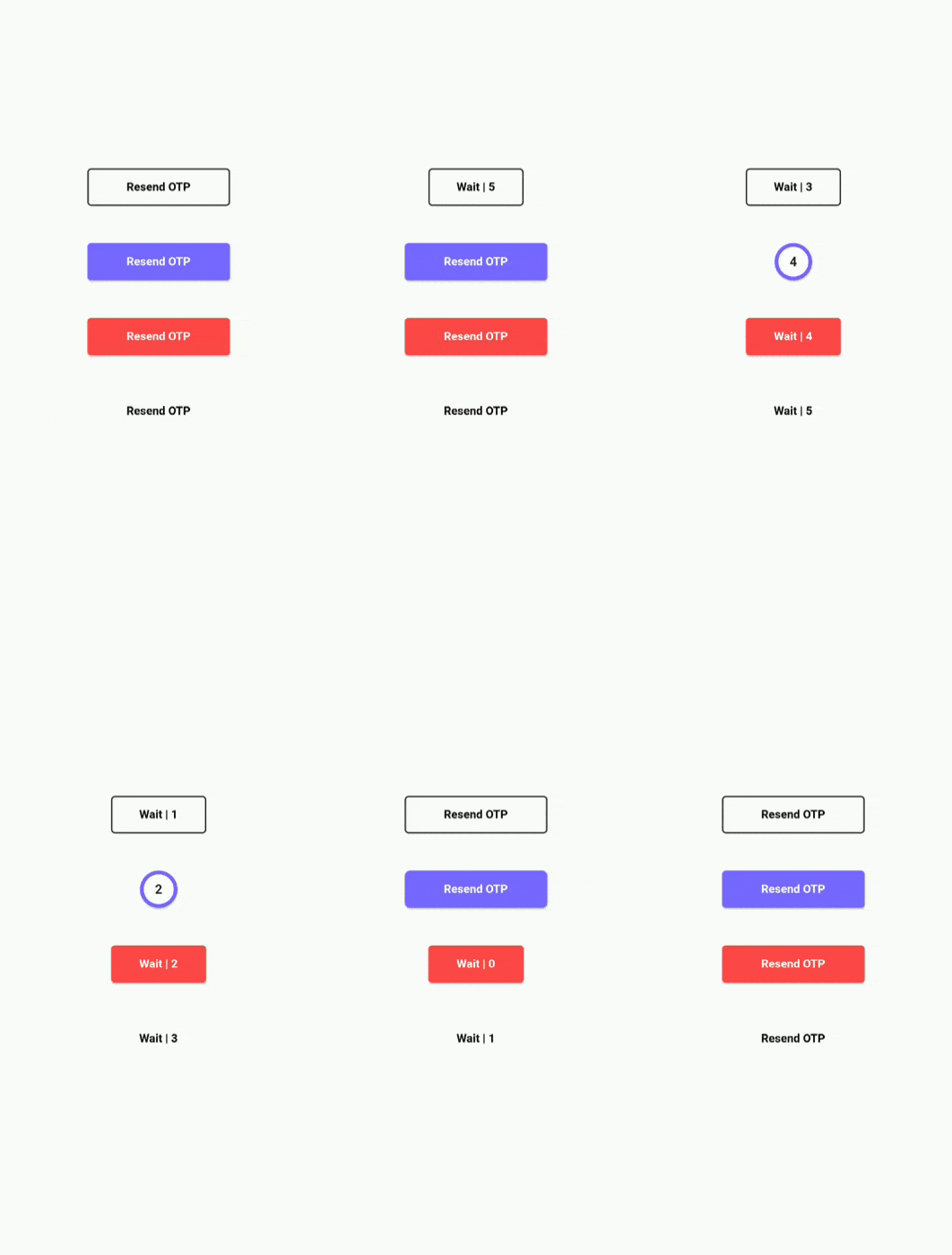
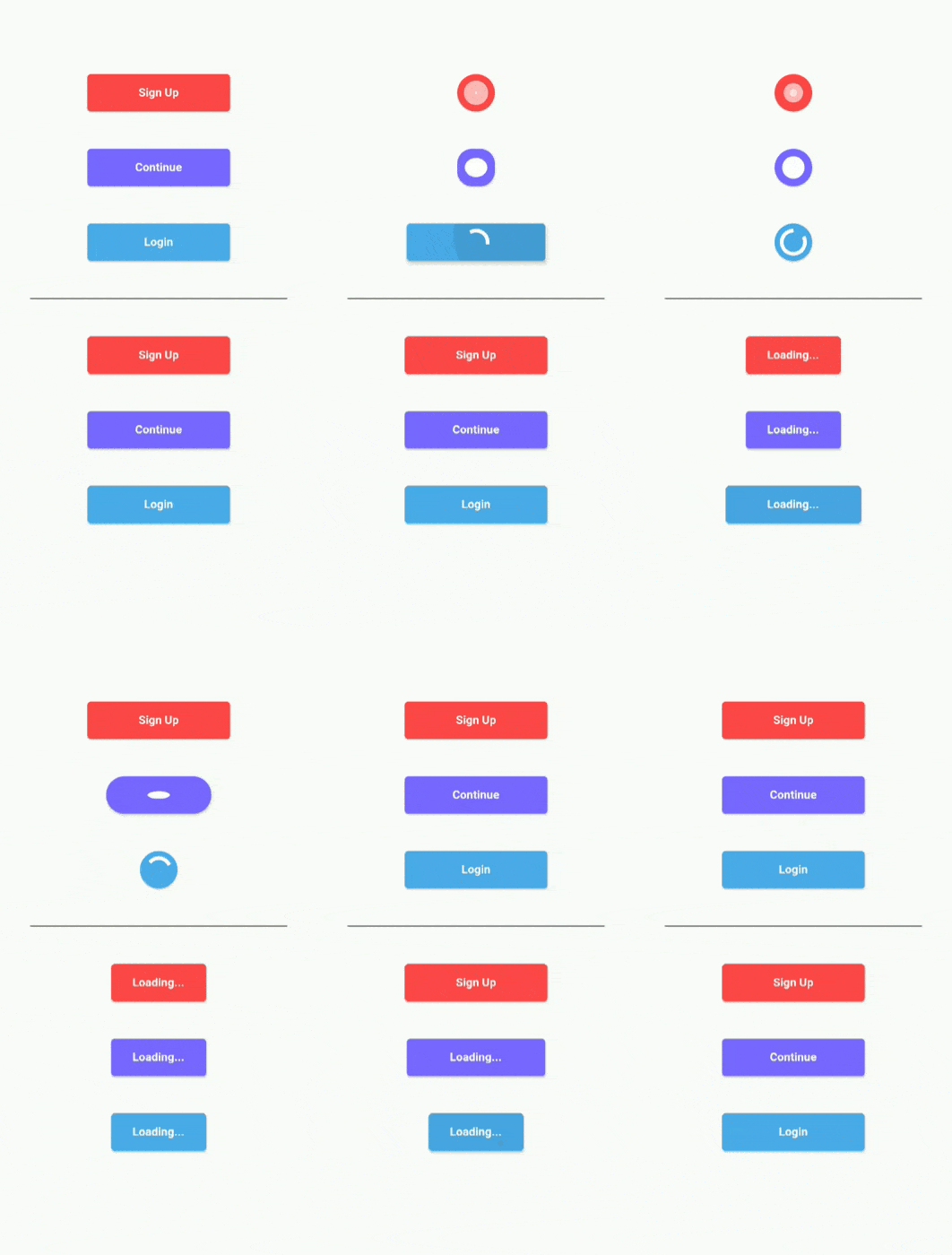
ArgonButton
ArgonButton is basically RaisedButton on steroids. That means that you can use the usual parameters that you use with RaisedButtons with a few extra functionalities.
Example:
ArgonButton(
  height: 50,
  width: 350,
  borderRadius: 5.0,
  color: Color(0xFF7866FE),
  child: Text(
    "Continue",
    style: TextStyle(
        color: Colors.white,
        fontSize: 18,
        fontWeight: FontWeight.w700
	),
  ),
  loader: Container(
    padding: EdgeInsets.all(10),
    child: SpinKitRotatingCircle(
      color: Colors.white,
      // size: loaderWidth ,
    ),
  ),
  onTap: (startLoading, stopLoading, btnState) {
  },
)
This creates a button that animates to a circular loader whenever we want to do a network request or any other task that takes some time to output the response. Here I am using SpinKit for showing the rotating loader inside my button. You can use what ever you like.
We animate the button by using the parameters passed in onTap function. On Tap recieves 3 parameter: startLoading(), stopLoading() and btnState
You can call the startLoading function to change the state of the button to Busy which will animate the button and show the loader. When you call the stopLoading function, the button goes to the norma(Idle) state. In the third parameter btnState you can actually check the current state of the button.
Using onTap:
ArgonButton(
[...]
onTap:(startLoading, stopLoading, btnState){
  if(btnState == ButtonState.Idle){
    startLoading();
    await doNetworkRequest();
    stopLoading();
  }
}
)
Properties
- roundLoadingShape(Default true) : When set to true, it uses borderRadius to creates a round button while in Busy/Loading state
- width: Width of the button when in Idle state
- minWidth: Width of the button when in Busy/Loading state. Default value is equal to height in order to create a completely round loading button
- borderRadius: Border Radius of the button
- borderSide : BorderSide in order to give border color and width to the button
- child: Contents of button when in Idle state
- loader: Contents of button when in Busy/Loading state
- onTap: (startLoading, stopLoading, btnState) : Function that is called when you click on the button
ArgonTimerButton
ArgonTimerButton is similar to ArgonButton but it also has the functionality of working as a Timer button. You can not only give it a initialTimer value but also restart the timer with different countdown from the onTap function.
Example:
ArgonTimerButton(
  initialTimer: 10, // Optional
  height: 50,
  width: MediaQuery.of(context).size.width * 0.45,
  minWidth: MediaQuery.of(context).size.width * 0.30,
  color: Color(0xFF7866FE),
  borderRadius: 5.0,
  child: Text(
    "Resend OTP",
    style: TextStyle(
        color: Colors.black,
        fontSize: 18,
        fontWeight: FontWeight.w700
    ),
  ),
  loader: (timeLeft) {
    return Text(
      "Wait | $timeLeft",
      style: TextStyle(
          color: Colors.black,
          fontSize: 18,
          fontWeight: FontWeight.w700
        ),
    );
  },
  onTap: (startTimer, btnState) {
    if (btnState == ButtonState.Idle) {
      startTimer(20);
    }
  },
),
The onTap function recieves a startTimer(int count) function and a btnState variable. You can use the startTimer function and pass in the new countdown value to restart the counter. This could be very useful for Resend OTP button where after every click you want to reset the counter to a new value from the server. The loader in this case is a button that recieves time left from the timer and has to return a widget which will be the child in the button.
Properties
- initialTimer (Optional): it is a optional value given to start the timer when the widget is build
- roundLoadingShape(Default true) : When set to true, it uses borderRadius to creates a round button while in Busy/Loading state
- width: Width of the button when in Idle state
- minWidth: Width of the button when in Busy/Loading state. Default value is equal to height in order to create a completely round loading button
- borderRadius: Border Radius of the button
- borderSide : BorderSide in order to give border color and width to the button
- child: Contents of button when in Idle state
- loader: It is a function that recieves the left time as parameter and returns the contents of button when in Busy/Loading state
- onTap: (startTimer, btnState) : Function that is called when you click on the button
More
- duration: Duration of the animation
- curve: Curve of animation
- reverseCurve: Curve of reverse animation

Who me? ↗
분류
사용 중인 의존성
의존성 목록 2 개
- flutter
{"sdk":"flutter"} - flutter_test개발 의존성
{"sdk":"flutter"}
프로젝트에 맞는 저장소를 선택하려면?
사용 목적에 따라 검색하고 개발 활동을 비교한 뒤 원본 저장소에서 요구 사항을 확인하세요.
- 이름, 작성자 또는 설명으로 검색하고 기술 주제로 범위를 좁힙니다.
- 스타, 포크, 최근 푸시를 함께 비교하세요. 스타는 관심의 지표이며 품질을 보장하지 않습니다.
- 사용하기 전에 GitHub에서 README, 라이선스, Issues를 확인하세요.
출처 및 관리
“A repository is the most basic element of GitHub.”
GitHub Docs — About repositories ↗