
scroll_to_animate_tab
ishafiul/scroll_to_animate_tab open-source repository details.

- 스타
- 3
- 포크
- 1
- 최근 푸시(UTC)
- 2026. 4. 10.
- 프로젝트 상태
- 활성
원본 README
아래는 영문 원문 스냅샷입니다. 최신 내용은 GitHub에서 확인하세요.
scroll_to_animate_tab
A Flutter widget that is customizable and syncs the ScrollView with the tabs. Create distinct tabs that are coordinated with the internal ScrollView. The tabs come after the index of the scroll view.
Demo
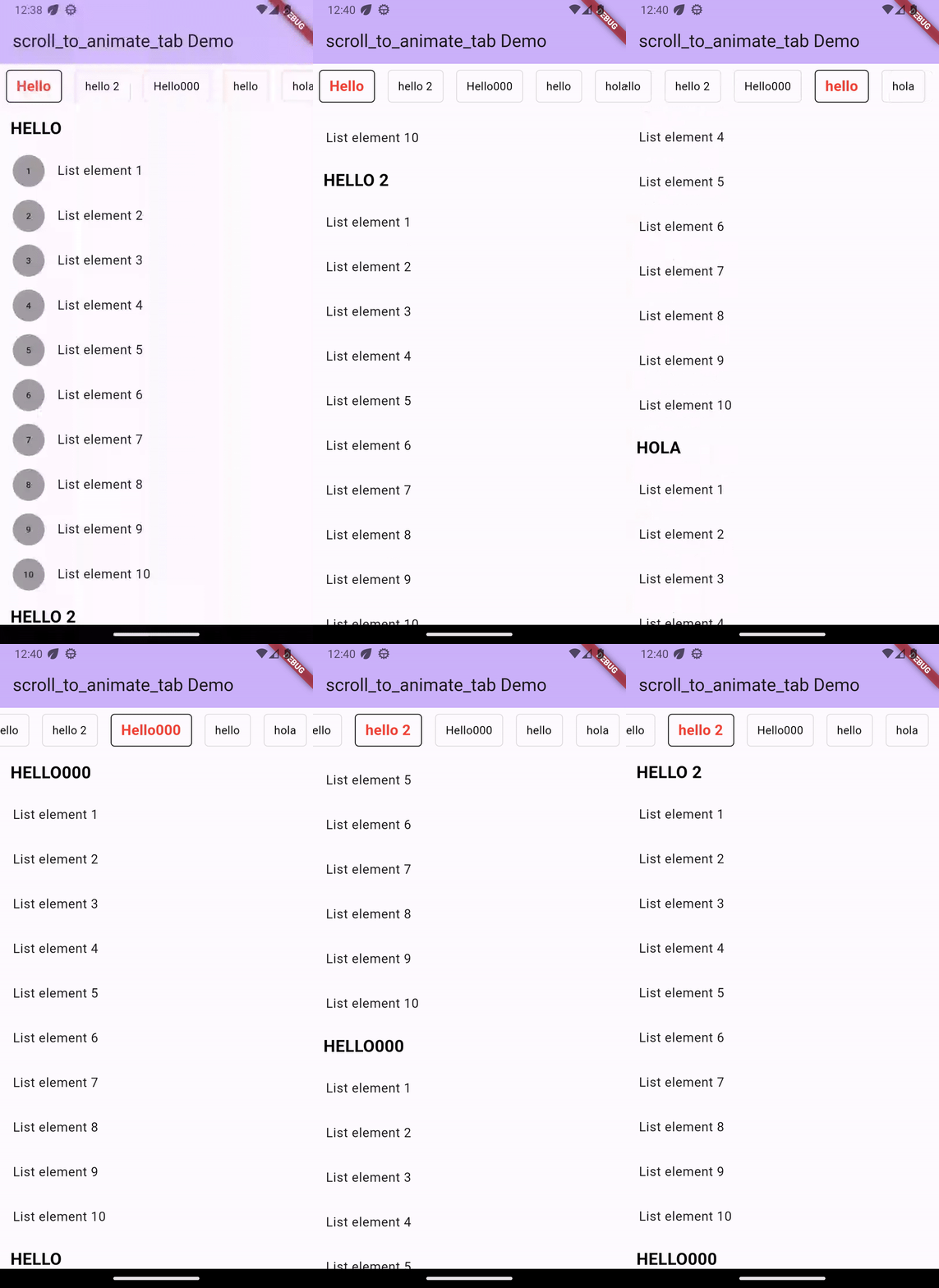
Installation
Add dependency for package on your pubspec.yaml:
    dependencies:
	    scroll_to_animate_tab: latest
or
flutter pub add scroll_to_animate_tab
API
ScrollToAnimateTab
| Parameter | Definition |
|---|---|
List<ScrollableList> tabs |
List of tabs to be rendered |
double tabHeight |
Height of the tab at the top of the view |
Duration? tabAnimationDuration |
[Optional] Duration of tab change animation |
Duration? bodyAnimationDuration |
[Optional] Duration of tab change animation |
Curve? tabAnimationCurve |
[Optional] Animation curve used when animating tab change |
Curve? bodyAnimationCurve |
[Optional] Animation curve used when changing index of inner [ScrollView]s |
Color? backgroundColor |
[Optional] This property will help you to change the background color of tab bar |
TabDecoration? activeTabDecoration |
[Optional] Change active tab decoration |
TabDecoration? inActiveTabDecoration |
[Optional] Change inactive tab decoration |
TabDecoration
| Parameter | Definition |
|---|---|
| TextStyle textStyle | TextStyle for tab label |
| Decoration? decoration | decoration for tabs |
ScrollableList
| Parameter | Definition |
|---|---|
| String label | A String for tab label and as headline of [ScrollableList.body] |
| Widget? bodyLabelDecoration | A widget label for decorate body widget. by default its a Text widget as context [ScrollableList.label] with color: Colors.black,fontWeight: FontWeight.bold,fontSize: 21 |
| Widget body | A single widget in the scrollable tab list. You can use [Column] or any single scrollable widget. If you want to use [ScrollView] ([ListView]) then we suggest make sure that [body] is created with [ScrollView.shrinkWrap] = true and [ScrollView.physics] = [NeverScrollableScrollPhysics]. |
inside this [TabDecoration], it gives us textStyle property which is required that helps us to
change tab label style and other is optional named decoration property which helps us to decorate
our tab.
How to use
Basic Example ->
ScrollToAnimateTab(
    activeTabDecoration: TabDecoration(
        textStyle: const TextStyle(
          color: Colors.red, fontWeight: FontWeight.bold, fontSize: 18),
        decoration: BoxDecoration(
            border: Border.all(color: Colors.black),
            borderRadius: const BorderRadius.all(Radius.circular(5))
        )
    ),
    inActiveTabDecoration: TabDecoration(
        textStyle: const TextStyle(color: Colors.black),
        decoration: BoxDecoration(
            border: Border.all(color: Colors.black12),
            borderRadius: const BorderRadius.all(Radius.circular(5))
        )
    ),
    tabs: [
        ScrollableList(
            label: "Hello",
            body: ListView.builder(
                shrinkWrap: true,
                physics: const NeverScrollableScrollPhysics(),
                itemCount: 10,
                itemBuilder: (_, index) => ListTile(
                title: Text('List element ${index + 1}'),
                ),
            )
        ),
        ScrollableList(
            label: "hello 2",
            body: Column(
                children: List.generate(
                    10,
                    (index) => ListTile(
                    title: Text('List element ${index + 1}'),
            )),
            )
        ),
  ]
)

GitHub 작성자
Safiul islam ↗
언어C++CMakeDartHTMLSwiftCKotlinObjective-C
사용 중인 의존성
의존성 목록 5 개
- flutter
{"sdk":"flutter"} - scrollable_positioned_list
^0.3.8 - flutter_test개발 의존성
{"sdk":"flutter"} - mocktail개발 의존성
^0.3.0 - very_good_analysis개발 의존성
^5.0.0
프로젝트에 맞는 저장소를 선택하려면?
사용 목적에 따라 검색하고 개발 활동을 비교한 뒤 원본 저장소에서 요구 사항을 확인하세요.
- 이름, 작성자 또는 설명으로 검색하고 기술 주제로 범위를 좁힙니다.
- 스타, 포크, 최근 푸시를 함께 비교하세요. 스타는 관심의 지표이며 품질을 보장하지 않습니다.
- 사용하기 전에 GitHub에서 README, 라이선스, Issues를 확인하세요.
출처 및 관리
“A repository is the most basic element of GitHub.”
GitHub Docs — About repositories ↗