

 v2.2.2
page_transition
Flutter 페이지 전환 패키지로 두 번째 페이지의 전환
1.6천좋아요 40.4만30일 다운로드150Pub 점수
AndroidiOSWebmacOSWindowsLinux
이것은 플러터 페이지 전환 패키지입니다

아래는 영문 원문 스냅샷입니다. 최신 내용은 GitHub에서 확인하세요.
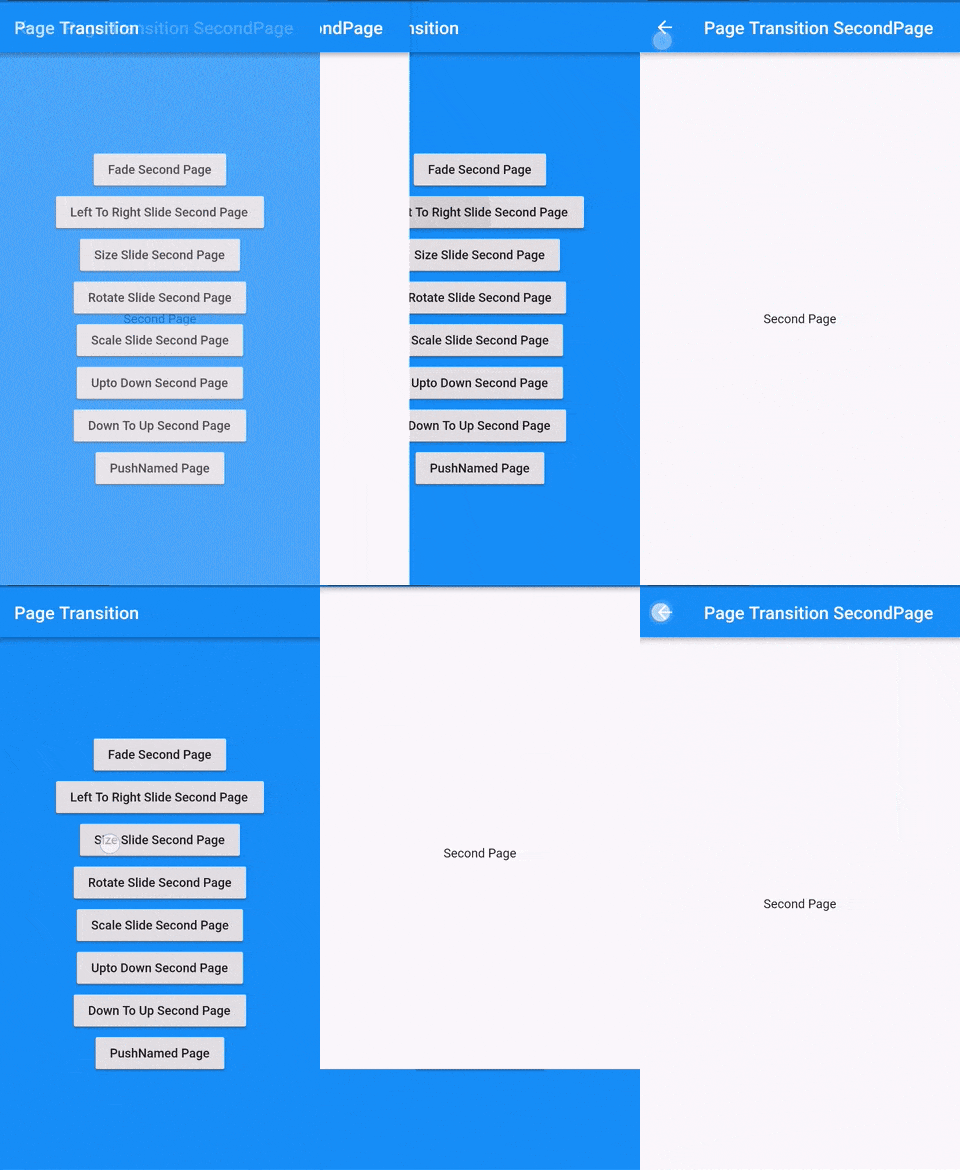
A Flutter package that provides beautiful page transitions with an easy-to-use API.


dependencies:
  page_transition: ^latest_version
// Simple transition
context.pushTransition(
  type: PageTransitionType.fade,
  child: DetailScreen(),
);

// Using builder pattern
context.pushTransition(
  type: PageTransitionType.fade,
  childBuilder: (context) => DetailScreen(
    id: someId,
    title: someTitle,
  ),
);

// Push replacement
context.pushReplacementTransition(
  type: PageTransitionType.rightToLeft,
  child: DetailScreen(),
);

// Push and remove until
context.pushAndRemoveUntilTransition(
  type: PageTransitionType.fade,
  child: HomePage(),
  predicate: (route) => false,
);

// Named route with transition
context.pushNamedTransition(
  routeName: '/detail',
  type: PageTransitionType.fade,
  arguments: {'id': 1},
);
Navigator.push(
  context,
  PageTransition(
    type: PageTransitionType.fade,
    child: DetailScreen(),
  ),
);

// Or using builder pattern
Navigator.push(
  context,
  PageTransition(
    type: PageTransitionType.fade,
    childBuilder: (context) => DetailScreen(id: someId),
  ),
);
MaterialApp(
  onGenerateRoute: (settings) {
    switch (settings.name) {
      case '/details':
        return PageTransition(
          type: PageTransitionType.rightToLeftJoined,
          childCurrent: context.currentRoute, // Get current route widget
          child: DetailsPage(),
          settings: settings,
        );

      case '/shared-axis':
        // Example of shared axis transition
        return PageTransition(
          type: PageTransitionType.rightToLeftJoined,
          childCurrent: context.currentRoute,
          child: SharedAxisPage(),
          settings: settings,
          curve: Curves.easeInOut,
          duration: Duration(milliseconds: 400),
        );
    }
  },
);
final router = GoRouter(
  routes: [
    GoRoute(
      path: '/details/:id',
      pageBuilder: (context, state) {
        return PageTransition(
          type: PageTransitionType.rightToLeftJoined,
          childCurrent: context.currentRoute,
          child: DetailsPage(id: state.params['id']),
          settings: RouteSettings(name: state.location),
        );
      },
    ),
  ],
);
First, define your routes:
@MaterialAutoRouter(
  replaceInRouteName: 'Page,Route',
  routes: <AutoRoute>[
    AutoRoute(
      page: HomePage,
      initial: true,
    ),
    CustomRoute(
      page: DetailsPage,
      path: '/details/:id',
      transitionsBuilder: (context, animation, secondaryAnimation, child) {
        return PageTransition(
          type: PageTransitionType.sharedAxisHorizontal,
          child: child,
        ).buildTransitions(
          context,
          animation,
          secondaryAnimation,
          child,
        );
      },
    ),
    CustomRoute(
      page: ProfilePage,
      path: '/profile',
      transitionsBuilder: (context, animation, secondaryAnimation, child) {
        return PageTransition(
          type: PageTransitionType.sharedAxisVertical,
          child: child,
        ).buildTransitions(
          context,
          animation,
          secondaryAnimation,
          child,
        );
      },
    ),
  ],
)
class $AppRouter {}
Then use it in your app:
@override
Widget build(BuildContext context) {
  return MaterialApp.router(
    routerDelegate: _appRouter.delegate(),
    routeInformationParser: _appRouter.defaultRouteParser(),
  );
}

// Navigate using AutoRoute
context.router.push(DetailsRoute(id: 123)); // Will use shared axis horizontal
context.router.push(const ProfileRoute()); // Will use shared axis vertical
final router = GoRouter(
  routes: [
    GoRoute(
      path: '/details/:id',
      pageBuilder: (context, state) {
        return PageTransition(
          type: PageTransitionType.sharedAxisHorizontal,
          child: DetailsPage(id: state.params['id']),
          settings: RouteSettings(name: state.location),
        );
      },
    ),
  ],
);
Enable iOS-style swipe back gesture:
context.pushTransition(
  type: PageTransitionType.rightToLeft,
  child: DetailScreen(),
  isIos: true,
);
Note: iOS swipe back works only with rightToLeft and fade transitions.
Use the parent's theme in the transition:
context.pushTransition(
  type: PageTransitionType.rightToLeft,
  child: DetailScreen(),
  inheritTheme: true,
);
context.pushTransition(
  type: PageTransitionType.fade,
  child: DetailScreen(),
  duration: Duration(milliseconds: 300),
  curve: Curves.easeInOut,
);
Material Design 3 style shared axis transitions:
// Horizontal shared axis
context.pushTransition(
  type: PageTransitionType.sharedAxisHorizontal,
  child: DetailScreen(),
  duration: Duration(milliseconds: 400),
  curve: Curves.easeInOut,
);

// Vertical shared axis
context.pushTransition(
  type: PageTransitionType.sharedAxisVertical,
  child: DetailScreen(),
);

// Scale shared axis
context.pushTransition(
  type: PageTransitionType.sharedAxisScale,
  child: DetailScreen(),
);
MaterialApp(
  onGenerateRoute: (settings) {
    switch (settings.name) {
      case '/details':
        return PageTransition(
          type: PageTransitionType.sharedAxisHorizontal,
          settings: settings,
          child: DetailsPage(),
        );
      case '/profile/settings':
        return PageTransition(
          type: PageTransitionType.sharedAxisVertical,
          settings: settings,
          child: SettingsPage(),
        );
    }
  },
);

// Navigate using extensions
context.pushNamedTransition(
  routeName: '/details',
  type: PageTransitionType.sharedAxisHorizontal,
  arguments: {'id': 123},
);
final router = GoRouter(
  routes: [
    GoRoute(
      path: '/details/:id',
      pageBuilder: (context, state) {
        return PageTransition(
          type: PageTransitionType.rightToLeftJoined,
          childCurrent: context.currentRoute,
          child: DetailsPage(id: state.params['id']),
          settings: RouteSettings(name: state.location),
        );
      },
    ),
  ],
);
final router = GoRouter(
  routes: [
    GoRoute(
      path: '/details/:id',
      pageBuilder: (context, state) {
        return PageTransition(
          type: PageTransitionType.rightToLeftJoined,
          childCurrent: context.currentRoute,
          child: DetailsPage(id: state.params['id']),
          settings: RouteSettings(name: state.location),
        );
      },
    ),
  ],
);
final router = GoRouter(
  routes: [
    GoRoute(
      path: '/details/:id',
      pageBuilder: (context, state) {
        return PageTransition(
          type: PageTransitionType.sharedAxisHorizontal,
          child: DetailsPage(id: state.params['id']),
          settings: RouteSettings(name: state.location),
        );
      },
    ),
  ],
);
Check out Johannes Milke's tutorial for a detailed walkthrough.
Pull requests are welcome! For major changes, please open an issue first to discuss what you would like to change.
For optimal performance:
Curves.easeOutchildBuilder for lazy widget constructionRepaintBoundary on heavy widgets being transitionedcontext.pushTransition(
type: PageTransitionType.fade, // Simpler transitions are more performant
duration: Duration(milliseconds: 200),
curve: Curves.easeOut,
child: RepaintBoundary(
child: HeavyWidget(),
),
);
의존성 목록 3 개
{"sdk":"flutter"}{"sdk":"flutter"}^2.0.0사용 목적에 따라 검색하고 개발 활동을 비교한 뒤 원본 저장소에서 요구 사항을 확인하세요.
“A repository is the most basic element of GitHub.”
GitHub Docs — About repositories ↗