

v0.1.2
future_button
진행률 바가 있는 사용자 정의 가능한 Material 및 Cupertino 버튼입니다. 사용자가 어떤 작업을 누를 때 로딩 표시기를 보여주고 그 후 결과를 표시하고 싶을 때 유용합니다.
39좋아요 3630일 다운로드40Pub 점수
플랫폼 정보 없음
진행률 표시기 및 기타 기능이 있는 사용자 지정 가능한 Material 및 Cupertino 버튼
아래는 영문 원문 스냅샷입니다. 최신 내용은 GitHub에서 확인하세요.


Customizable Material and Cupertino buttons with progress indicators and more.
Useful if you want to run some background tasks when user presses on the button, and then show the result of the task.
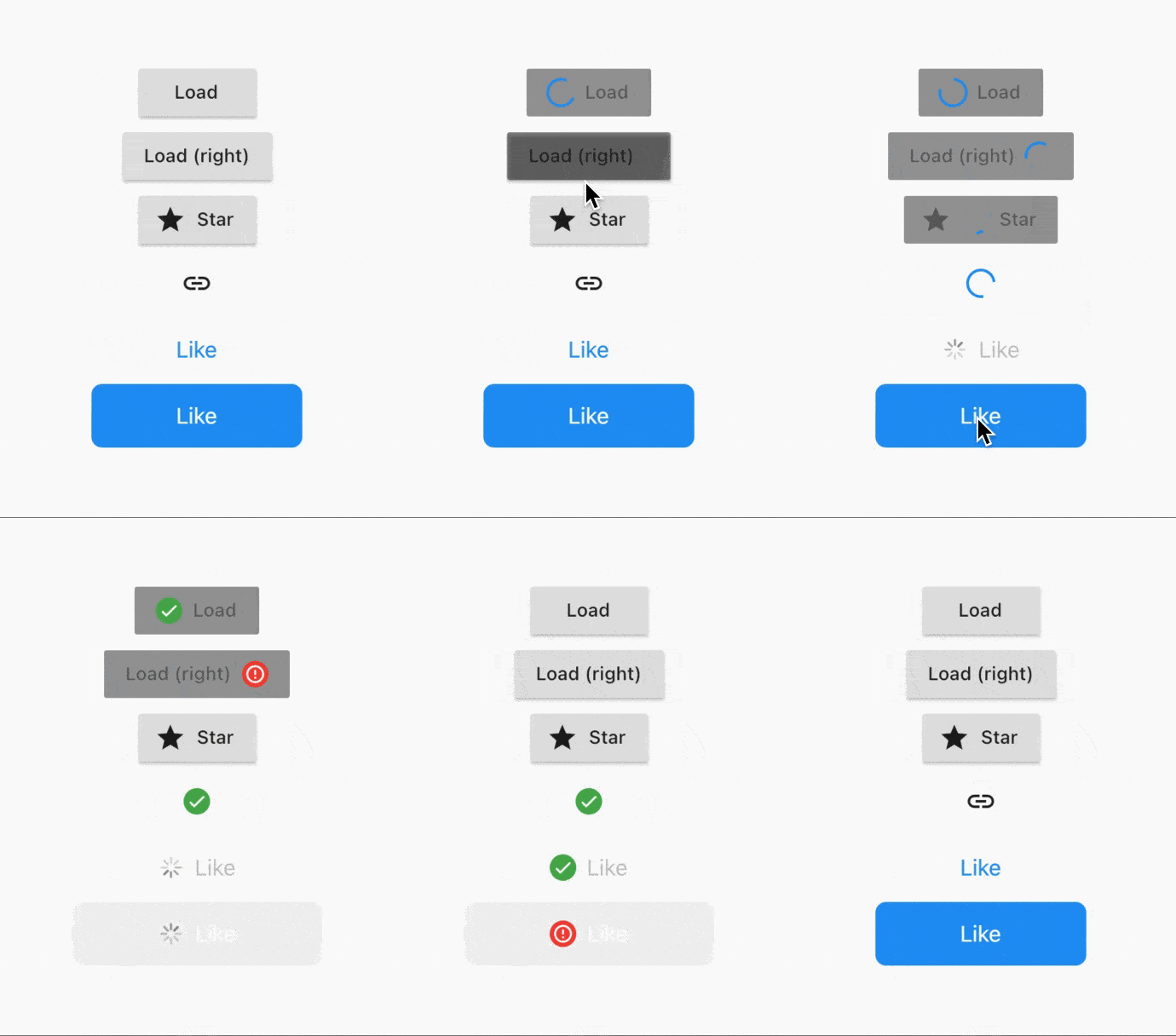
Usage is extremely simple - right now 5 types of buttons are supported:
CupertinoButton (normal + filled)FlatButton (normal + icon)IconButtonOutlineButton (normal + icon)RaisedButton (normal + icon)To convert a button to a FutureButton, just add a Future prefix and make sure that your onPressed callback is of type Future<void> Function(), instead of usual void Function().
Everything that the package does can be customized. Below is the list of all parameters:
/// The widget that's used as the progress indicator.
/// You can substitute it with your own progress indicator if necessary.
/// See [defaultMaterialProgressIndicatorBuilder] and[defaultCupertinoProgressIndicatorBuilder] for more info.
final WidgetBuilder progressIndicatorBuilder;

/// The location of progress indicator.
/// See [ProgressIndicatorLocation] for more info.
final ProgressIndicatorLocation progressIndicatorLocation;

/// Whether to show the result of the Future.
/// Will show [successIndicatorBuilder] if Future completes without errors.
/// Otherwise, will show [failureIndicatorBuilder].
final bool showResult;

/// Whether to animate the transitions using [AnimatedSwitcher].
/// Defaults to [true].
final bool animateTransitions;

/// Indicator to show when the Future is completed successfully.
/// Defaults to [defaultSuccessResultIndicatorBuilder].
final WidgetBuilder successIndicatorBuilder;

/// Indicator to show when the Future fails.
/// Defaults to [defaultFailureResultIndicatorBuilder].
final WidgetBuilder failureIndicatorBuilder;

/// For how long should the result be shown for.
/// Default to `Duration(seconds: 2)`.
final Duration resultIndicatorDuration;

/// Curve that's used to animate the button size.
/// Defaults to [Curves.easeInOut].
final Curve animationCurve;

/// Duration that's used to animate the button size.
/// Defaults to `Duration(milliseconds: 150)`.
final Duration animationDuration;
FutureRaisedButton.icon(
  icon: Icon(Icons.star),
  label: Text('Star'),
  onPressed: () async {
    // Do some background task
    await Future.delayed(Duration(seconds: 5));
  },
);
See example project for more details.
Add this to your package's pubspec.yaml file:
dependencies:
  future_button: ^0.1.1
You can install packages from the command line:
$ flutter pub get
Now in your Dart code, you can use:
import 'package:future_button/future_button.dart';
E-mail: kk.erzhan@gmail.com

의존성 목록 3 개
{"sdk":"flutter"}^1.9.0{"sdk":"flutter"}사용 목적에 따라 검색하고 개발 활동을 비교한 뒤 원본 저장소에서 요구 사항을 확인하세요.
“A repository is the most basic element of GitHub.”
GitHub Docs — About repositories ↗