
 v0.4.4
anchor_scroll_controller
이 패키지는 앵커를 지원하는 ScrollController를 구현합니다. 즉, AnchorScrollController는 인덱스로 스크롤하고 사용자가 스크롤할 때 인덱스 변경을 듣는 것을 지원합니다.
48좋아요 3.1천30일 다운로드160Pub 점수
AndroidiOSWebmacOSWindowsLinux
앵커를 지원하는 ScrollController

{"sdk":"flutter"}{"sdk":"flutter"}아래는 영문 원문 스냅샷입니다. 최신 내용은 GitHub에서 확인하세요.
This package implement a ScrollController which supports anchor. That is, AnchorScrollController supports to scroll to index and listen to index changed while scrolling by user.
Scroll to index
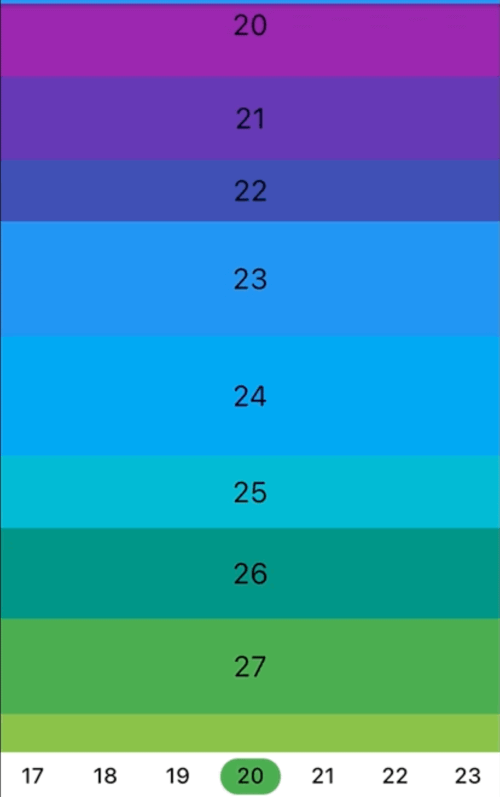
Screenshot
Listen to index changed
Screenshot
In the pubspec.yaml of your flutter project, add the following dependency:
dependencies:
  ...
  anchor_scroll_controller: <latest_version>
In your library add the following import:
import 'package:anchor_scroll_controller/anchor_scroll_controller.dart';
Initialize an AnchorScrollController object and use it as the ScrollController of ListView, and wrap the items in the ListView with AnchorItemWrapper
late final AnchorScrollController _scrollController;

@override
void initState() {
  super.initState();

  _scrollController = AnchorScrollController(
    onIndexChanged: (index) {
      _tabController?.animateTo(index);
    },
  );
}

@override
Widget build(BuildContext context) {
  return Scaffold(
    appBar: AppBar(
      title: Text("GeneralScrollViewWidget"),
    ),
    body: Column(
      children: [
        Expanded(
          child: ListView.builder(
            controller: _scrollController,
            itemCount: length,
            itemBuilder: (context, index) => AnchorItemWrapper(
              index: index,
              controller: _scrollController,
              child: Container(
                height: 50.0 + Random().nextInt(50),
                color: Colors.primaries[index % Colors.primaries.length],
                alignment: Alignment.center,
                child: Text(index.toString(),
                            style: const TextStyle(fontSize: 24, color: Colors.black)),
              ),
            )
          ),
        ),
        ... // omit more code
      ],
    )
  );

  ...
  // call AnchorScrollController.scrollToIndex() to scroll to the target index item
  _scrollController.scrollToIndex(index);
  ...
fixedItemSize param of AnchorScrollController to the size of items. For example, if the height of all items are 50, then set fixedItemSize param to 50.scrollViewWrapper param instead of controller param to AnchorItemWrapper. See cascaded_scroll_controller.dart for more detail.