
 v2.1.0
icon_picker
아이콘 컬렉션을 포함한 대화 상자를 표시하여 하나를 선택하고 jason iconData를 반환하는 Flutter 위젯입니다.
18좋아요 6130일 다운로드60Pub 점수
플랫폼 정보 없음
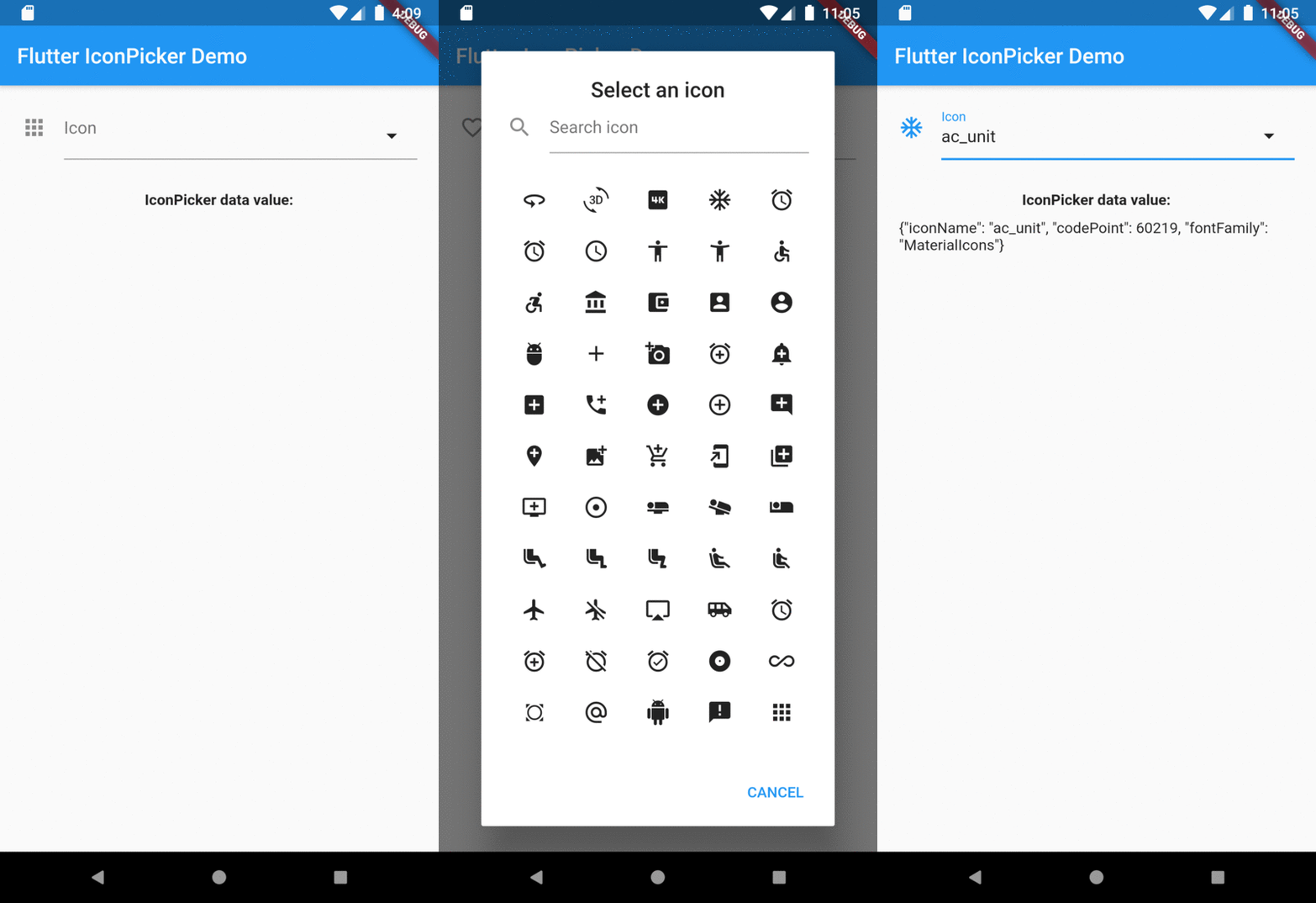
아이콘 컬렉션을 선택할 수 있도록 보여주는 Flutter 위젯입니다. 이 위젯은 TextField를 확장하고 TextFormField와 유사한 동작을 합니다.

의존성 목록 3 개
{"sdk":"flutter"}{"sdk":"flutter"}^1.0.0아래는 영문 원문 스냅샷입니다. 최신 내용은 GitHub에서 확인하세요.
A Flutter widget to show an icon collection to pick.
This widget extend TextField and has a similar behavior as TextFormField
In the pubspec.yaml of your flutter project, add the following dependency:
dependencies:
  ...
  icon_picker: "^2.1.0"
In your library add the following import:
import 'package:icon_picker/icon_picker.dart';
For help getting started with Flutter, view the online documentation.
IconPicker use an internal MaterialIcon collection by default, but you can set your own icon collection.
You just need to pass in iconCollection param a Map<String, IconData>.
final Map<String, IconData> myIconCollection = {
  'favorite': Icons.favorite,
  'home': Icons.home,
  'android': Icons.android,
  'album': Icons.album,
  'ac_unit': Icons.ac_unit,
  ...
}
IconPicker(
  initialValue: 'favorite',
  icon: Icon(Icons.apps),
  labelText: "Icon",
  title: "Select an icon",
  cancelBtn: "CANCEL",
  enableSearch: true,
  searchHint: 'Search icon',
  iconCollection: myIconCollection,
  onChanged: (val) => print(val),
  onSaved: (val) => print(val),
);
The result of val in onChanged, validator and onSaved will be a json String.
So, if you tap the icon ac_unit in the dialog window, the result value will be:
'{"iconName": "ac_unit", "codePoint": 60219, "fontFamily": "MaterialIcons"}'
Transforming the String result of IconPicker in an IconData:
String value = '{"iconName": "ac_unit", "codePoint": 60219, "fontFamily": "MaterialIcons"}'
var iconDataJson = jsonDecode(value);
IconData icon = IconData(iconDataJson['codePoint'], fontFamily: iconDataJson['fontFamily']);
Icon(icon);
Overview