

 v1.0.4
page_route_animator
Flutter 페이지 라우트 전환 패키지, 62가지의 다른 전환 효과를 포함합니다.
95좋아요 13830일 다운로드160Pub 점수
AndroidiOSWebmacOSWindowsLinux
Flutter 페이지 라우트 전환 패키지, 62가지의 다른 전환 효과 포함

아래는 영문 원문 스냅샷입니다. 최신 내용은 GitHub에서 확인하세요.
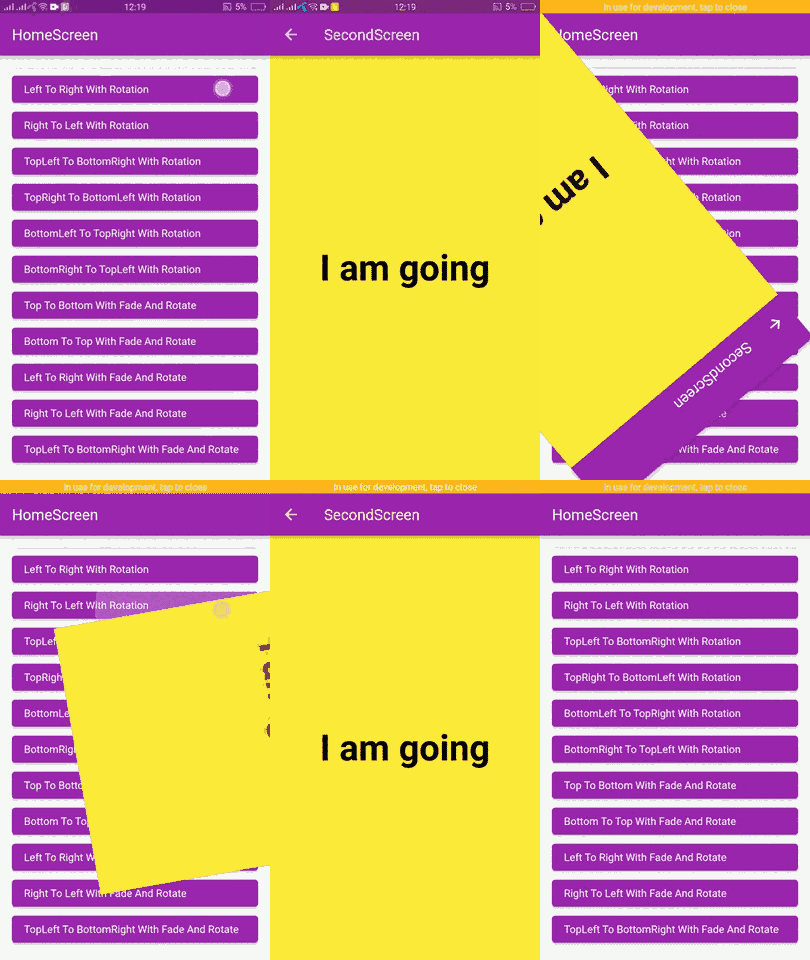
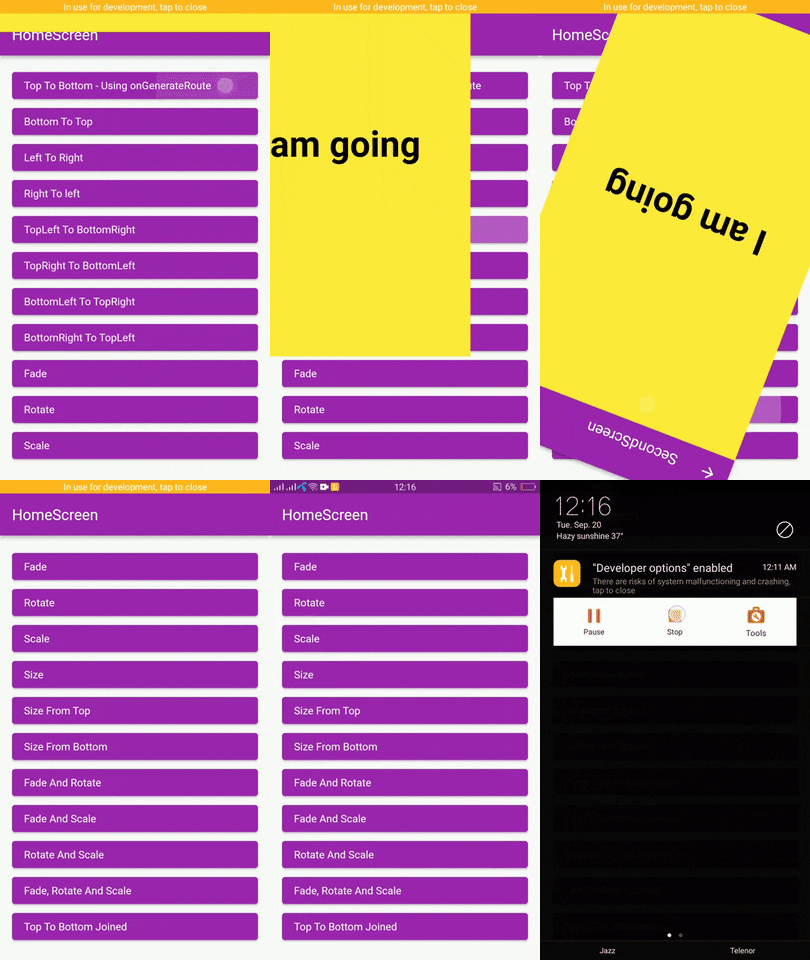
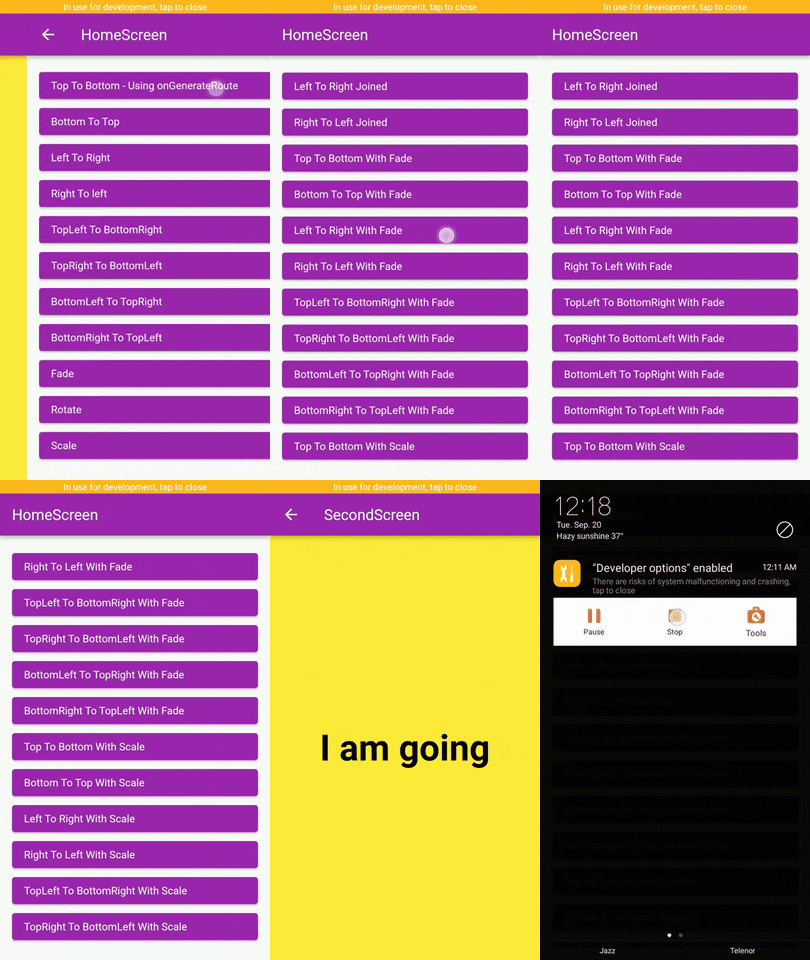
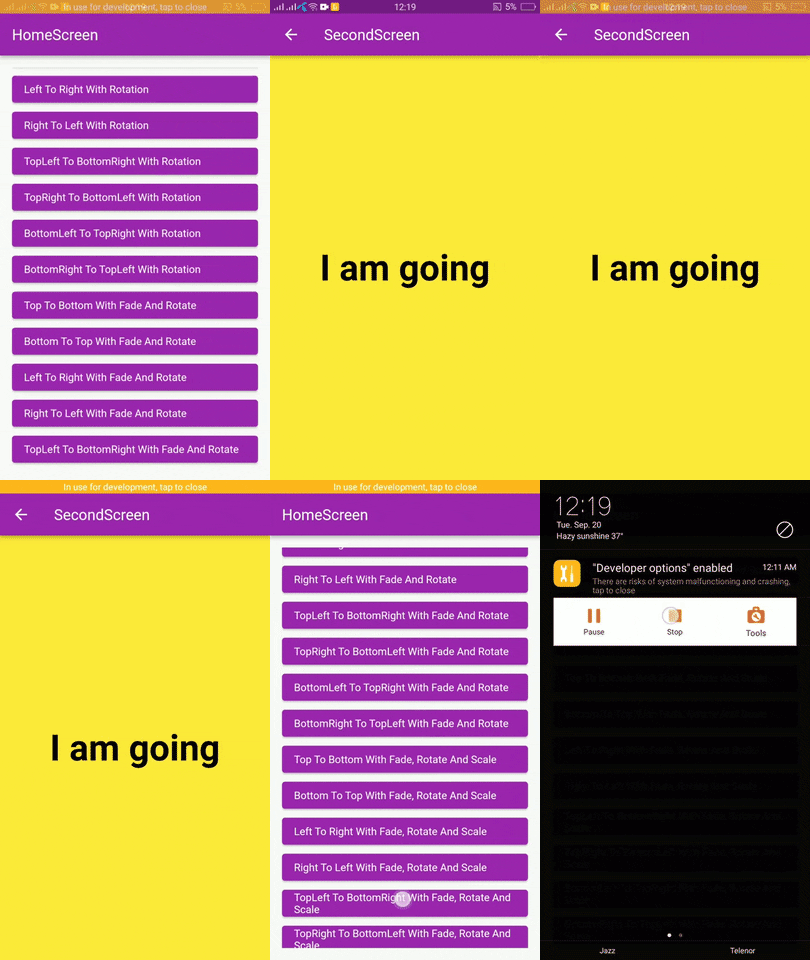
Flutter page route transition package, with 62 different page transitions.


|
|
|
In the pubspec.yaml of your flutter project, add the following dependency:
dependencies:
  page_route_transition: ^1.0.4
To use this package you have to import it in your file by using below command:
import 'package:page_route_animator/page_route_animator.dart';
import 'package:flutter/material.dart';
import 'package:page_route_animator/page_route_animator.dart';

void main(List<String> args) => runApp(const MyApp());

/// This widget is the root of your app.
class MyApp extends StatelessWidget {
  const MyApp({Key? key}) : super(key: key);

  @override
  Widget build(BuildContext context) {
    return MaterialApp(
      debugShowCheckedModeBanner: false,
      title: 'Page Route Animator Code Example',
      theme: ThemeData(primarySwatch: Colors.purple),
      home: const HomeScreen(),

      /// using onGenerateRoute
      onGenerateRoute: (settings) {

        switch (settings.name) {
          case '/second-screen':
            return PageRouteAnimator(
              child: const SecondScreen(),
              routeAnimation: RouteAnimation.topToBottom,
              settings: settings,
              curve: Curves.linear,
              duration: const Duration(milliseconds: 500),
              reverseDuration: const Duration(milliseconds: 500),
            );
          default:
            return null;
        }
      },
    );
  }
}

/// HomeScreen
class HomeScreen extends StatelessWidget {
  const HomeScreen({Key? key}) : super(key: key);

  @override
  Widget build(BuildContext context) {
    return Scaffold(
      appBar: AppBar(
        title: const Text('HomeScreen'),
      ),
      body: Padding(
        padding: const EdgeInsets.all(16.0),
        child: ListView(
          children: [
            /// Push using onGenerateRoute
            /// Navigator.pushNamed()
            ElevatedButton(
              onPressed: () {
                Navigator.pushNamed(
                  context,
                  '/second-screen',
                  arguments: 'I am going',
                );
              },
              child: getText('Top To Bottom - onGenerateRoute'),
            ),

            /// Navigator.push()
            ElevatedButton(
              onPressed: () {
                Navigator.push(
                  context,
                  PageRouteAnimator(
                    child: const SecondScreen(),
                    routeAnimation: RouteAnimation.bottomToTop,
                    settings: const RouteSettings(arguments: 'I am going'),
                    curve: Curves.slowMiddle,
                    duration: const Duration(milliseconds: 500),
                    reverseDuration: const Duration(milliseconds: 500),
                  ),
                );
              },
              child: getText('Bottom To Top'),
            ),

            ElevatedButton(
              onPressed: () {
                Navigator.push(
                  context,
                  PageRouteAnimator(
                    child: const SecondScreen(),
                    routeAnimation: RouteAnimation.leftToRight,
                    settings: const RouteSettings(arguments: 'I am going'),
                    curve: Curves.linear,
                  ),
                );
              },
              child: getText('Left To Right'),
            ),

            ElevatedButton(
              onPressed: () {
                Navigator.push(
                  context,
                  PageRouteAnimator(
                    child: const SecondScreen(),
                    routeAnimation: RouteAnimation.rightToLeft,
                    settings: const RouteSettings(arguments: 'I am going'),
                    curve: Curves.easeOut,
                  ),
                );
              },
              child: getText('Right To left'),
            ),

            ElevatedButton(
              onPressed: () {
                Navigator.push(
                  context,
                  PageRouteAnimator(
                    child: const SecondScreen(),
                    routeAnimation: RouteAnimation
                        .bottomRightToTopLeftWithFadeRotateAndScale,
                    settings: const RouteSettings(arguments: 'I am going'),
                    curve: Curves.easeOut,
                  ),
                );
              },
              child:
                  getText('BottomRight To TopLeft With Fade, Rotate And Scale'),
            ),
          ],
        ),
      ),
    );
  }
}

/// SecondScreen
class SecondScreen extends StatelessWidget {
  const SecondScreen({Key? key}) : super(key: key);

  @override
  Widget build(BuildContext context) {
    String? argument = ModalRoute.of(context)?.settings.arguments as String?;
    return Scaffold(
      backgroundColor: Colors.yellow,
      appBar: AppBar(
        title: const Text('SecondScreen'),
      ),
      body: Center(
        child: Text(
          argument ?? 'No Data',
          style: const TextStyle(
            fontSize: 48.0,
            fontWeight: FontWeight.bold,
            color: Colors.black,
          ),
        ),
      ),
    );
  }
}

// Helper Widget
Widget getText(String text) {
  return Align(
    alignment: Alignment.centerLeft,
    child: Text(text),
  );
}
Learn about Curves from official docs, curves.
의존성 목록 3 개
{"sdk":"flutter"}{"sdk":"flutter"}^3.0.2사용 목적에 따라 검색하고 개발 활동을 비교한 뒤 원본 저장소에서 요구 사항을 확인하세요.
“A repository is the most basic element of GitHub.”
GitHub Docs — About repositories ↗