

 v0.2.0
flutter_interactive_keyboard
iOS의 네이티브 동작과 유사하게 키보드를 상호작용적으로 닫는 데 사용할 수 있는 플러터 플러그인입니다. 안드로이드에서는 드래그 없이 기능을 모방합니다.
33좋아요 5630일 다운로드140Pub 점수
AndroidiOS
자세한 내용은 https://medium.com/@mattia_crovero/interactive-keyboard-in-flutter-5d7ac6ee096b 에서 확인하세요

아래는 영문 원문 스냅샷입니다. 최신 내용은 GitHub에서 확인하세요.

This plugin is not under active development. If you'd like to contribute, PRs are welcomed.
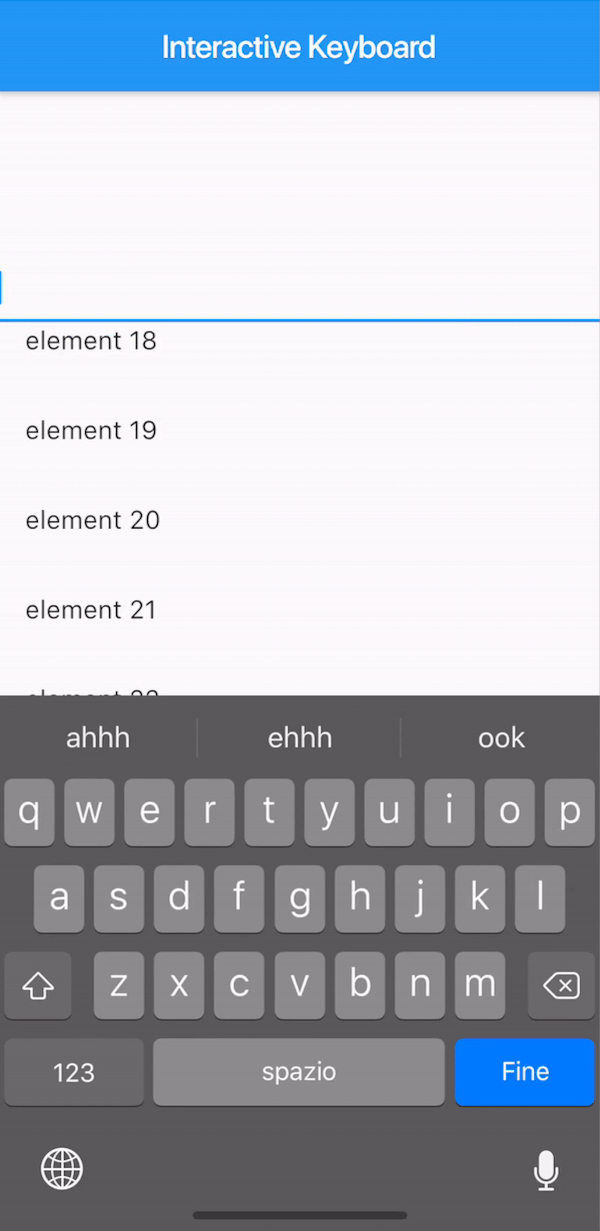
A way to mimic the iOS interactive dismissable keyboard in Flutter. For Android, the behavior will still be applied without animation due to the Android keyboard limitations.

The KeyboardManagerWidget defines the area where the draggable keyboard is enabled. Gestures are passed to the widget in order to permit both scrolling and drag-to-dismiss behavior.
focusNode is required when using a TextField to manage the keyboard opening and closing.
See the full example to see a complete implementation.
KeyboardManagerWidget(
  focusNode: _focusNode,
  child: ListView.builder(
    itemCount: 100,
    itemBuilder: (context,index){
      return ListTile(
        title: Text("element $index"),
      );
    },
  ),
)
If your app has more than one TextField that should trigger the keyboard, you can change the current FocusNode from the KeyboardManagerWidgetState as follows:
// Init variable
GlobalKey<KeyboardManagerWidgetState> _key = GlobalKey();

// In the build method
KeyboardManagerWidget(
  key: _key,
  ...
)

// Wherever you like
_key.currentState.substituteFocusNode = newFocusNode;
의존성 목록 2 개
{"sdk":"flutter"}{"sdk":"flutter"}사용 목적에 따라 검색하고 개발 활동을 비교한 뒤 원본 저장소에서 요구 사항을 확인하세요.
“A repository is the most basic element of GitHub.”
GitHub Docs — About repositories ↗