

v1.0.4
explode_view
Flutter용 아름다운 애니메이션 라이브러리로, 이미지를 작은 입자로 분해합니다. 화면에서 이미지를 제거해야 할 때 언제든지 이 패키지를 사용할 수 있습니다.
59좋아요 4030일 다운로드40Pub 점수
플랫폼 정보 없음
💥 Flutter용 아름다운 폭발 애니메이션.

아래는 영문 원문 스냅샷입니다. 최신 내용은 GitHub에서 확인하세요.
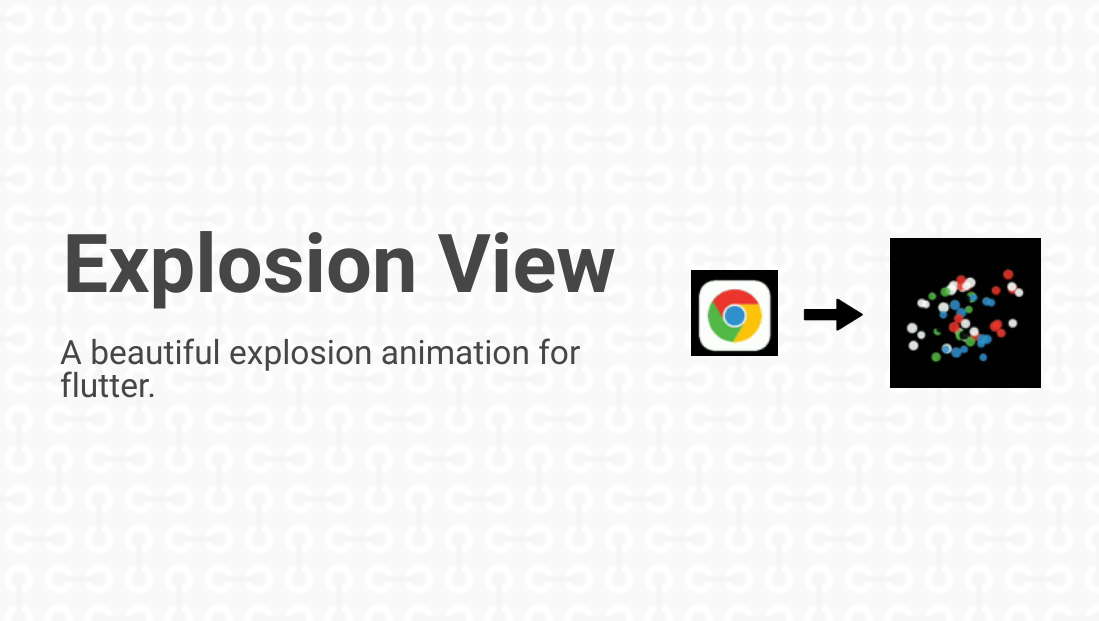



This project contains the features of Flutter Animation that are required to complete an amazing Flutter application.
Explore how ExplodeView is made through this blog.

Add this to your package's pubspec.yaml file:
explode_view: ^1.0.4
You can install packages from the command line:
with pub:
$ pub get
with Flutter:
$ flutter packages get
Alternatively, your editor might support flutter pub get. Check the docs for your editor to learn more.
Now in your Dart code, you can use:
import 'package:explode_view/explode_view.dart';
For the explosion animation in the app, user has to simply add the ExplodeView as a child in any Widget like Stack and many more.
Example Code:
ExplodeView(
 imagePath: 'assets/images/abc.png',  // path where the image is stored
 imagePosFromLeft: 	120.0, // set x-coordinate for image
 imagePosFromRight: 300.0,  // set y-coordinate for image
);
For more info, please refer to the main.dart in example.
The algorithm used to build this project is as follows:
On clicking the image, the image would shake for some time and will disappear with generation of random particles in that image area and they would scatter farther with fading and upcoming transition and disappear finally on the screen. The colors of the particles are decided by the colors of the pixels of the image which provides the effect of breaking the image into pieces.
For more info, please refer to the explode_view.dart.
| Dart attribute | Datatype | Description | Default Value |
|---|---|---|---|
| imagePath | String | The string which gives the path to the image. | @required |
| imagePosFromLeft | double | The distance from the left edge of the screen. | @required |
| imagePosFromTop | double | The distance from the top edge of the screen. | @required |
If you encounter any problems feel free to open an issue. If you feel the library is
missing a feature, please raise a ticket on Github and I'll look into it.
Pull request are also welcome.
ExplodeView is licensed under MIT License. View license.
의존성 목록 4 개
{"sdk":"flutter"}^2.0.8^2.1.4{"sdk":"flutter"}사용 목적에 따라 검색하고 개발 활동을 비교한 뒤 원본 저장소에서 요구 사항을 확인하세요.
“A repository is the most basic element of GitHub.”
GitHub Docs — About repositories ↗