
v2.0.2
mpesa
이것은 Mpesa Daraja API를 둘러싼 Dart 래퍼입니다. 순수한 Dart로 작성되어 있어 프레임워크에 종속되지 않으며(ios, android, web, 일반 dart, fuschia) 즉시 작동합니다.
36좋아요 4130일 다운로드140Pub 점수
AndroidiOSWebmacOSWindowsLinux
mpesa daraja api에 대한 dart 래퍼
아래는 영문 원문 스냅샷입니다. 최신 내용은 GitHub에서 확인하세요.
A dart wrapper around mpesa daraja api.
Ready Methods/APIs
You Will need a few things from Safaricom before development.
Add dependency in pubspec.yaml
dependencies:
  mpesa: [ADD_LATEST_VERSION_HERE]
Import in your Flutter app or plain dart app.
import 'package:mpesa/mpesa.dart';

class MYClass {

    Mpesa mpesa = Mpesa(
        clientKey: "YOUR_CONSUMER_KEY_HERE",
        clientSecret: "YOUR_CONSUMER_SECRET_HERE",
        passKey: "YOUR_LNM_PASS_KEY_HERE",
        environment: "sandbox",
    );

}
Environment should be either sandbox or production
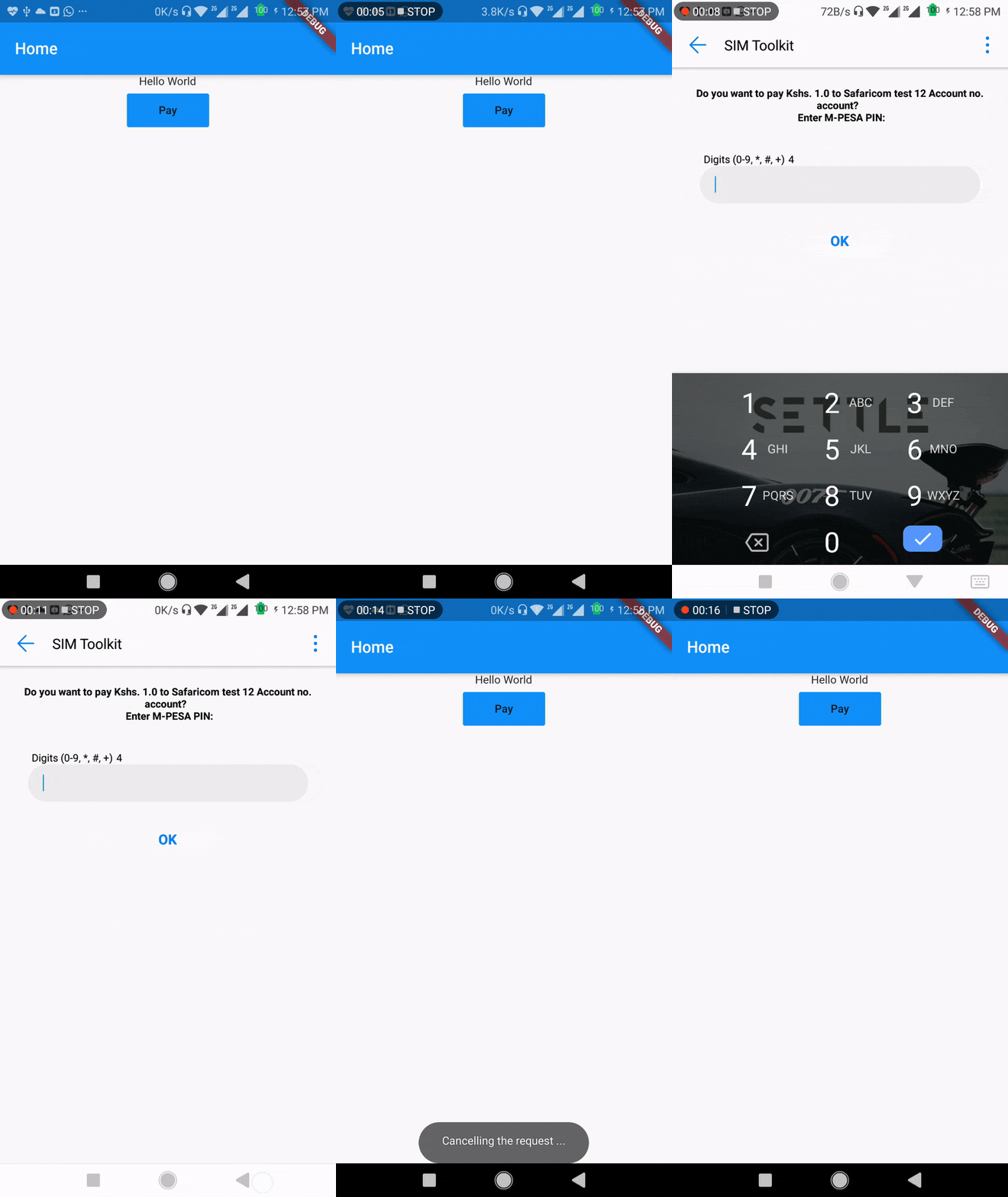
Lipa na M-Pesa Online Payment API is used to initiate a M-Pesa transaction on behalf of a customer using STK Push. This is the same technique mySafaricom App uses whenever the app is used to make payments.
import 'package:mpesa/mpesa.dart';

class MYClass {

    myMethod(){
        mpesa
            .lipaNaMpesa(
                phoneNumber: "",
                amount: 1,
                businessShortCode: "",
                callbackUrl: "",
            )
            .then((result) {})
            .catchError((error) {});
    }
}
Please file feature requests and bugs at the issue tracker.
git checkout -b my-new-featuregit commit -m 'Add some feature'git push origin my-new-feature| Contributors |
| Kevin Oduor |
|---|
| Newton Munene |
For help getting started with Flutter, view their online documentation, which offers tutorials, samples, guidance on mobile development, and a full API reference.

사용 목적에 따라 검색하고 개발 활동을 비교한 뒤 원본 저장소에서 요구 사항을 확인하세요.
“A repository is the most basic element of GitHub.”
GitHub Docs — About repositories ↗