
 v1.1.5
flutter_advanced_table
Flutter에서 아름답고 상호작용이 가능하며 기능이 풍부한 데이터 테이블을 쉽게 구축하세요.
26좋아요 6830일 다운로드160Pub 점수
AndroidiOSWebmacOSWindowsLinux
Flutter에서 아름답고 상호작용이 가능하며 기능이 풍부한 데이터 테이블을 쉽게 구축하세요.
아래는 영문 원문 스냅샷입니다. 최신 내용은 GitHub에서 확인하세요.


Tired of boring, basic tables in your Flutter apps? Want something that sparkles ✨, sizzles 🔥, and makes your data sing 🎤? Well, buckle up, buttercup, because the Advanced Table Widget is here to revolutionize your data presentation!
This isn't your grandma's table (unless your grandma is a seriously cool Flutter developer 😎). This widget gives you superpowers over your tabular data, letting you customize everything from headers to rows to actions with the finesse of a master chef crafting a gourmet meal.
rowBuilder to add any animation you want.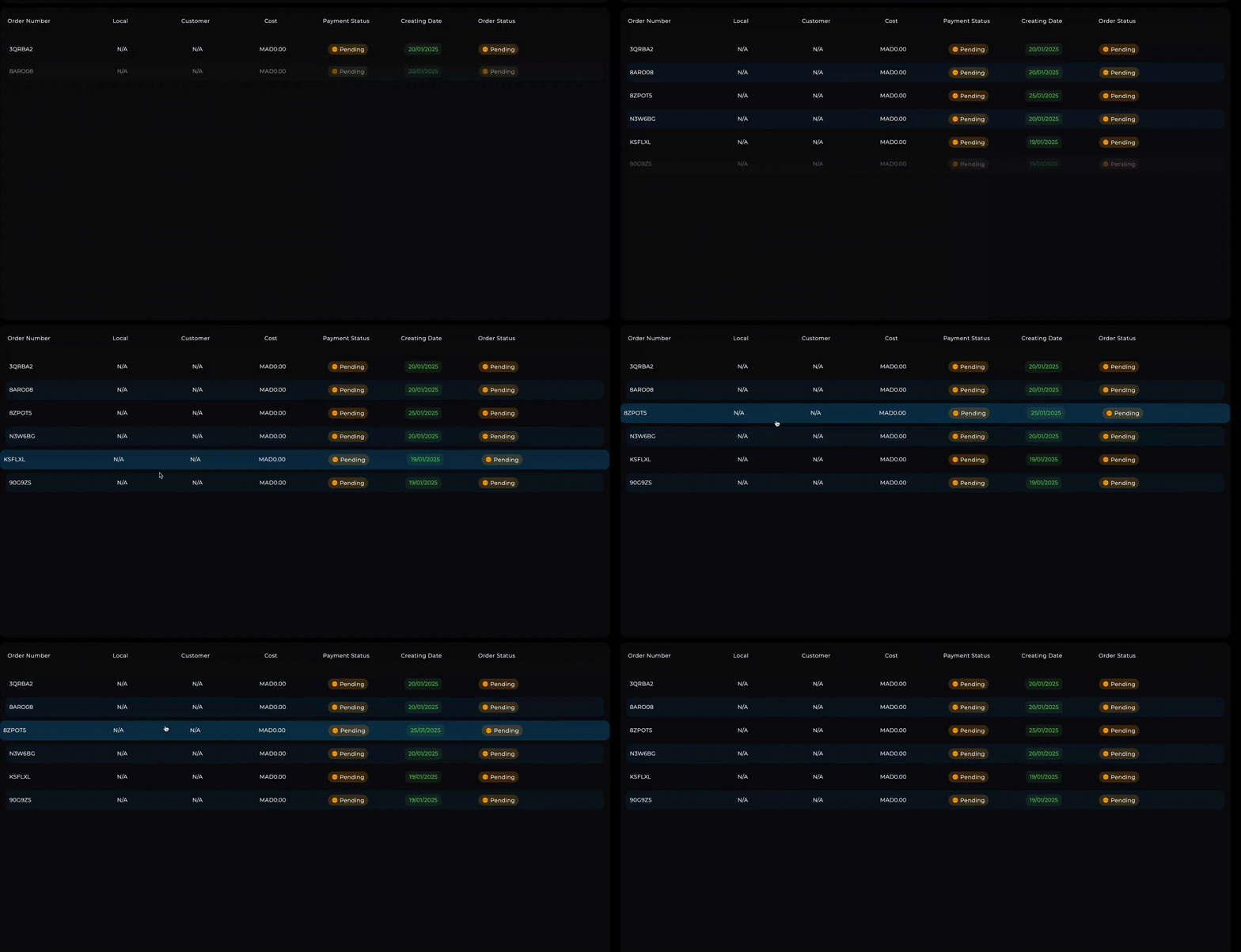
Add it to your pubspec.yaml:
flutter pub add flutter_advanced_table
Import it:
import 'package:advanced_table_widget/advanced_table_widget.dart'; // Or your package name
Here's a detailed explanation of all the constructor arguments for AdvancedTableWidget:
headerBuilder: (required) Function to build custom header widgets for each columnrowElementsBuilder: (required) Function to build the cells within each rowitems: (required) Your data list - each item becomes a rowisLoadingAll: (required) ValueNotifier to control full table loading stateheaderItems: (required) List of items to be displayed in the headerfullLoadingPlaceHolder: (required) Widget shown during full table loadingOptional arguments:
actions: List of actions for each row (used for width calculations)actionBuilder: Function to build action buttons for each rowisLoadingMore: ValueNotifier for pagination loading stateonEmptyState: Widget to show when table has no dataheaderDecoration: BoxDecoration for the header rowinnerHeaderPadding: Padding inside header cellselementsPadding: Padding around table contentloadingMorePlaceHolder: Widget shown during pagination loadingrowElementsDecoration: BoxDecoration for data rowsinnerRowElementsPadding: Padding inside row cellsheaderTextStyle: TextStyle for header textoutterRowsPadding: Padding around all rowsrowDecorationBuilder: Function to build dynamic row decorationsoutterHeaderPadding: Padding around header rowaddSpacerToActions: Add space before action buttons (default: true)onRowTap: Callback function when row is tappedrowBuilder: Custom row builder for animations/effectsHere's a taste of what you can do:
import 'package:flutter/material.dart';
import 'package:flutter_animate/flutter_animate.dart'; // Import the library

// ... (Your Order class and _generateFakeOrders function from the previous examples)

class OrdersTableExample extends StatefulWidget {
  const OrdersTableExample({super.key});

  @override
  State<OrdersTableExample> createState() => _OrdersTableExampleState();
}

class _OrdersTableExampleState extends State<OrdersTableExample> {
      final ValueNotifier<bool> _isLoadingAll = ValueNotifier(false);
    final ValueNotifier<bool> _isLoadingMore = ValueNotifier(false);
    late List<Order> _orders;
    final int _initialLoad = 10;
    final int _loadMoreCount = 5;

    @override
    void initState() {
      super.initState();
      _orders = _generateFakeOrders(_initialLoad);
    }
  Future<void> _loadMore(int index) async {
      if (index < _orders.length - 2) return; // Only load if near the end.

      if (_isLoadingMore.value) return;
      _isLoadingMore.value = true;
      await Future.delayed(const Duration(seconds: 1));
      final newOrders = _generateFakeOrders(_loadMoreCount); // Get next batch
      setState(() {
          _orders.addAll(newOrders);
      });
    _isLoadingMore.value = false;
  }

    Widget rowBuilder(
    BuildContext context, int rowIndex, Widget row, bool isHover, int length) {
      _loadMore(rowIndex); // For lazy loading
       return AnimatedScale(
      duration: const Duration(milliseconds: 300),
      scale: isHover ? 1.02 : 1,
      child: row.animate(
          delay: length < 10 ? (rowIndex.milliseconds * 300) : null,
          effects: [
            SlideEffect(
              duration: 500.milliseconds,
              curve: Curves.easeInOut,
              begin: const Offset(0, -0.1),
            ),
            FadeEffect()
          ]),
    );
  }

   BoxDecoration rowDecorationBuilder(
    BuildContext context, int index, bool isHover) {
  final isOdd = index % 2 == 0;
  return BoxDecoration(
    borderRadius: const BorderRadius.all(Radius.circular(7.0)), // Consistent rounding
    color: isHover
        ? Theme.of(context).primaryColor.withAlpha(100)
        : isOdd
            ? Colors.transparent
            : Theme.of(context).primaryColor.withOpacity(0.1),
  );
}


  @override
  Widget build(BuildContext context) {
    return Scaffold(
      appBar: AppBar(
        title: const Text('Advanced Table Example'),
      ),
      body: AdvancedTableWidget(
        isLoadingAll: _isLoadingAll,
        isLoadingMore: _isLoadingMore,
        items: _orders,
        headerItems: const ['Order #', 'Local', 'Customer', 'Price', 'Payment', 'Date', 'Status'],
        onEmptyState: const Center(child: Text('No orders yet! 😢')),
         fullLoadingPlaceHolder:
                const Center(child: CircularProgressIndicator()),
        loadingMorePlaceHolder: const LinearProgressIndicator(),
        headerBuilder: (context, header) => Container(
           width: header.defualtWidth, // Use provided width
          padding: const EdgeInsets.all(8.0),
          alignment: header.index == 0 ? Alignment.centerLeft : Alignment.center, // Example alignment
          child: Text(
            header.value.toString(),
            style: const TextStyle(fontWeight: FontWeight.bold),
          ),
        ),
        rowElementsBuilder: (context, rowParams) {
          final order = _orders[rowParams.index];
          return [
                SizedBox(
                width: rowParams.defualtWidth,
                child:   Text(order.orderNumber)),
            SizedBox(
                width: rowParams.defualtWidth,
                child:  Center(child: Text(order.localName))),
            SizedBox(
                width: rowParams.defualtWidth,
                child: Center(child:Text(order.userFullName))),
            SizedBox(
                width: rowParams.defualtWidth,
                child:  Center(child:Text('\$${order.toBePaidPrice.toStringAsFixed(2)}'))),
            SizedBox(
                width: rowParams.defualtWidth,
                child: Center(child: Text(order.paymentStatus))),
            SizedBox(
                width: rowParams.defualtWidth,
                child: Center(
                  child: Text(order.createdDate.toIso8601String().substring(0, 10)),
                ),),
            SizedBox(
                width: rowParams.defualtWidth,
                child:Center(child: Text(order.orderStatus))),
          ];
        },
          actionBuilder: (context, actionParams) {
          return IconButton(
            icon: const Icon(Icons.more_vert),
            onPressed: () {
              // Do something exciting!
              print('Action on row ${actionParams.rowIndex}, item ${actionParams.index}');
            },
          );
        },
        actions: [
          {"label": "view"}
        ],
        rowDecorationBuilder: (index, isHovered) => rowDecorationBuilder(context, index, isHovered),
         rowBuilder: (context, index, row, isHover) => rowBuilder(context, index, row, isHover,_orders.length),
        onRowTap: (index) {
          print('Row $index tapped!');
        },
        // Add more customizations here!
      ),
    );
  }
}
Where to find more information: Check out the /example folder for more comprehensive examples, including how to handle different data types, implement sorting, and more!
Contribute to the package: We welcome contributions! Fork the repo, make your changes, and submit a pull request. Bonus points for adding tests! 🧪
File issues: Found a bug? Have a feature request? File an issue on GitHub. We'll do our best to respond promptly (unless we're busy building more awesome widgets).
Package Authors: This package was lovingly crafted by [NIMR SAWAFTA] with the help of many cups of coffee ☕ and late-night coding sessions.
License: MIT - do what you want! (But attribution is appreciated 😉)
So, what are you waiting for? Go forth and create amazing tables! 🎉

의존성 목록 3 개
{"sdk":"flutter"}{"sdk":"flutter"}^5.0.0사용 목적에 따라 검색하고 개발 활동을 비교한 뒤 원본 저장소에서 요구 사항을 확인하세요.
“A repository is the most basic element of GitHub.”
GitHub Docs — About repositories ↗