

 v2.2.0
sms_otp_auto_verify
일반적으로 SMS OTP 코드의 경우에 숫자 코드를 입력하기 위한 새로운 Flutter 플러그인입니다. 또한 SMS Retriever API 라이브러리를 사용하여 SMS 자동 채우기 기능을 제공합니다.
93좋아요 7330일 다운로드140Pub 점수
Android
oohyugi/sms_otp_auto_verify open-source repository details.

아래는 영문 원문 스냅샷입니다. 최신 내용은 GitHub에서 확인하세요.
A new Flutter plugin to enter a digit code usually in cases of Sms Otp Code. and provide SMS Auto Fill using library SMS Retriever API.
import 'package:sms_otp_auto_verify/sms_otp_auto_verify.dart';
String? signature = await SmsVerification.getAppSignature();
codeLength must equals with Sms OTP Code length
TextFieldPin(
    textController: textEditingController,
    autoFocus: true,
    codeLength: _otpCodeLength,
    alignment: MainAxisAlignment.center,
    defaultBoxSize: 46.0,
    margin: 10,
    selectedBoxSize: 46.0,
    textStyle: TextStyle(fontSize: 16),
    defaultDecoration: _pinPutDecoration.copyWith(
    border: Border.all(
    color: Theme.of(context)
    .primaryColor
        .withOpacity(0.6))),
    selectedDecoration: _pinPutDecoration,
    onChange: (code) {
    _onOtpCallBack(code,false);
}),
_onOtpCallBack(String otpCode, bool isAutofill) {
    setState(() {
      this._otpCode = otpCode;
      if (otpCode.length == _otpCodeLength && isAutofill) {
        _enableButton = false;
        _isLoadingButton = true;
        _verifyOtpCode();
      } else if (otpCode.length == _otpCodeLength && !isAutofill) {
        _enableButton = true;
        _isLoadingButton = false;
      }else{
        _enableButton = false;
      }
    });
  }
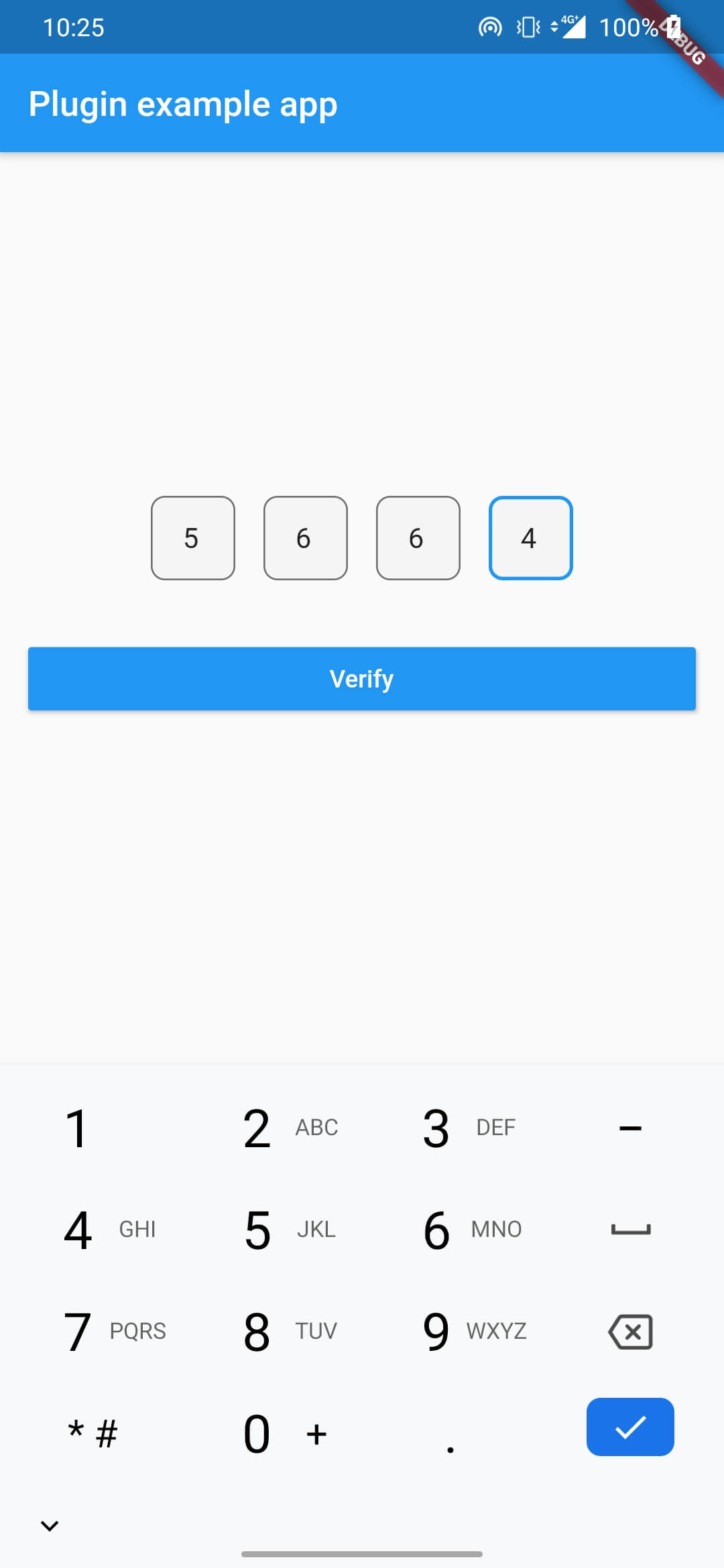
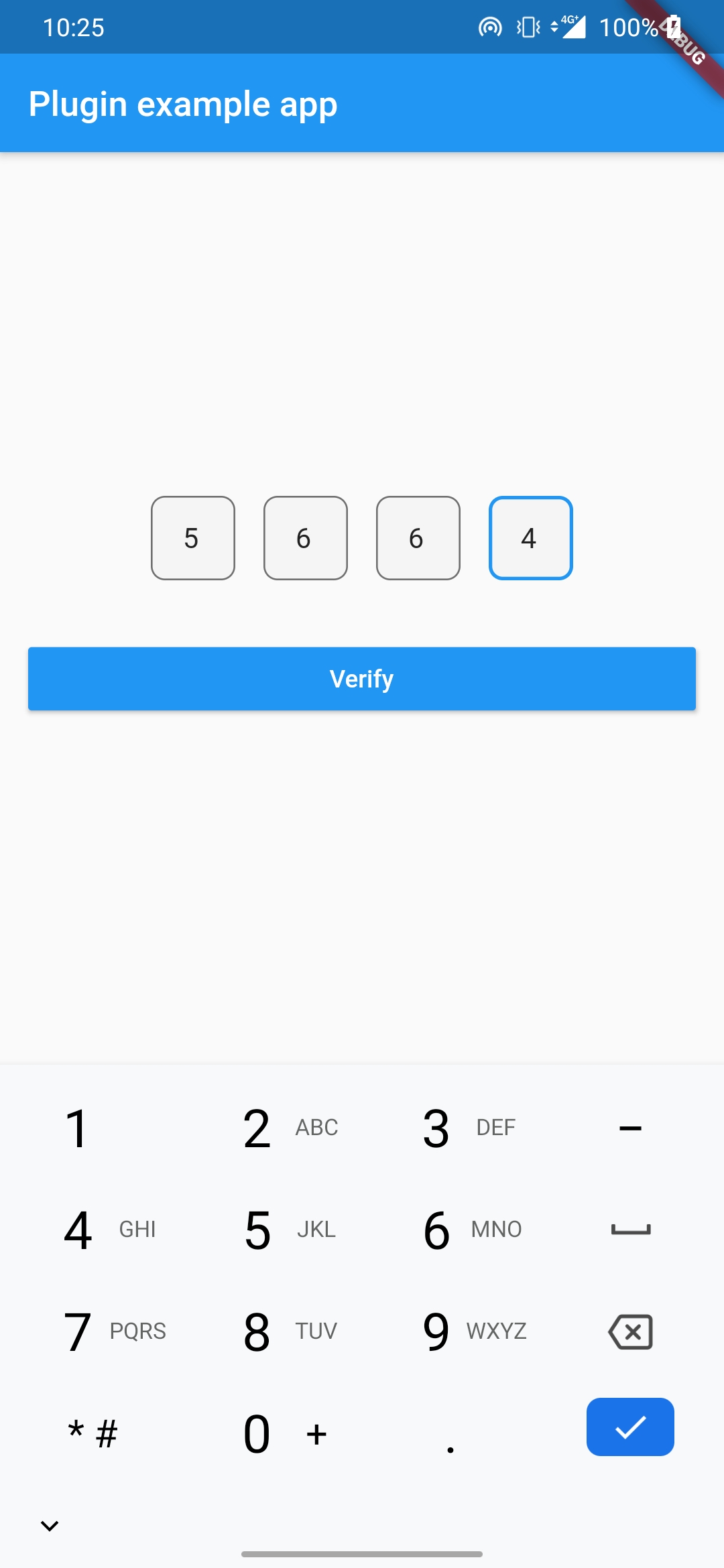
<#> ExampleApp: Your code is 5664
   r64Iw/6mD1D
의존성 목록 2 개
{"sdk":"flutter"}{"sdk":"flutter"}사용 목적에 따라 검색하고 개발 활동을 비교한 뒤 원본 저장소에서 요구 사항을 확인하세요.
“A repository is the most basic element of GitHub.”
GitHub Docs — About repositories ↗