

v2.1.0
datetime_picker_formfield_new
DateTime를 발생시키고 Material, Cupertino 및 기타 스타일의 선택기 대화 상자를 표시하는 데 도움이 되는 TextFormField입니다.
34좋아요 8.4천30일 다운로드140Pub 점수
AndroidiOSWebmacOSWindowsLinux
TextFormField을 래핑하고 날짜 및/또는 시간 선택기 대화 상자를 통합하는 Flutter 위젯입니다.

아래는 영문 원문 스냅샷입니다. 최신 내용은 GitHub에서 확인하세요.
A TextFormField that emits DateTimes and helps show Material, Cupertino, and other style picker dialogs.
Fork with support for flutter >3.0.0
See the example tab (example/lib/main.dart) for more.
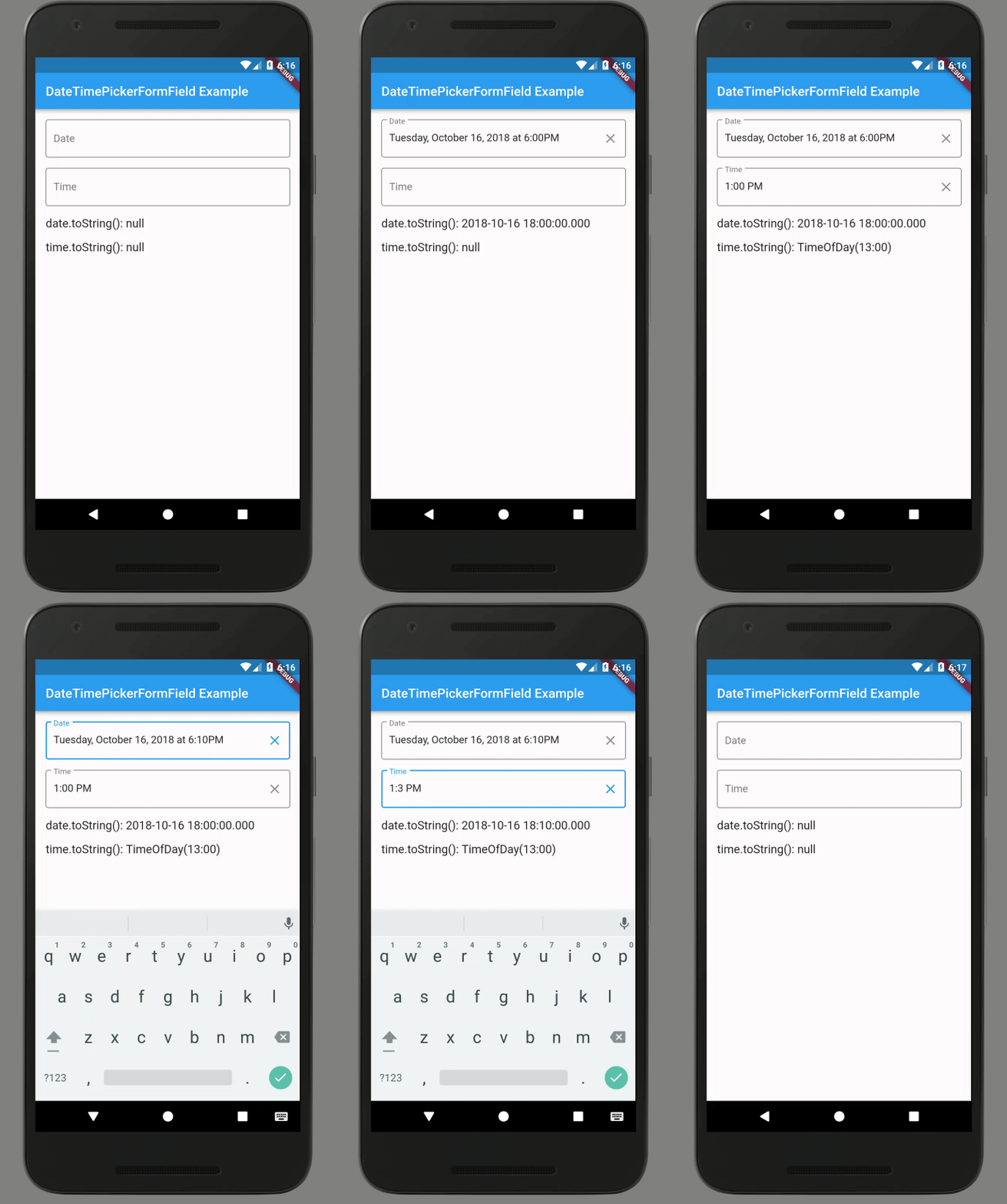
import 'package:flutter/material.dart';
import 'package:intl/intl.dart';
import 'package:datetime_picker_formfield/datetime_picker_formfield.dart';

// ...

class BasicDateField extends StatelessWidget {
  final format = DateFormat("yyyy-MM-dd");
  @override
  Widget build(BuildContext context) {
    return Column(children: <Widget>[
      Text('Basic date field (${format.pattern})'),
      DateTimeField(
        format: format,
        onShowPicker: (context, currentValue) {
          return showDatePicker(
            context: context,
            firstDate: DateTime(1900),
            initialDate: currentValue ?? DateTime.now(),
            lastDate: DateTime(2100),
          );
        },
      ),
    ]);
  }
}

class BasicTimeField extends StatelessWidget {
  final format = DateFormat("HH:mm");
  @override
  Widget build(BuildContext context) {
    return Column(children: <Widget>[
      Text('Basic time field (${format.pattern})'),
      DateTimeField(
        format: format,
        onShowPicker: (context, currentValue) async {
          final time = await showTimePicker(
            context: context,
            initialTime: TimeOfDay.fromDateTime(currentValue ?? DateTime.now()),
          );
          return DateTimeField.convert(time);
        },
      ),
    ]);
  }
}

class BasicDateTimeField extends StatelessWidget {
  final format = DateFormat("yyyy-MM-dd HH:mm");
  @override
  Widget build(BuildContext context) {
    return Column(children: <Widget>[
      Text('Basic date & time field (${format.pattern})'),
      DateTimeField(
        format: format,
        onShowPicker: (context, currentValue) async {
          return await showDatePicker(
            context: context,
            firstDate: DateTime(1900),
            initialDate: currentValue ?? DateTime.now(),
            lastDate: DateTime(2100),
          ).then((DateTime? date) async {
            if (date != null) {
              final time = await showTimePicker(
                context: context,
                initialTime:
                    TimeOfDay.fromDateTime(currentValue ?? DateTime.now()),
              );
              return DateTimeField.combine(date, time);
            } else {
              return currentValue;
            }
          });
        },
      ),
    ]);
  }
}
의존성 목록 3 개
{"sdk":"flutter"}>=0.17.0 <1.0.0{"sdk":"flutter"}사용 목적에 따라 검색하고 개발 활동을 비교한 뒤 원본 저장소에서 요구 사항을 확인하세요.
“A repository is the most basic element of GitHub.”
GitHub Docs — About repositories ↗