
 v1.2.1+8
flutter_audio_waveforms
앱에 오디오 웨이브폼을 쉽게 추가할 수 있는 UI 라이브러리이며, 여러 사용자 정의 옵션이 있습니다.
252좋아요 1430일 다운로드140Pub 점수
AndroidiOSWebmacOSWindowsLinux
앱에 오디오 웨이브폼을 쉽게 추가할 수 있는 UI 라이브러리로, 여러 가지 사용자 정의 옵션이 있습니다.

^1.15.0{"sdk":"flutter"}{"sdk":"flutter"}^2.8.0^4.8.0^2.4.0아래는 영문 원문 스냅샷입니다. 최신 내용은 GitHub에서 확인하세요.
Pub.dev Badge MIT License Badge
A UI library for easily adding audio waveforms to your apps, with several customization options.
Web Demo - Flutter Audio Waveforms Web Demo
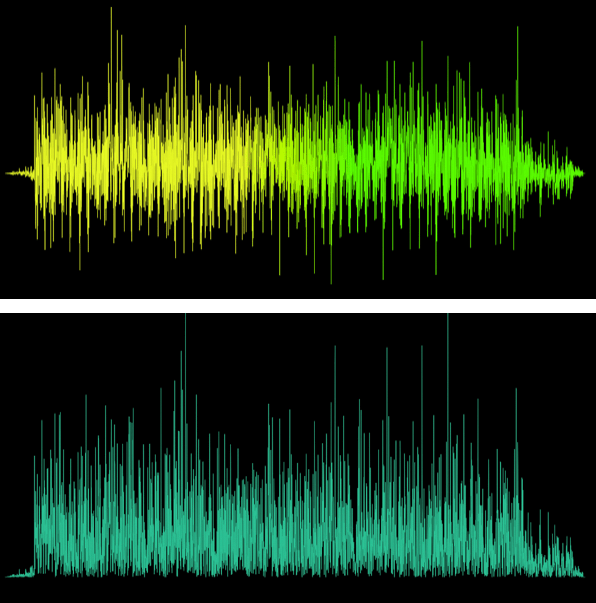
You can use the following available waveform types.
https://github.com/rutvik110/flutter_audio_waveforms/blob/master/example/assets/images/inactive/polygon.png?raw=true https://github.com/rutvik110/flutter_audio_waveforms/blob/master/example/assets/images/inactive/rectangle.png?raw=true https://github.com/rutvik110/flutter_audio_waveforms/blob/master/example/assets/images/inactive/squiggly.png?raw=true https://github.com/rutvik110/flutter_audio_waveforms/blob/master/example/assets/images/inactive/curved_polygon.png?raw=true
Need to add some gradient to your waveform? Say no more! You get it along with other customization options.
https://github.com/rutvik110/flutter_audio_waveforms/blob/master/example/assets/images/customizations/pg.png?raw=true https://github.com/rutvik110/flutter_audio_waveforms/blob/master/example/assets/images/customizations/rg.png?raw=true https://github.com/rutvik110/flutter_audio_waveforms/blob/master/example/assets/images/customizations/pa.png?raw=true https://github.com/rutvik110/flutter_audio_waveforms/blob/master/example/assets/images/customizations/ra.png?raw=true https://github.com/rutvik110/flutter_audio_waveforms/blob/master/example/assets/images/customizations/sa.png?raw=true https://github.com/rutvik110/flutter_audio_waveforms/blob/master/example/assets/images/customizations/pai.png?raw=true https://github.com/rutvik110/flutter_audio_waveforms/blob/master/example/assets/images/customizations/rai.png?raw=true https://github.com/rutvik110/flutter_audio_waveforms/blob/master/example/assets/images/customizations/sai.png?raw=true https://github.com/rutvik110/flutter_audio_waveforms/blob/master/example/assets/images/customizations/pf.png?raw=true https://github.com/rutvik110/flutter_audio_waveforms/blob/master/example/assets/images/customizations/paf2.png?raw=true https://github.com/rutvik110/flutter_audio_waveforms/blob/master/example/assets/images/customizations/pgf.png?raw=true https://github.com/rutvik110/flutter_audio_waveforms/blob/master/example/assets/images/customizations/paf.png?raw=true https://github.com/rutvik110/flutter_audio_waveforms/blob/master/example/assets/images/customizations/cpaf.png?raw=true
Want an active track for your audio out of the box? You get that too!
https://github.com/rutvik110/flutter_audio_waveforms/blob/master/example/assets/images/gifs/pa_gif.gif?raw=true https://github.com/rutvik110/flutter_audio_waveforms/blob/master/example/assets/images/gifs/ra_gif.gif?raw=true https://github.com/rutvik110/flutter_audio_waveforms/blob/master/example/assets/images/gifs/sa_gif.gif?raw=true https://github.com/rutvik110/flutter_audio_waveforms/blob/master/example/assets/images/gifs/cpa_gif.gif?raw=true
Check out the short demo of what package offers here
The package gives you the ability to add waveforms and customize them. It's mostly like a UI library for waveforms with an additional ability to show active track for playing audio.
So it relies on you to provide the necessary audio data which it needs to draw the waveform. The data we need is basically a list of points/samples that represents that audio.
You can use this audiowaveform program to get the audio json file which will provide us the samples. After installing this program on your machine, generate the json file for an audio by using this command in your terminal.
audiowaveform -i test.mp3 -o test.json
The generated data needs to be processed following some rules which are necessary to get the waveforms drawn properly. To process the data use this processor.
Once you have the processed data points list then you can just pass it down to any of the waveforms available and get started using them.
Check out this article for detailed introduction on this section.
Usage of all waveforms available is the same with only exception of having more/less customization options for different waveforms.
 // For a regular waveform
 PolygonWaveform(
   samples: [],
   height: height,
   width: width,
 )

 // If you want active track for playing audio, pass [maxDuration] and [elapsedDuration]
 PolygonWaveform(
   samples: [],
   height: height,
   width: width,
   maxDuration: maxDuration,
   elapsedDuration: elapsedDuration,
 )
Find detailed example here.
maxDuration:
Maximum duration of the audio.
elapsedDuration:
Elapsed Duration of the audio.
samples:
List of the audio data samples.
Check the Getting Started section on how to generate this.
height :
Waveform height.
width :
Waveform width.
inactiveColor :
Color of the inactive waveform.
activeColor :
Color of the active waveform.
inactiveGradient :
Gradient of the inactive waveform.
activeGradient :
Gradient of the active waveform.
absolute :
Waveform drawn is one sided either above x-axis or below it depending on what invert is set to.
Defaults to false.
invert :
Flips/inverts the waveform upside down.
Defaults to false.
borderWidth :
Width of the border around waveform.
Available only for RectangleWaveform.
isRoundedRectangle :
If true then rounded rectangles are drawn instead of regular rectangles.
Available only for RectangleWaveform.
isCentered :
If true then rectangles are centered along the Y-axis with respect to their center along their height.
If [absolute] is true then this would've no effect.
Available only for RectangleWaveform.
strokeWidth :
Waveform stroke width.
Available only for SquigglyWaveform, CurvedPolygonWaveform.
inactiveBorderColor:
Border color for inactive waveform.
Available only for RectangleWaveform.
activeBorderColor:
Border color for active waveform.
Available only for RectangleWaveform.
showActiveWaveform:
Whether to show active waveform or not.
Defaults to true.
Feature request :
If you have any new feature in mind from which this package can benefit then please let me know by filing an issue here.
Improvements :
Got any suggestions on improving the package, anything from API to performance then let me know by filing the issue here.
Bugs:
If you happen to come across anything that shoudln't be happening then please file an issue here describing what the bug is and how to reproduce it with attached code and preview if possible.
What started as a challenge out of curiosity, is now a package that I hope will be helpful to many of you and it was actually really fun building it.
Learned some good stuff while working on it and I hope to make it much more going forward.
If this package helped you then I would appreciate if you ⭐️ the repo which would be enough for me to keep continue working on it 🤓 and feel free to drop by and say hi anytime.