
flutter_statusbarcolor
패키지가 Flutter 앱의 상태바 또는 네비게이션바 색상을 프로그래밍 방식으로 변경하는 데 도움을 줄 수 있습니다.

- 스타
- 11
- 포크
- 43
- 최근 푸시(UTC)
- 2024. 10. 13.
- 프로젝트 상태
- 활성
원본 README
아래는 영문 원문 스냅샷입니다. 최신 내용은 GitHub에서 확인하세요.
flutter_statusbarcolor_ns

The package now supports to android v2 embedding, thanks to vixez
A package can help you to change your flutter app's statusbar's color or navigationbar's color programmatically.
This is a fork of the original package flutter_statusbarcolor migrated to support null-safety.
Getting Started
// change the status bar color to material color [green-400]
await FlutterStatusbarcolor.setStatusBarColor(Colors.green[400]);
if (useWhiteForeground(Colors.green[400])) {
  FlutterStatusbarcolor.setStatusBarWhiteForeground(true);
} else {
  FlutterStatusbarcolor.setStatusBarWhiteForeground(false);
}

// change the navigation bar color to material color [orange-200]
await FlutterStatusbarcolor.setNavigationBarColor(Colors.orange[200]);
if (useWhiteForeground(Colors.orange[200]) {
  FlutterStatusbarcolor.setNavigationBarWhiteForeground(true);
} else {
  FlutterStatusbarcolor.setNavigationBarWhiteForeground(false);
}

// get statusbar color and navigationbar color
Color statusbarColor = await FlutterStatusbarcolor.getStatusBarColor();
Color navigationbarColor = await FlutterStatusbarcolor.getNavigationBarColor();
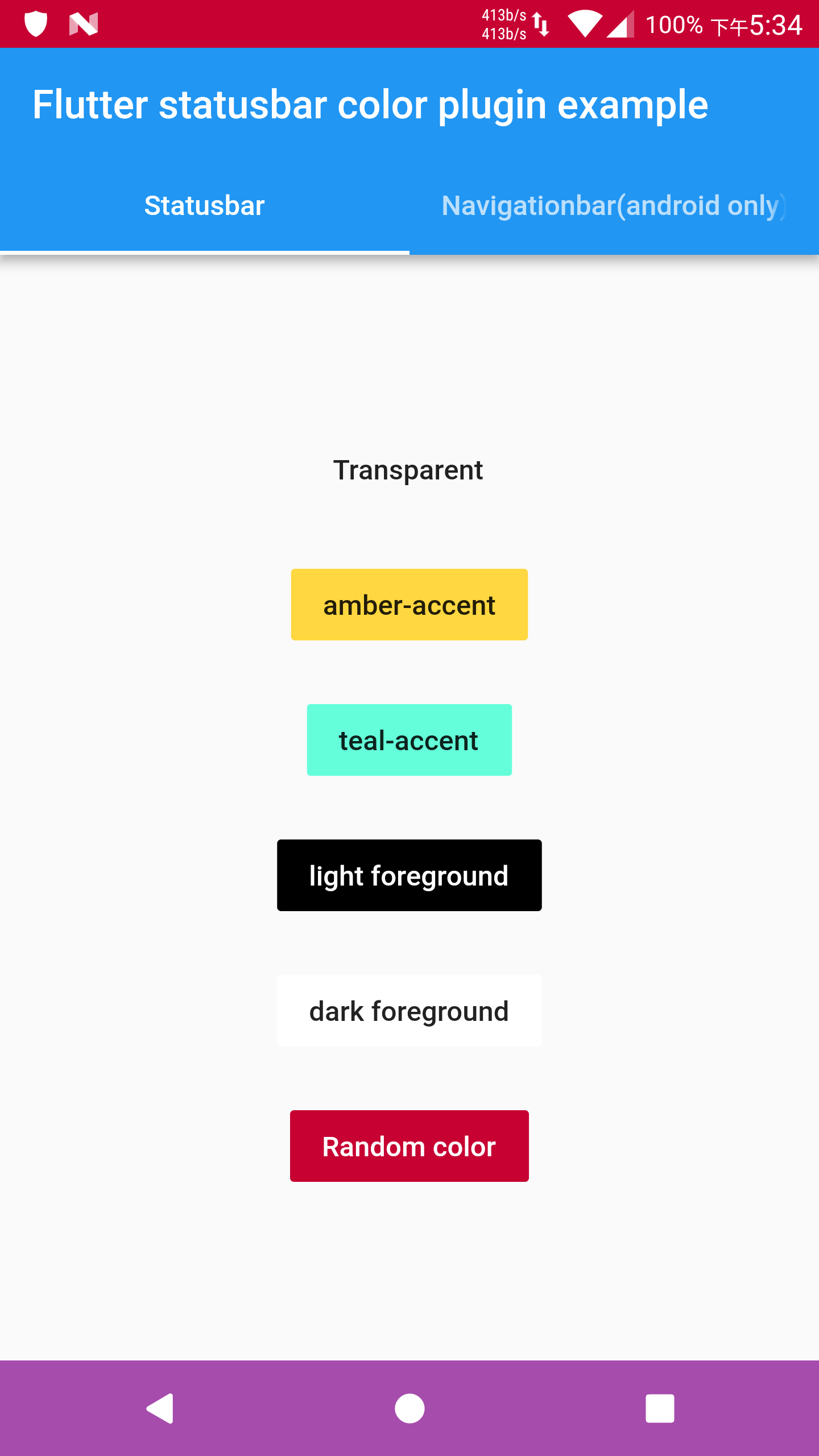
Details in example/ folder.
Api level minimum requirement
-
Android
- getStatusBarColor (5.0)
- setStatusBarColor (5.0)
- setStatusBarWhiteForeground (6.0)
- getNavigationBarColor (5.0)
- setNavigationBarColor (5.0)
- setNavigationBarWhiteForeground (8.0)
-
iOS
- getStatusBarColor (7+)
- setStatusBarColor (7+)
- setStatusBarWhiteForeground (7+)
Note that
- If you find the foreground brightness reverted after changing the app lifecycle, please use flutter's WidgetsBindingObserver mixin.
- If iOS build does not work, please send issues or pull requests.

GitHub 작성자
Sameer Kashyap ↗
언어DartKotlinObjective-CRubySwift
분류
사용 중인 의존성
의존성 목록 1 개
- flutter
{"sdk":"flutter"}
프로젝트에 맞는 저장소를 선택하려면?
사용 목적에 따라 검색하고 개발 활동을 비교한 뒤 원본 저장소에서 요구 사항을 확인하세요.
- 이름, 작성자 또는 설명으로 검색하고 기술 주제로 범위를 좁힙니다.
- 스타, 포크, 최근 푸시를 함께 비교하세요. 스타는 관심의 지표이며 품질을 보장하지 않습니다.
- 사용하기 전에 GitHub에서 README, 라이선스, Issues를 확인하세요.
출처 및 관리
“A repository is the most basic element of GitHub.”
GitHub Docs — About repositories ↗