


v0.1.0
image_watermark
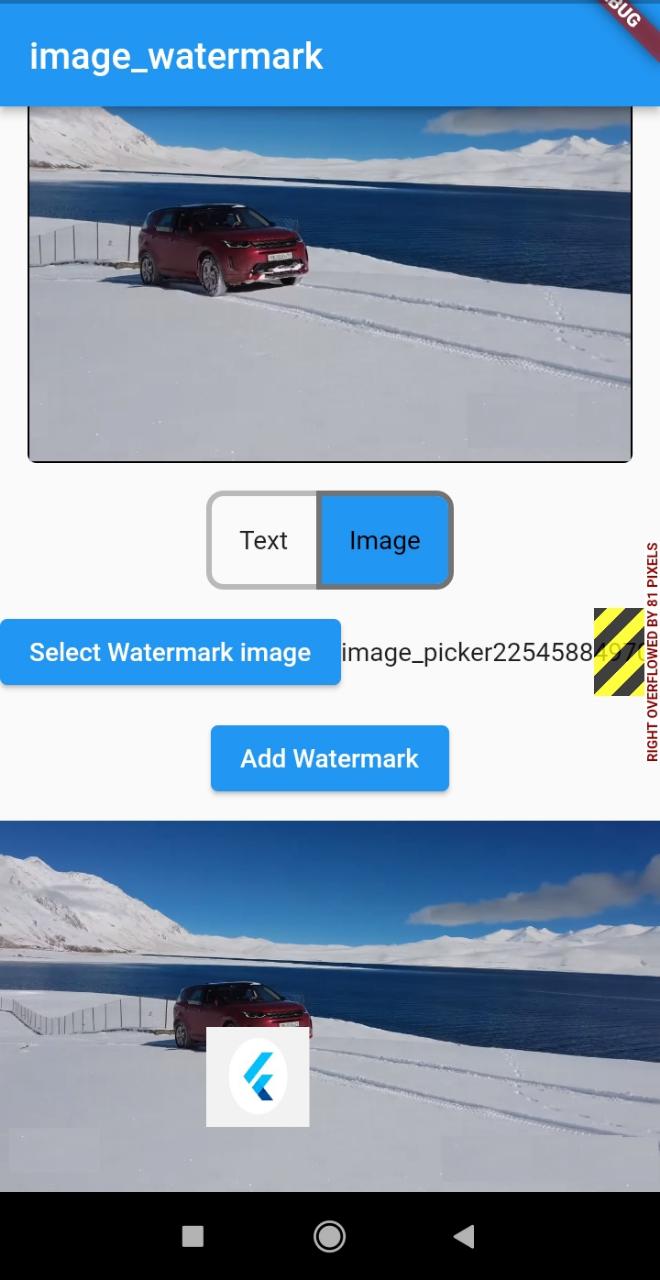
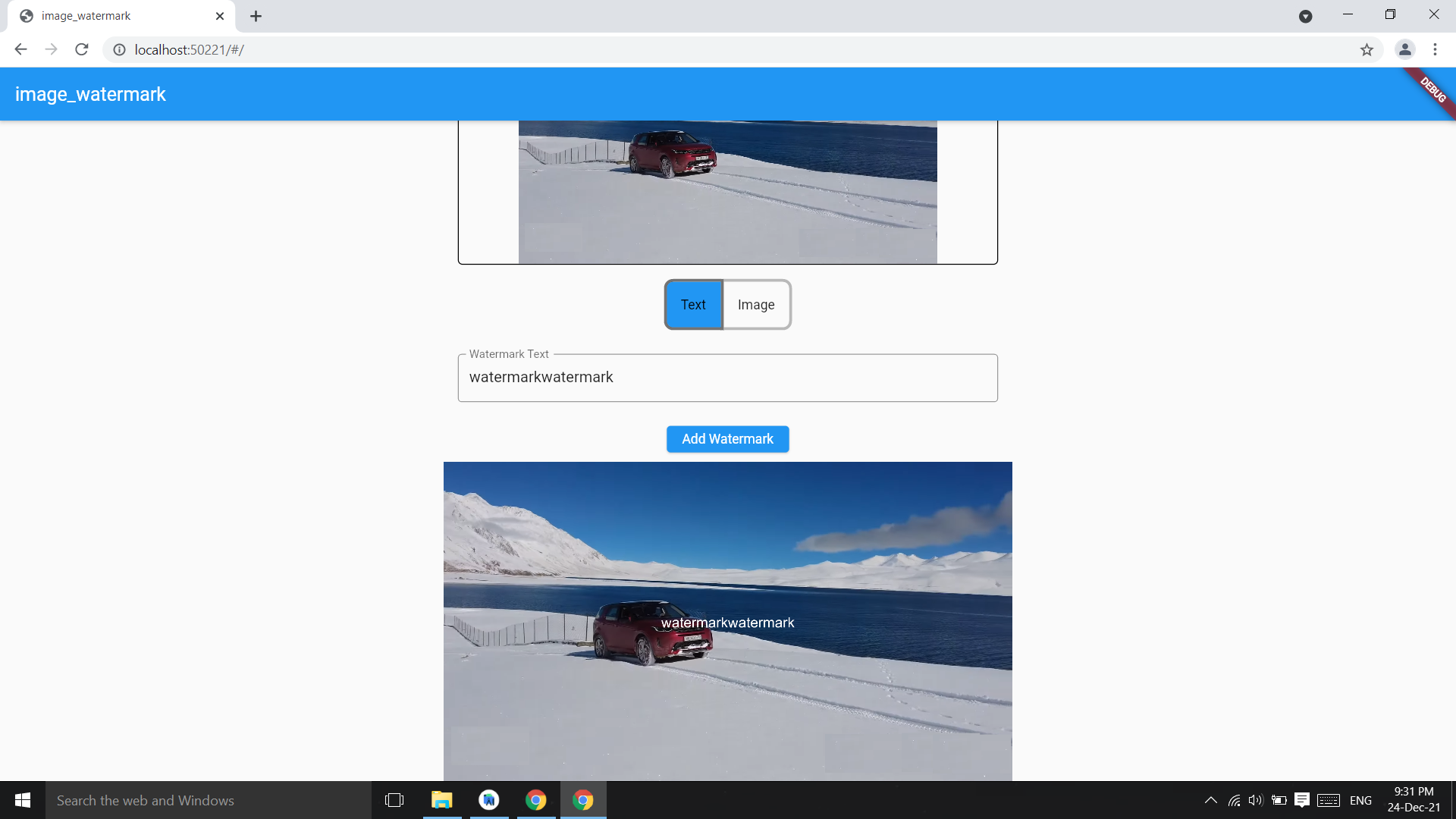
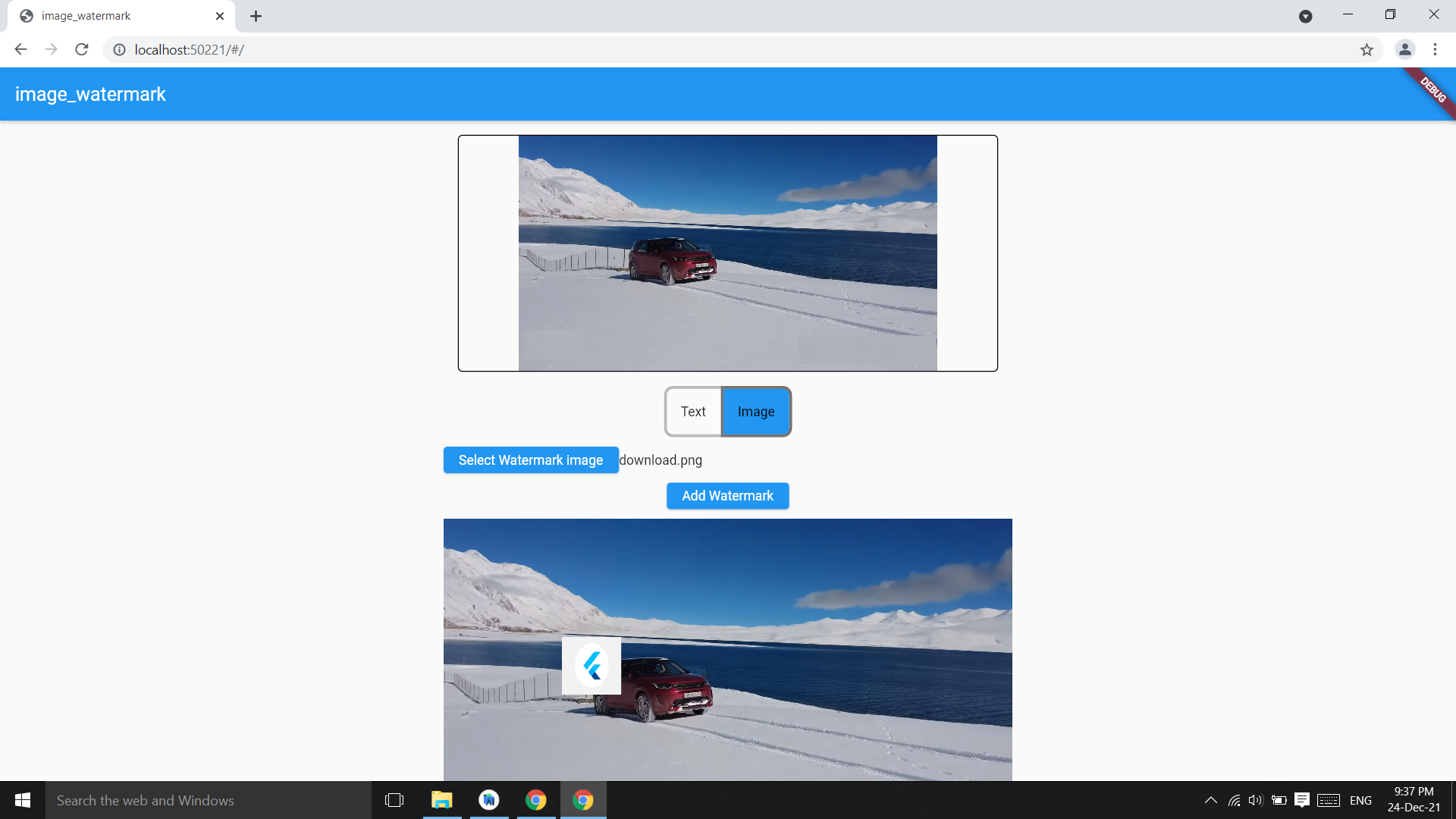
이미지에 텍스트 또는 이미지 워터마크를 추가할 수 있는 Flutter 패키지이며, 워터마크의 위치와 색상을 사용자 정의할 수 있습니다.
64좋아요 90030일 다운로드150Pub 점수
AndroidiOSWebmacOSWindowsLinux
image_watermark flutter 패키지 https://pub.dev/packages/image_watermark

아래는 영문 원문 스냅샷입니다. 최신 내용은 GitHub에서 확인하세요.
Image watermark is flutter pacakge to add text watermark and image watermark on image,you can customize the position of watermark and color.
Based on Image pacakge.
Check on pub.dev
Add watermark text at center of image,parameter image bytes and string and it returns image bytes
final watermarkedImg =
  await ImageWatermark.addTextWatermark(
    imgBytes: imgBytes,
    watermarktext: 'watermarkText',
  );
final watermarkedImgBytes =
    await ImageWatermark.addTextWatermark(
            imgBytes: imgBytes, ///image bytes
            watermarktext: 'watermarkText', ///watermark text
            color: Colors.white, ///default : Colors.black
          );
Change the position of watermark
final watermarkedImg =
    await ImageWatermark.addTextWatermark(
            imgBytes: imgBytes,             ///image bytes
            watermarktext: 'watermarkText',      ///watermark text
            dstX: 20,                   ///position of watermark x coordinate
            dstY: 30,                   ///y coordinate
            color: Colors.green, ///default : Colors.black
          );
Add image as watermark on image
final watermarkedImgBytes =
    await ImageWatermark.addImageWatermark(
            originalImageBytes: imgBytes,
            waterkmarkImageBytes: watermarkImgByte,
          );
final watermarkedImgBytes =
    await ImageWatermark.addImageWatermark(
            originalImageBytes: imgBytes,  //image bytes
            waterkmarkImageBytes: imgBytes2, //watermark img bytes
            imgHeight: 200,   //watermark img height
            imgWidth: 200,    //watermark img width
            dstY: 400, //watermark position Y
            dstX: 400, //watermark position X
          );
Image package only have arial Fonts, you can change the font converting a .ttf font in .fnt format:
Download your font in .ttf format.
Convert the font to .fnt format using the next site.
Use ImageFont class, readOtherFontZip if you use .zip file; readOtherFont if you unzip and get the .fnt & .png files.
Add the font in pubspec.yaml:
  assets:
  - path/to/font.zip
Then use it as follows:
final assetFont = await rootBundle.load('path/to/font.zip');

final font = assetFont.buffer.asUint8List(assetFont.offsetInBytes, assetFont.lengthInBytes);

final bitMapFont = ImageFont.readOtherFontZip(font);

...

await ImageWatermark.addTextWatermark(
  imgBytes: imgBytes,
  font: bitMapFont, /// Font from .zip
  watermarkText: 'watermark text',
  dstX: 20,
  dstY: 40,
)
의존성 목록 4 개
{"sdk":"flutter"}^4.1.7{"sdk":"flutter"}^3.0.1사용 목적에 따라 검색하고 개발 활동을 비교한 뒤 원본 저장소에서 요구 사항을 확인하세요.
“A repository is the most basic element of GitHub.”
GitHub Docs — About repositories ↗