

 v1.3.2
scroll_navigation
손짓과 탭을 통한 강력한 탐색입니다. 왼쪽에서 오른쪽으로 스크롤하거나 탐색 아이콘을 터치할 수 있습니다.
120좋아요 19930일 다운로드140Pub 점수
AndroidiOSmacOSWindowsLinux
FLUTTER PACKAGE: 제스처와 탭을 통한 강력한 네비게이션. 왼쪽에서 오른쪽으로 스크롤하거나 네비게이션 아이콘을 탭할 수 있습니다.

아래는 영문 원문 스냅샷입니다. 최신 내용은 GitHub에서 확인하세요.
| NavigationPosition.bottom | NavigationPosition.top |
|---|---|
 |
 |
@override
Widget build(BuildContext context) {
  return ScrollNavigation(
    bodyStyle: NavigationBodyStyle(
      background: Colors.white,
      borderRadius: BorderRadius.vertical(bottom: Radius.circular(20)),
    ),
    barStyle: NavigationBarStyle(
      background: Colors.white,
      elevation: 0.0,
    ),
    pages: [
      Container(color: Colors.blue[100]),
      Container(color: Colors.green[100]),
      Container(color: Colors.purple[100]),
      Container(color: Colors.amber[100]),
      Container(color: Colors.deepOrange[100])
    ],
    items: const [
      ScrollNavigationItem(icon: Icon(Icons.camera)),
      ScrollNavigationItem(icon: Icon(Icons.chat)),
      ScrollNavigationItem(icon: Icon(Icons.favorite)),
      ScrollNavigationItem(icon: Icon(Icons.notifications)),
      ScrollNavigationItem(icon: Icon(Icons.home))
    ],
  );
}
| NavigationPosition.left | NavigationPosition.right |
|---|---|
 |
 |
@override
Widget build(BuildContext context) {
  return ScrollNavigation(
    bodyStyle: NavigationBodyStyle(
      background: Colors.white,
      borderRadius: BorderRadius.horizontal(left: Radius.circular(20)),
      scrollDirection: Axis.vertical,
    ),
    barStyle: NavigationBarStyle(
      position: NavigationPosition.left,
      elevation: 0.0,
      background: Colors.white,
    ),
    pages: [
      Container(color: Colors.blue[100]),
      Container(color: Colors.green[100]),
      Container(color: Colors.purple[100]),
      Container(color: Colors.amber[100]),
      Container(color: Colors.deepOrange[100])
    ],
    items: const [
      ScrollNavigationItem(icon: Icon(Icons.camera)),
      ScrollNavigationItem(icon: Icon(Icons.chat)),
      ScrollNavigationItem(icon: Icon(Icons.favorite)),
      ScrollNavigationItem(icon: Icon(Icons.notifications)),
      ScrollNavigationItem(icon: Icon(Icons.home))
    ],
  );
}
final navigationKey = GlobalKey<ScrollNavigationState>();

@override
Widget build(BuildContext context) {
  return ScrollNavigation(
    key: navigationKey,
    pages: [...],
    items: [...],
    barStyle: NavigationBarStyle(position: NavigationPosition.top),
  );
}

void goToPage(int index) => navigationKey.currentState.goToPage(index);
| physics = true | physics = False |
|---|---|
 |
 |
| position = IdentifierPosition.topAndRight | showIdentifier = False |
|---|---|
 |
 |
return ScrollNavigation(
    pages: [...],
    items: [...],
    physics: true,
    showIdentifier: true,
    identiferStyle: NavigationIdentiferStyle(
      position: NavigationPosition.top,
    ),
);

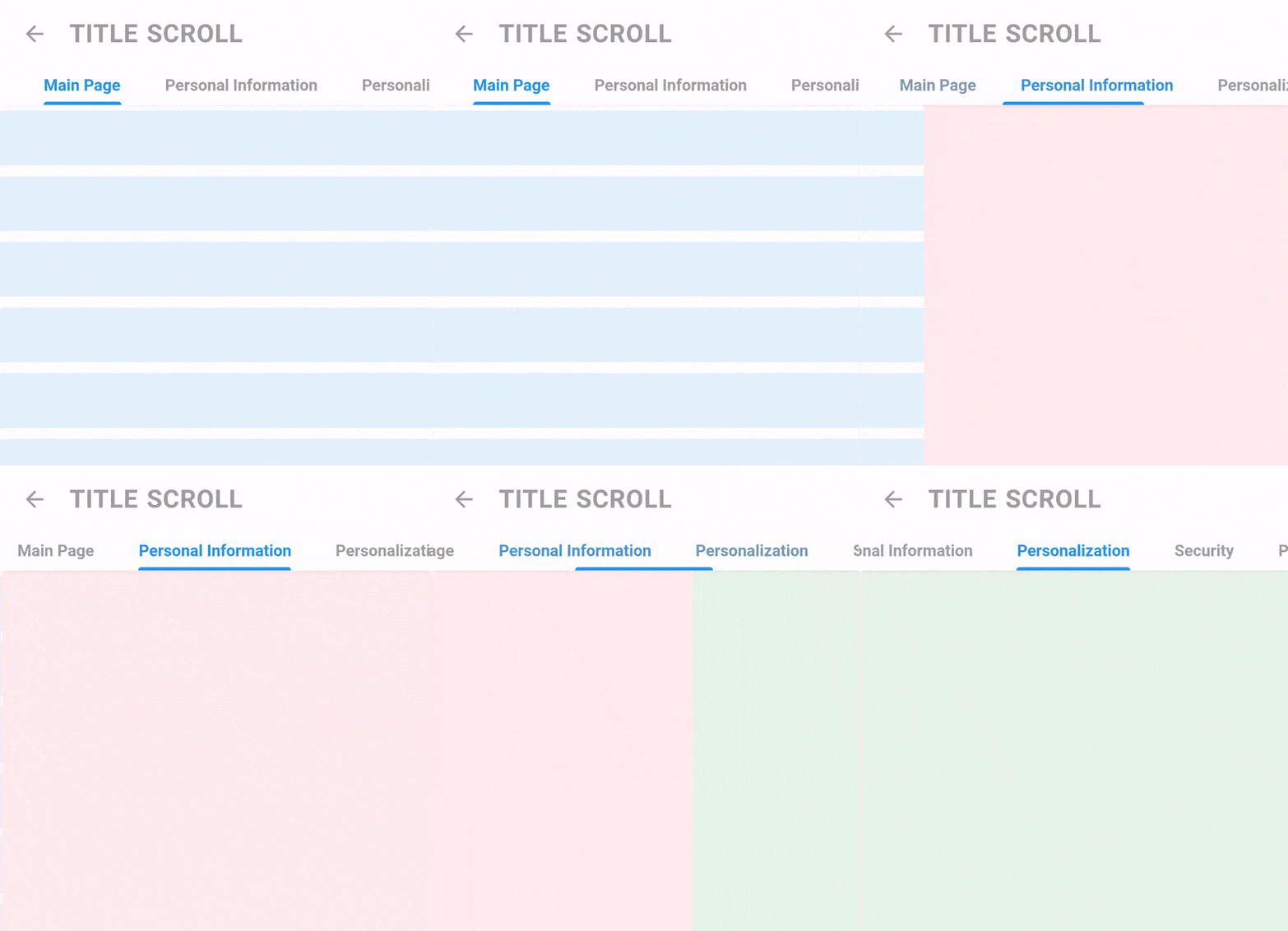
return TitleScrollNavigation(
    barStyle: TitleNavigationBarStyle(
      style: TextStyle(fontWeight: FontWeight.bold),
      padding: EdgeInsets.symmetric(horizontal: 40.0),
      spaceBetween: 40,
    ),
    titles: [
      "Main Page",
      "Personal Information",
      "Personalization",
      "Security",
      "Payment Methods",
    ],
    pages: [
      Container(color: Colors.blue[50]),
      Container(color: Colors.red[50]),
      Container(color: Colors.green[50]),
      Container(color: Colors.purple[50]),
      Container(color: Colors.yellow[50]),
    ],
);

ScrollController controller = ScrollController();

return Screen(
    appBar: AppBarTitle(title: "Title Scroll", showBack: true), //WIDGET IN THE EXAMPLE
    controllerToHideAppBar: controller,
    body: ListView.builder(
      itemCount: 15,
      padding: EdgeInsets.zero,
      controller: controller,
      itemBuilder: (_, __) {
        return Padding(
          padding: EdgeInsets.symmetric(vertical: 5),
          child: Container(
            height: 50,
            color: Colors.blue[50],
          ),
        );
      },
    ),
  );
의존성 목록 3 개
{"sdk":"flutter"}^1.1.3{"sdk":"flutter"}사용 목적에 따라 검색하고 개발 활동을 비교한 뒤 원본 저장소에서 요구 사항을 확인하세요.
“A repository is the most basic element of GitHub.”
GitHub Docs — About repositories ↗