

 v1.1.0
weekday_selector
앱에서 요일을 선택하는 데 도움이 되는 Flutter 위젯 및 클래스 모음입니다. 반복 이벤트, 알람에 적합합니다.
112좋아요 1.8천30일 다운로드70Pub 점수
플랫폼 정보 없음
앱에 간단한 요일 선택기를 추가하기 위한 Flutter 패키지입니다.
아래는 영문 원문 스냅샷입니다. 최신 내용은 GitHub에서 확인하세요.
weekday_selectorA collection of Flutter widgets and classes to help you select weekdays in your apps. Perfect for recurring events, alarms.




pub.devIf you enjoy using this package, a thumbs-up on pub.dev would be highly appreciated! 👍💙 Let's get to 💯 likes 🚀
You'll find the best examples in the package's /example folder on GitHub.
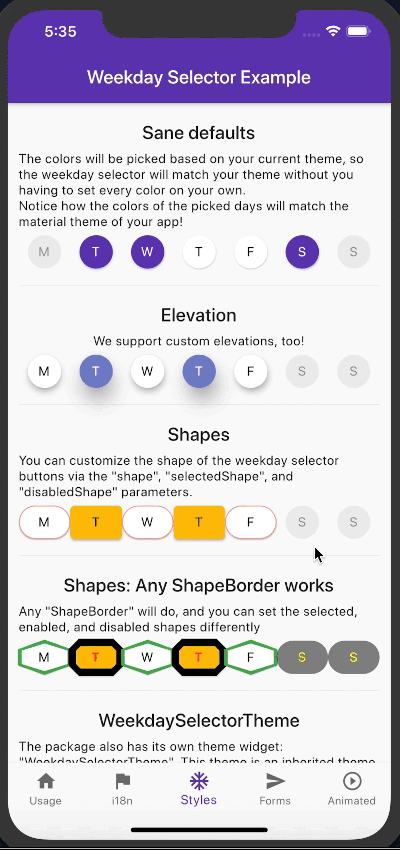
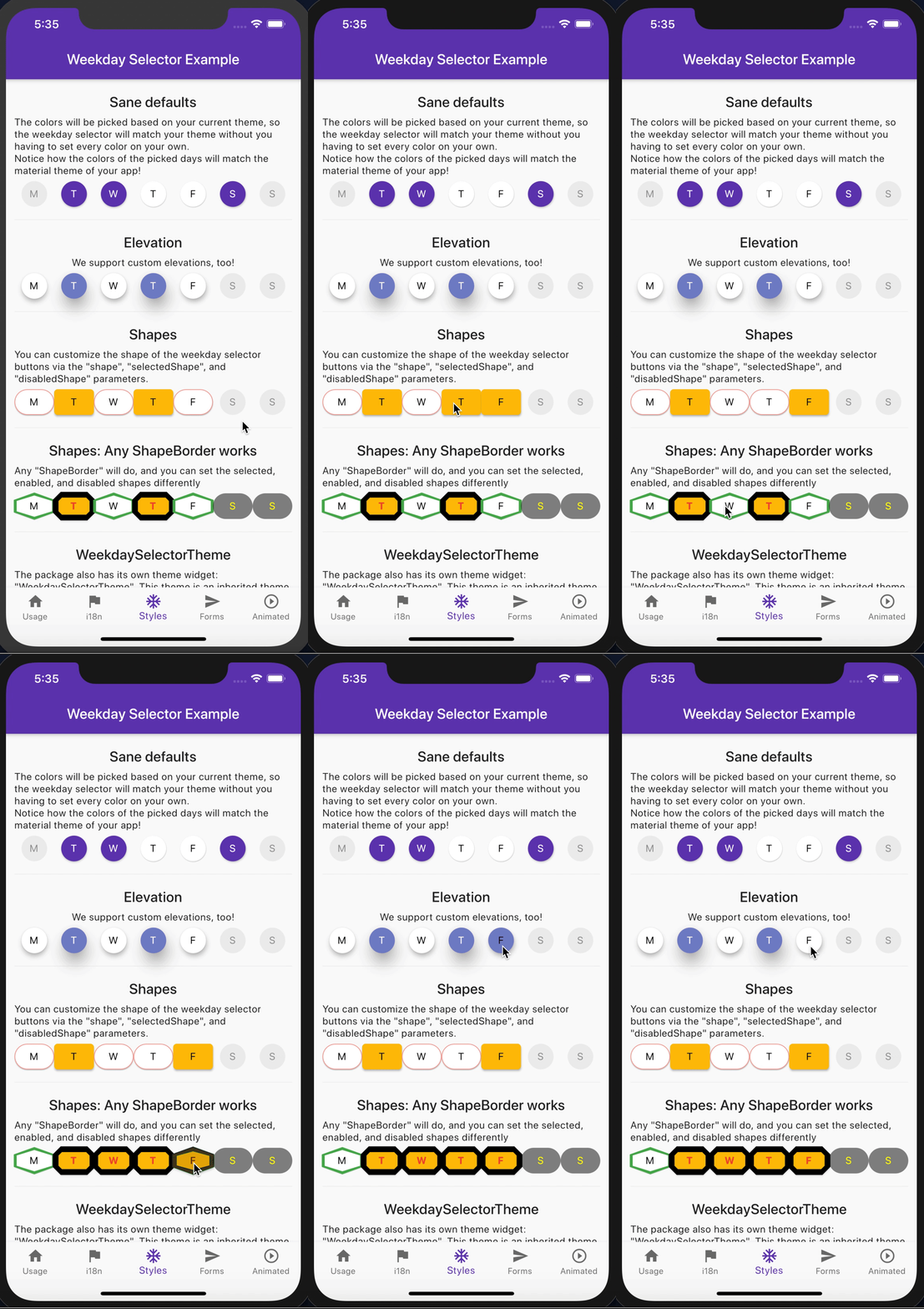
There, you'll see examples for basic usage, style customization, and internationalization.
The WeekdaySelector works well with any state management solution. This is how the typical usage with a simple stateful widget looks like:
class ExampleState extends State<ExampleWidget> {
  // We start with all days selected.
  final values = List.filled(7, true);

  @override
  Widget build(BuildContext context) {
    return WeekdaySelector(
      onChanged: (int day) {
        setState(() {
          // Use module % 7 as Sunday's index in the array is 0 and
          // DateTime.sunday constant integer value is 7.
          final index = day % 7;
          // We "flip" the value in this example, but you may also
          // perform validation, a DB write, an HTTP call or anything
          // else before you actually flip the value,
          // it's up to your app's needs.
          values[index] = !values[index];
        });
      },
      values: values,
    );
  }
}
When creating a WeekdaySelector widget, pass a List<bool> of length 7 as the values parameter.
values[0] is Sunday, values[1] for Monday, and so on.
The values list may also contain nulls, in that case the day will be disabled.
Implement the onChanged callback, if you want to handle user interaction.
The onChanged callback will be called with the int integers matching the DateTime day constants: DateTime.monday == 1, ..., DateTime.sunday == 7:
if the user taps on Wednesday, the onChanged callback will be called with 3.
You have full control over how you handle user interaction and what you set the weekday selectors state to.
In the example in "Basic usage", the way the weekday selector works is similar to how a checkbox works: the user can select as many days as needed. However, this might not always be what you want.
We designed the widget's interface to make the widget's behavior easy to customize. So, for example, you want the
weekday selector to resemble how a radio button works, you just need to tweak the onChanged callback.
class RadioLikeWeekdaySelector extends State<ExampleWidget> {
  List<bool> values = List.filled(7, false);

  @override
  Widget build(BuildContext context) {
    return WeekdaySelector(
      onChanged: (int day) {
        setState(() {
          // Set all values to false except the "day"th element
          values = List.filled(7, false, growable: false)..[day % 7] = true;
        });
      },
      values: values,
    );
  }
}
The WeekdaySelector class accepts many customization options: you can tweak the fill colors, text style, shape of the days, elevation, and more. In case you don't provide any of these values, the library will do its best to figure out a style that matches your material app's theme.
To see the list of all supported arguments, check out the API reference
If you want to control multiple selectors' appearance, take a look at the WeekdaySelectorTheme widget.
It works exactly like other theme widgets: the descendant weekday widgets will use the theme's attributes. Arguments passed directly to the widgets override the values inherited from the theme.
We aim to provide you with a widget that supports all languages.
The WeekdaySelector accepts custom button texts, tooltips, the first day of the week, and text direction RTL-LTR (see shortWeekdays, weekdays, firstDayOfWeek, textDirection arguments, respectively).
In case these parameters are omitted, their corresponding English ("en ISO") translation will be used.
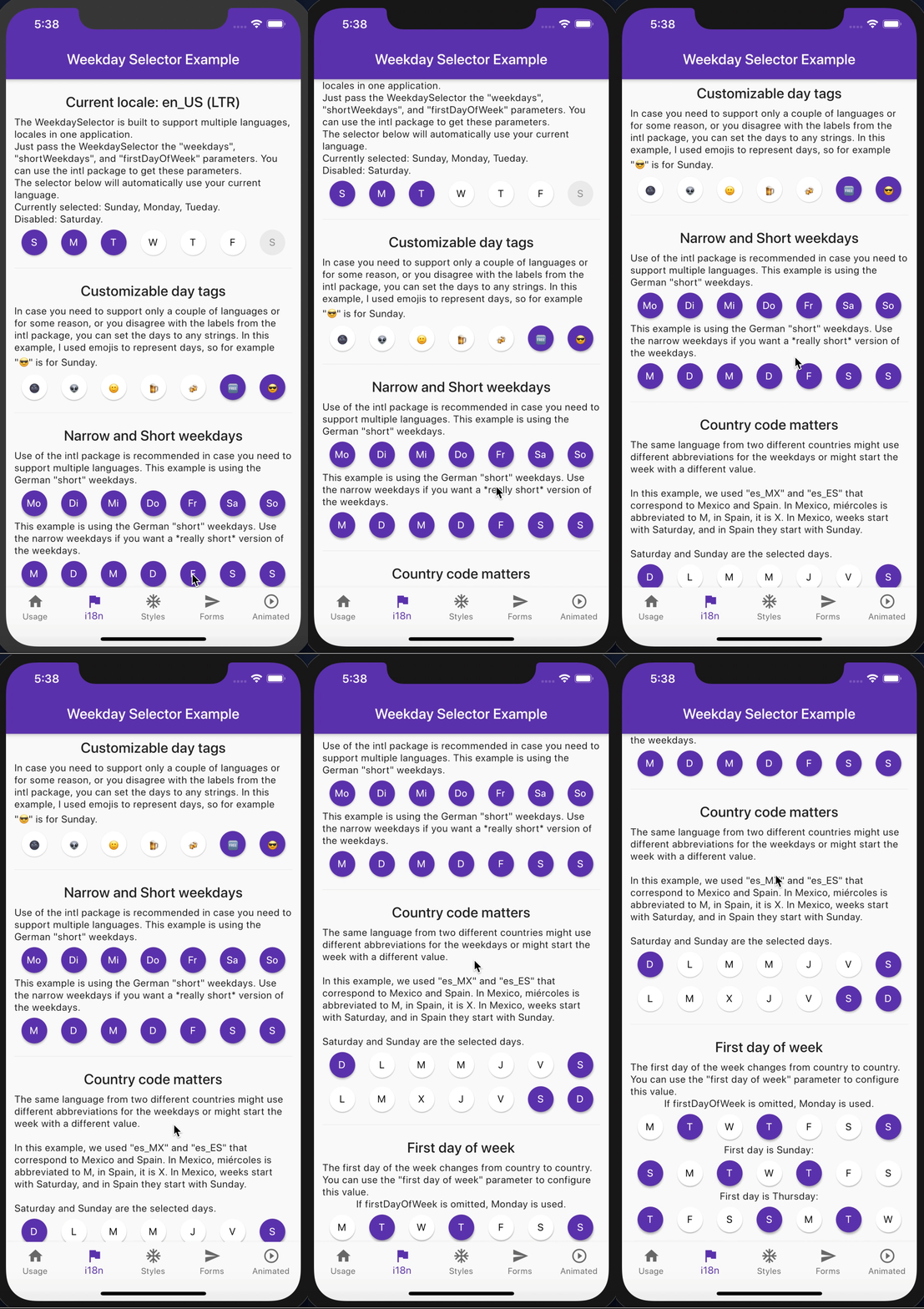
intlWe recommend you check out the intl package's DateSymbols class, if you need to support multiple languages.
Please keep in mind that the intl package uses 0 value as FIRSTDAYOFWEEK value for locales that start with Monday, whereas DateTime.monday is equal to 1. See dart-lang #265 . The intl package and the core Dart library days notation is inconsistent, so we decided to use the Dart core library's convention in the weekday_selector package.
Therefore, if you use the intl library to decide which day should the week start with, do not forget to add +1 to FIRSTDAYOFWEEK before you pass it to the WeekdaySelector widget:
WeekdaySelector(
  // intl package uses 0 for Monday, but DateTime uses 1 for Monday,
  // so we need to make sure the values match
  firstDayOfWeek: dateSymbols.FIRSTDAYOFWEEK + 1,
),
I gave a talk about how I developed this package at Flutter Munich. Watch the video recording here or see the slides.



의존성 목록 4 개
{"sdk":"flutter"}{"sdk":"flutter"}{"sdk":"flutter"}^0.19.0사용 목적에 따라 검색하고 개발 활동을 비교한 뒤 원본 저장소에서 요구 사항을 확인하세요.
“A repository is the most basic element of GitHub.”
GitHub Docs — About repositories ↗