
flutter_nearby_connections
Flutter 플러그인은 Android 및 iOS용 피어 투 피어 연결과 근처 장치 탐색을 지원합니다
- 스타
- 133
- 포크
- 100
- 최근 푸시(UTC)
- 2024. 6. 15.
- 프로젝트 상태
- 활성
원본 README
아래는 영문 원문 스냅샷입니다. 최신 내용은 GitHub에서 확인하세요.
flutter_nearby_connections
flutter nearby connections
Plugin: https://pub.dev/packages/flutter_nearby_connections
Flutter plugin supports peer-to-peer connectivity and discovers nearby devices for Android and IOS
The flutter_nearby_connections plugin supports the discovery of services provided by nearby devices. Moreover, the flutter_nearby_connections plugin also supports communicating with those services through message-based data, streaming data, and resources (such as files). The framework uses infrastructure Wi-Fi networks, peer-to-peer Wi-Fi and Bluetooth Personal Area Networks (PAN) for the underlying transport over UDP. The project is based on
Android
Nearby Connections API (Bluetooth & hotspot) Support Strategy: Strategy.P2P_CLUSTER, Strategy.P2P_STAR, Strategy.P2P_POINT_TO_POINT
Wi-Fi P2P (only wifi hotspot no internet) Support Strategy: Strategy.Wi_Fi_P2P
IOS
We use the NearbyConnections API, but Flutter methods are based on the concept of Multipeer Connectivity IOS.
Methods provided:
startAdvertisingPeer, startBrowsingForPeers, stopAdvertisingPeer
We separate the dependencies of the MCNearbyServiceAdvertiser, MCNearbyServiceBrowser and MCSession classes. All of the methods will be implemented in the NearbyService class.
Noted
-
Android doesn't support emulator only support real devices
-
On iOS 14, need to define in Info.plist
    <key>NSBonjourServices</key>
    <array>
        <string>_{YOUR_SERVICE_TYPE}._tcp</string>
    </array>
    <key>UIRequiresPersistentWiFi</key>
    <true/>
    <key>NSBluetoothAlwaysUsageDescription</key>
    <string>{YOUR_DESCRIPTION}</string>
in this case, YOUR_SERVICE_TYPE is 'mp-connection' (you can define it)
nearbyService.init(
        serviceType: 'mp-connection',
        strategy: Strategy.P2P_CLUSTER,
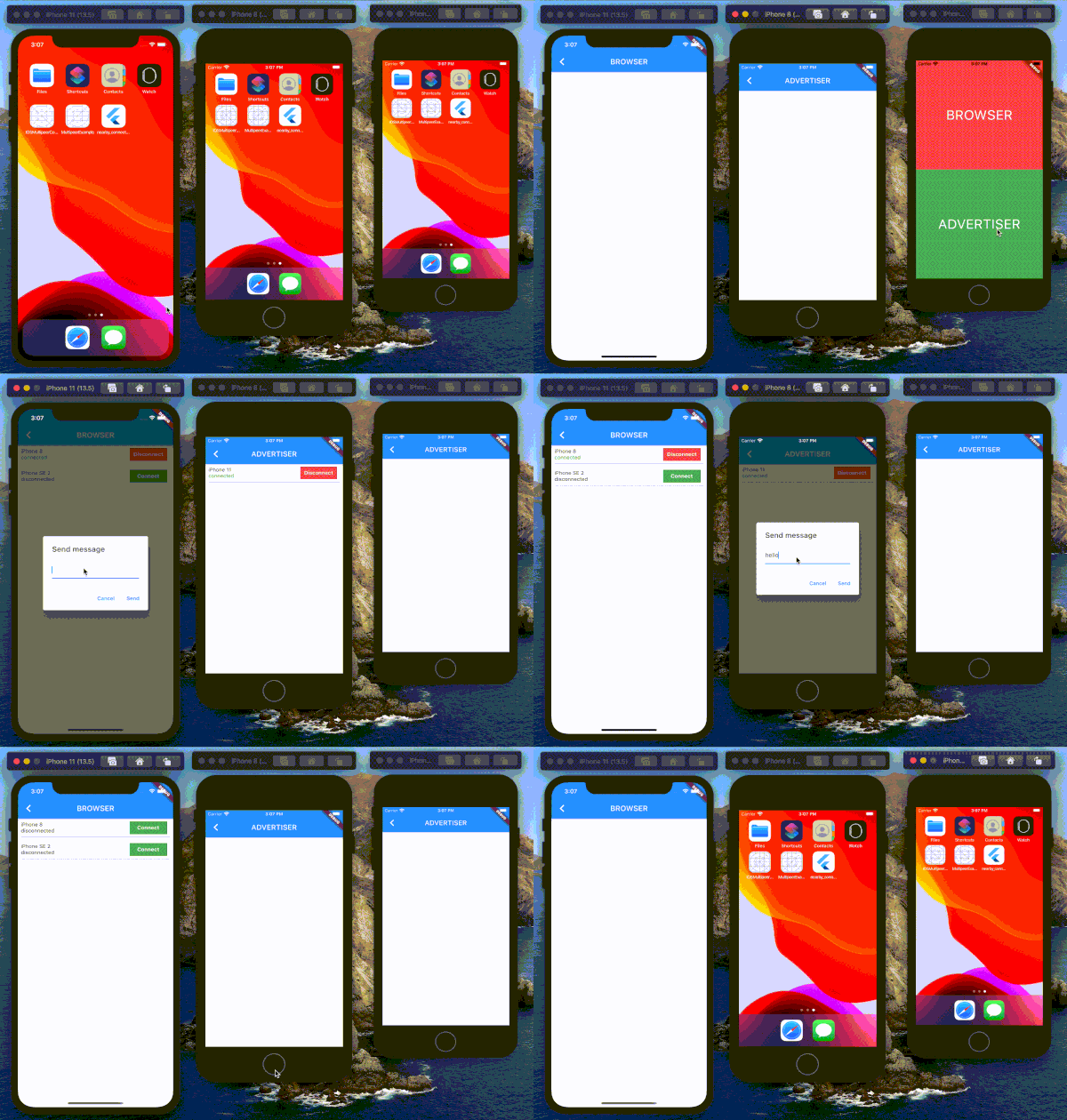
Test on IOS device
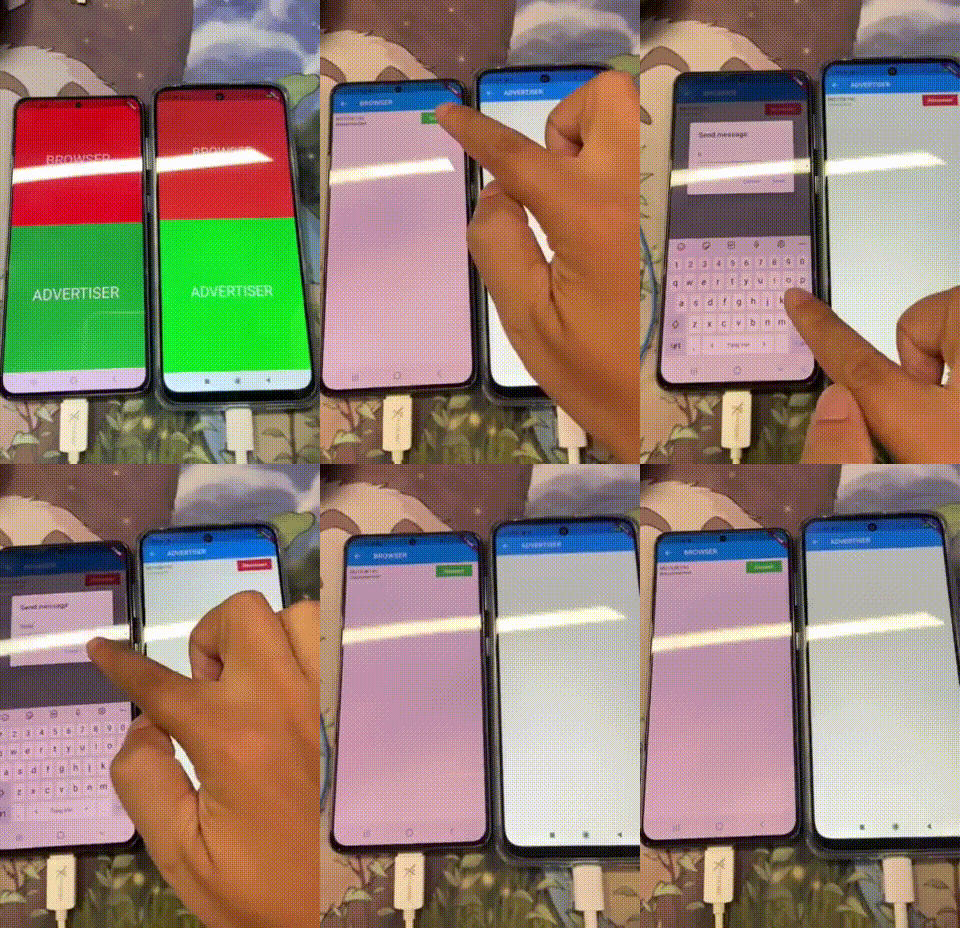
Test on Android device
Visitors Count


SMEW ↗
분류
사용 중인 의존성
의존성 목록 2 개
- flutter
{"sdk":"flutter"} - flutter_test개발 의존성
{"sdk":"flutter"}
프로젝트에 맞는 저장소를 선택하려면?
사용 목적에 따라 검색하고 개발 활동을 비교한 뒤 원본 저장소에서 요구 사항을 확인하세요.
- 이름, 작성자 또는 설명으로 검색하고 기술 주제로 범위를 좁힙니다.
- 스타, 포크, 최근 푸시를 함께 비교하세요. 스타는 관심의 지표이며 품질을 보장하지 않습니다.
- 사용하기 전에 GitHub에서 README, 라이선스, Issues를 확인하세요.
출처 및 관리
“A repository is the most basic element of GitHub.”
GitHub Docs — About repositories ↗