

 v1.9.2
chucker_flutter
Chucker Flutter는 HTTP(S) 요청/응답을 검사하는 데 도움이 됩니다. 데이터는 로컬에 저장되며 네트워크 호출을 검사하고 콘텐츠를 공유할 수 있는 UI를 제공합니다.
198좋아요 2.4만30일 다운로드130Pub 점수
AndroidiOSWebmacOSWindowsLinux
Android Chucker를 영감으로 한 HTTP 요청 검사기

아래는 영문 원문 스냅샷입니다. 최신 내용은 GitHub에서 확인하세요.










An HTTP requests inspector inspired by Chucker Android
Chucker Flutter inspects the HTTP(S) requests/responses triggered by your Flutter App. It works as an Interceptor and stores data related to network requests and responses on local storage, and providing a UI for inspecting and sharing their content.
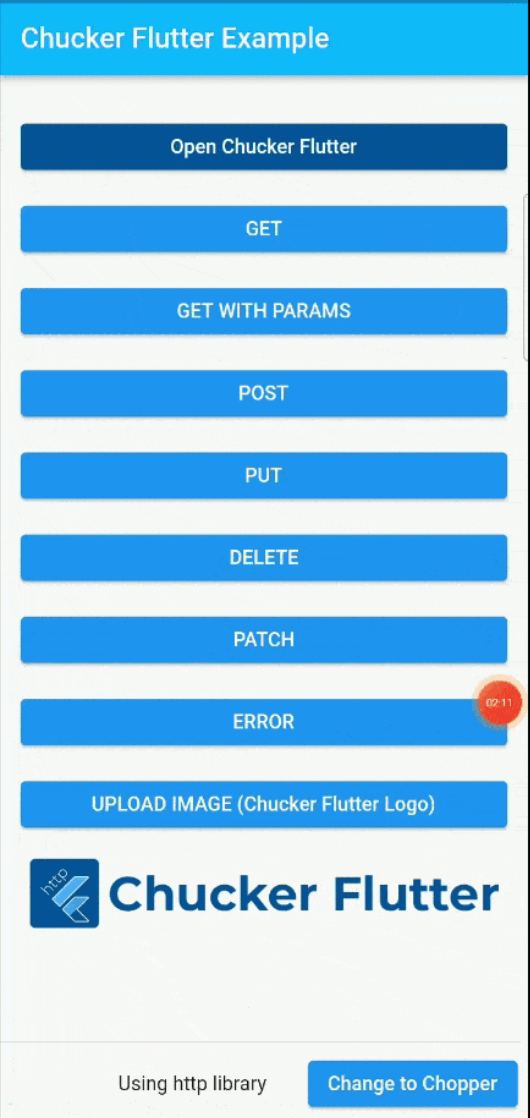
Flutter Apps, using Chucker Flutter, show in-app notifications which tell the status (e.g. 200, 400, 500 and so) and requested url and upon clicking on details button it navigates to Chucker Flutter main screen. You can manipulate Chucker Flutter behaviour using its setting by navigating to Settings page from the menu button of Chucker Flutter main page.

To use Chucker Flutter you need to add the pub spec dependency to your pubspec.yaml file of your flutter app.
Please verify the current latest version of Chucker Flutter so that you can enjoy the latest features.
dependencies:
  chucker_flutter: latest-version
or
just run the command
flutter pub add chucker_flutter
To make Chucker Flutter work in Dio, just add it in your Dio object e.g.:
Dio().interceptors.add(ChuckerDioInterceptor());
To make Chucker Flutter work in Http, you need to use ChuckerHttpClient object e.g.:
final _chuckerHttpClient = ChuckerHttpClient(http.Client());
_chuckerHttpClient.get(Uri.parse('$_baseUrl$path'));
To make Chucker Flutter work in Chopper, you need to use ChuckerChopperInterceptor object e.g.:
final client = ChopperClient(
        baseUrl: 'https://jsonplaceholder.typicode.com',
        interceptors: [
          ChuckerChopperInterceptor(),
        ]
);
The very last thing is to connect Chucker Flutter screens to your app by wiring ChuckerFlutter.navigatorKey into whichever widget owns your root Navigator.
MaterialApp (most apps)
MaterialApp(
  navigatorKey: ChuckerFlutter.navigatorKey,
  ...,
);
MaterialApp.router with GoRouter
MaterialApp.router does not accept a navigatorKey — pass it to GoRouter instead:
final _router = GoRouter(
  navigatorKey: ChuckerFlutter.navigatorKey,
  routes: [...],
);

MaterialApp.router(
  routerConfig: _router,
  ...,
);
MaterialApp.router with a custom RouterDelegate
Pass ChuckerFlutter.navigatorKey to your delegate's constructor and use it as the key on its root Navigator:
class AppRouterDelegate extends RouterDelegate<...> {
  AppRouterDelegate() : navigatorKey = ChuckerFlutter.navigatorKey;

  @override
  final GlobalKey<NavigatorState> navigatorKey;

  @override
  Widget build(BuildContext context) {
    return Navigator(
      key: navigatorKey,
      pages: [...],
      onDidRemovePage: ...,
    );
  }
}
The previous
navigatorObservers: [ChuckerFlutter.navigatorObserver]integration is deprecated and unreliable with nested navigators — it still works as a fallback so existing apps keep running, but new integrations should usenavigatorKey.
By default Chucker Flutter only runs in debug mode but you can allow it to run in release mode too using its showOnRelease property e.g.:
void main() {
  ChuckerFlutter.showOnRelease = true;
  runApp(const App());
}
Congratulations! 🎊 You are done. Rest on us!
ChuckerHttpLoggingInterceptor for better readability of http request and response sent from client. To use this just add this interceptor in your ChopperClientfinal exampleClient = ChopperClient(
services: [
_$ChopperApiService(),
],
interceptors: [
ChuckerHttpLoggingInterceptor() //This for logging,
ChuckerChopperInterceptor(),
],
);

Chucker FLutter uses the following open source libraries:
I extend my sincere appreciation to all the sponsors. Thank you for making a difference in the open source community!❤️ (You can also sponsor my work, please visit patreon.com)
 Rafay Ali |
Special thanks to these wonderful people👏 who are making our community bigger and better🔥
 Adeyemo Adedamola 📖 |
 fachrifaul 📖 |
 Navneet Singh 📖 |
 Sergei 📖 |
 Syifa Ainnur 📖 |
 Erick Armen 📖 |
 Aleksandr Lozhkovoi 📖 |
 Leo Ngo 📖 |
 Kashyap Bhat 📖 |
 KeeganDC 📖 |
 Mateen Mehmood 📖 |
 Cuong Nguyen 📖 |
MIT License

Copyright (c) 2022 Syed Murtaza

Permission is hereby granted, free of charge, to any person obtaining a copy
of this software and associated documentation files (the "Software"), to deal
in the Software without restriction, including without limitation the rights
to use, copy, modify, merge, publish, distribute, sublicense, and/or sell
copies of the Software, and to permit persons to whom the Software is
furnished to do so, subject to the following conditions:

The above copyright notice and this permission notice shall be included in all
copies or substantial portions of the Software.

THE SOFTWARE IS PROVIDED "AS IS", WITHOUT WARRANTY OF ANY KIND, EXPRESS OR
IMPLIED, INCLUDING BUT NOT LIMITED TO THE WARRANTIES OF MERCHANTABILITY,
FITNESS FOR A PARTICULAR PURPOSE AND NONINFRINGEMENT. IN NO EVENT SHALL THE
AUTHORS OR COPYRIGHT HOLDERS BE LIABLE FOR ANY CLAIM, DAMAGES OR OTHER
LIABILITY, WHETHER IN AN ACTION OF CONTRACT, TORT OR OTHERWISE, ARISING FROM,
OUT OF OR IN CONNECTION WITH THE SOFTWARE OR THE USE OR OTHER DEALINGS IN THE
SOFTWARE.
의존성 목록 10 개
^8.4.0^5.9.0{"sdk":"flutter"}{"sdk":"flutter"}^1.6.0^13.0.0^2.5.3{"sdk":"flutter"}^0.6.0^10.0.0사용 목적에 따라 검색하고 개발 활동을 비교한 뒤 원본 저장소에서 요구 사항을 확인하세요.
“A repository is the most basic element of GitHub.”
GitHub Docs — About repositories ↗