
paginate_firestore
Firestore 데이터와 함께 페이지네이션을 간편하게 처리할 수 있는 플러터 패키지 🗃

- 스타
- 109
- 포크
- 135
- 최근 푸시(UTC)
- 2024. 8. 19.
- 프로젝트 상태
- 활성
원본 README
아래는 영문 원문 스냅샷입니다. 최신 내용은 GitHub에서 확인하세요.
Pagination in Firestore


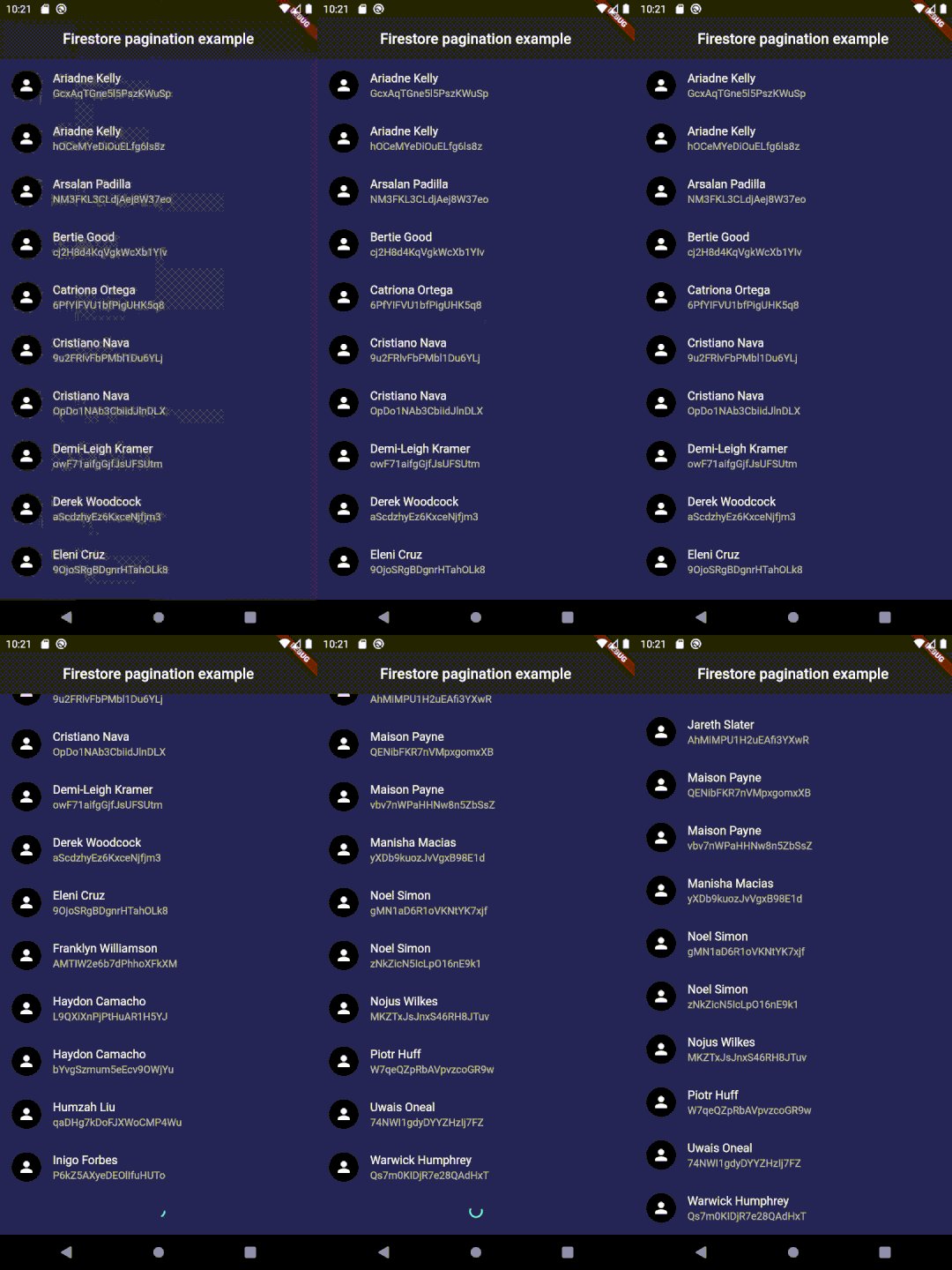
Setup
Use the same setup used for cloud_firestore package (or follow this).
Usage
In your pubspec.yaml
dependencies:
  paginate_firestore: # latest version
Import it
import 'package:paginate_firestore/paginate_firestore.dart';
Implement it
      PaginateFirestore(
        //item builder type is compulsory.
        itemBuilder: (context, documentSnapshots, index) {
          final data = documentSnapshots[index].data() as Map?;
          return ListTile(
            leading: CircleAvatar(child: Icon(Icons.person)),
            title: data == null ? Text('Error in data') : Text(data['name']),
            subtitle: Text(documentSnapshots[index].id),
          );
        },
        // orderBy is compulsory to enable pagination
        query: FirebaseFirestore.instance.collection('users').orderBy('name'),
        //Change types accordingly
        itemBuilderType: PaginateBuilderType.listView,
        // to fetch real-time data
        isLive: true,
      ),
To use with listeners:
      PaginateRefreshedChangeListener refreshChangeListener = PaginateRefreshedChangeListener();

      RefreshIndicator(
        child: PaginateFirestore(
          itemBuilder: (context, documentSnapshots, index) => ListTile(
            leading: CircleAvatar(child: Icon(Icons.person)),
            title: Text(documentSnapshots[index].data()['name']),
            subtitle: Text(documentSnapshots[index].id),
          ),
          // orderBy is compulsary to enable pagination
          query: Firestore.instance.collection('users').orderBy('name'),
          listeners: [
            refreshChangeListener,
          ],
        ),
        onRefresh: () async {
          refreshChangeListener.refreshed = true;
        },
      )
Contributions
Feel free to contribute to this project.
If you find a bug or want a feature, but don't know how to fix/implement it, please fill an issue. If you fixed a bug or implemented a feature, please send a pull request.
Getting Started
This project is a starting point for a Dart package, a library module containing code that can be shared easily across multiple Flutter or Dart projects.
For help getting started with Flutter, view our online documentation, which offers tutorials, samples, guidance on mobile development, and a full API reference.
Contributors ✨
Thanks goes to these wonderful people:
 Adam Dupuis 💻 |
 Gautham 💻 |
 Hafeez Ahmed 💻 |
 Claudemir Casa 💻 |
 Nikhil27bYt 📖 |
 Ferri Sutanto 💻 |
 jslattery26 💻 |
 garrettApproachableGeek 💻 |
 Sua Música 💻 |
 Austin Nelson 💻 |
This project follows the all-contributors specification. Contributions of any kind welcome!

Venkat Vedartham ↗
분류
사용 중인 의존성
의존성 목록 7 개
- flutter
{"sdk":"flutter"} - bloc
^8.0.3 - flutter_bloc
^8.0.1 - cloud_firestore
^3.1.11 - provider
^6.0.2 - flutter_lints개발 의존성
^1.0.4 - flutter_test개발 의존성
{"sdk":"flutter"}
프로젝트에 맞는 저장소를 선택하려면?
사용 목적에 따라 검색하고 개발 활동을 비교한 뒤 원본 저장소에서 요구 사항을 확인하세요.
- 이름, 작성자 또는 설명으로 검색하고 기술 주제로 범위를 좁힙니다.
- 스타, 포크, 최근 푸시를 함께 비교하세요. 스타는 관심의 지표이며 품질을 보장하지 않습니다.
- 사용하기 전에 GitHub에서 README, 라이선스, Issues를 확인하세요.
출처 및 관리
“A repository is the most basic element of GitHub.”
GitHub Docs — About repositories ↗