


 v1.3.5
app_badge_plus
앱 아이콘에 배지를 추가하기 위한 플러터 플러그인입니다. iOS, Android 및 macOS를 지원합니다.
171좋아요 35.1만30일 다운로드160Pub 점수
AndroidiOSmacOS
앱 아이콘에 배지를 추가하기 위한 Flutter 플러그인입니다.

아래는 영문 원문 스냅샷입니다. 최신 내용은 GitHub에서 확인하세요.


A Flutter plugin for adding badges to your app icon. Supports iOS, Android, and macOS.


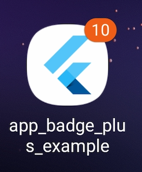
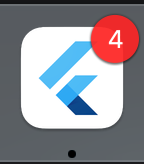
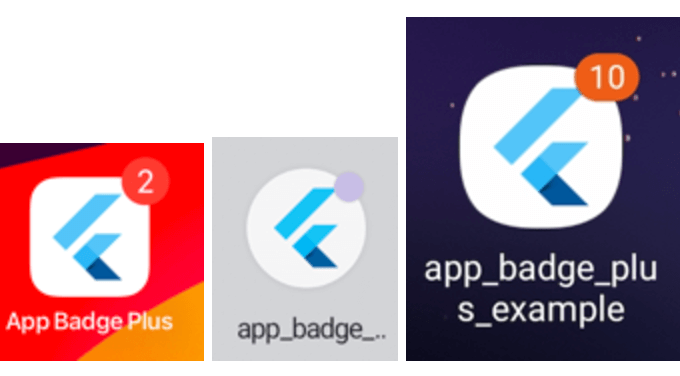
Starting with Android 8.0 (API level 26), notification badges—also known as notification dots—appear on a launcher icon when the associated app has an active notification. Users can touch & hold the app icon to reveal the notifications, along with any app shortcuts.
https://developer.android.com/develop/ui/views/notifications/badges
Starting With Android13 (API level 33), notification runtime permission should be requested before setting the app badge.
On POCO / Xiaomi HyperOS, numeric badges are driven by active notifications (the old
extraNotification API is unavailable). Grant notification permission and enable the numeric
badge style in system settings.
Add the following permissions to AndroidManifest.xml according to the system you need to support:
<!-- Samsung -->
<uses-permission android:name="com.sec.android.provider.badge.permission.READ"/>
<uses-permission android:name="com.sec.android.provider.badge.permission.WRITE"/>

<!-- HTC -->
<uses-permission android:name="com.htc.launcher.permission.READ_SETTINGS"/>
<uses-permission android:name="com.htc.launcher.permission.UPDATE_SHORTCUT"/>

<!-- Sony -->
<uses-permission android:name="com.sonyericsson.home.permission.BROADCAST_BADGE"/>
<uses-permission android:name="com.sonymobile.home.permission.PROVIDER_INSERT_BADGE"/>

<!-- Apex -->
<uses-permission android:name="com.anddoes.launcher.permission.UPDATE_COUNT"/>

<!-- Solid -->
<uses-permission android:name="com.majeur.launcher.permission.UPDATE_BADGE"/>

<!-- Huawei -->
<uses-permission android:name="com.huawei.android.launcher.permission.CHANGE_BADGE" />
<uses-permission android:name="com.huawei.android.launcher.permission.READ_SETTINGS" />
<uses-permission android:name="com.huawei.android.launcher.permission.WRITE_SETTINGS" />
On iOS, when using with notification message, notification permission is required.
On macOS, when using with notification message, notification permission is required.
Using permission_handler package to manage permission on Android and iOS.
https://pub.dev/packages/permission_handler
To use this plugin, add app_badge_plus as a dependency in your pubspec.yaml file.
dependencies:
  app_badge_plus: ^1.1.2
import 'package:app_badge_plus/app_badge_plus.dart';

// Set badge
AppBadgePlus.updateBadge(5);

// Remove badge
AppBadgePlus.updateBadge(0);

// Whether the launcher supports badges. It always returns true on iOS and it will return false on Android if the launcher doesn't support badges.
AppBadgePlus.isSupported();
https://pub.dev/packages/flutter_app_badger
FlutterAppBadger.updateBadgeCount(1);
replace to
AppBadgePlus.updateBadge(1);
FlutterAppBadger.removeBadge();
replace to
AppBadgePlus.updateBadge(0);
FlutterAppBadger.isAppBadgeSupported();
using dart API:
import 'dart:io';

Platform.isAndroid || Platform.isIOS
의존성 목록 4 개
{"sdk":"flutter"}^2.1.8{"sdk":"flutter"}^5.0.0사용 목적에 따라 검색하고 개발 활동을 비교한 뒤 원본 저장소에서 요구 사항을 확인하세요.
“A repository is the most basic element of GitHub.”
GitHub Docs — About repositories ↗