
esc_pos_printer
Flutter 및 Dart용 ESC/POS(열식, 영수증) 인쇄

- 스타
- 400
- 포크
- 337
- 최근 푸시(UTC)
- 2024. 8. 19.
- 프로젝트 상태
- 활성
원본 README
아래는 영문 원문 스냅샷입니다. 최신 내용은 GitHub에서 확인하세요.
esc_pos_printer

The library allows to print receipts using an ESC/POS thermal WiFi/Ethernet printer. For Bluetooth printers, use esc_pos_bluetooth library.
It can be used in Flutter or pure Dart projects. For Flutter projects, both Android and iOS are supported.
To scan for printers in your network, consider using ping_discover_network package. Note that most of the ESC/POS printers by default listen on port 9100.
TODO (PRs are welcomed!)
- Print QR Codes using the
GS ( kcommand (printing QR code from an image already supported) - PDF-417 Barcodes using the
GS ( kcommand - Line spacing using the
ESC 3 <n>command
How to Help
- Test your printer and add it in the table: Wifi/Network printer or Bluetooth printer
- Test and report bugs
- Share your ideas about what could be improved (code optimization, new features...)
- PRs are welcomed!
Tested Printers
Here are some printers tested with this library. Please add the models you have tested to maintain and improve this library and help others to choose the right printer.
Generate a Receipt
Simple Receipt with Styles:
void testReceipt(NetworkPrinter printer) {
  printer.text(
        'Regular: aA bB cC dD eE fF gG hH iI jJ kK lL mM nN oO pP qQ rR sS tT uU vV wW xX yY zZ');
  printer.text('Special 1: àÀ èÈ éÉ ûÛ üÜ çÇ ôÔ',
      styles: PosStyles(codeTable: 'CP1252'));
  printer.text('Special 2: blåbærgrød',
      styles: PosStyles(codeTable: 'CP1252'));

  printer.text('Bold text', styles: PosStyles(bold: true));
  printer.text('Reverse text', styles: PosStyles(reverse: true));
  printer.text('Underlined text',
      styles: PosStyles(underline: true), linesAfter: 1);
  printer.text('Align left', styles: PosStyles(align: PosAlign.left));
  printer.text('Align center', styles: PosStyles(align: PosAlign.center));
  printer.text('Align right',
      styles: PosStyles(align: PosAlign.right), linesAfter: 1);

  printer.text('Text size 200%',
      styles: PosStyles(
        height: PosTextSize.size2,
        width: PosTextSize.size2,
      ));

  printer.feed(2);
  printer.cut();
}
You can find more examples here: esc_pos_utils.
Print a Receipt
import 'package:esc_pos_printer/esc_pos_printer.dart';

const PaperSize paper = PaperSize.mm80;
final profile = await CapabilityProfile.load();
final printer = NetworkPrinter(paper, profile);

final PosPrintResult res = await printer.connect('192.168.0.123', port: 9100);

if (res == PosPrintResult.success) {
  testReceipt(printer);
  printer.disconnect();
}

print('Print result: ${res.msg}');
For a complete example, check example/example.dart and example/discover_printers.
Test Print
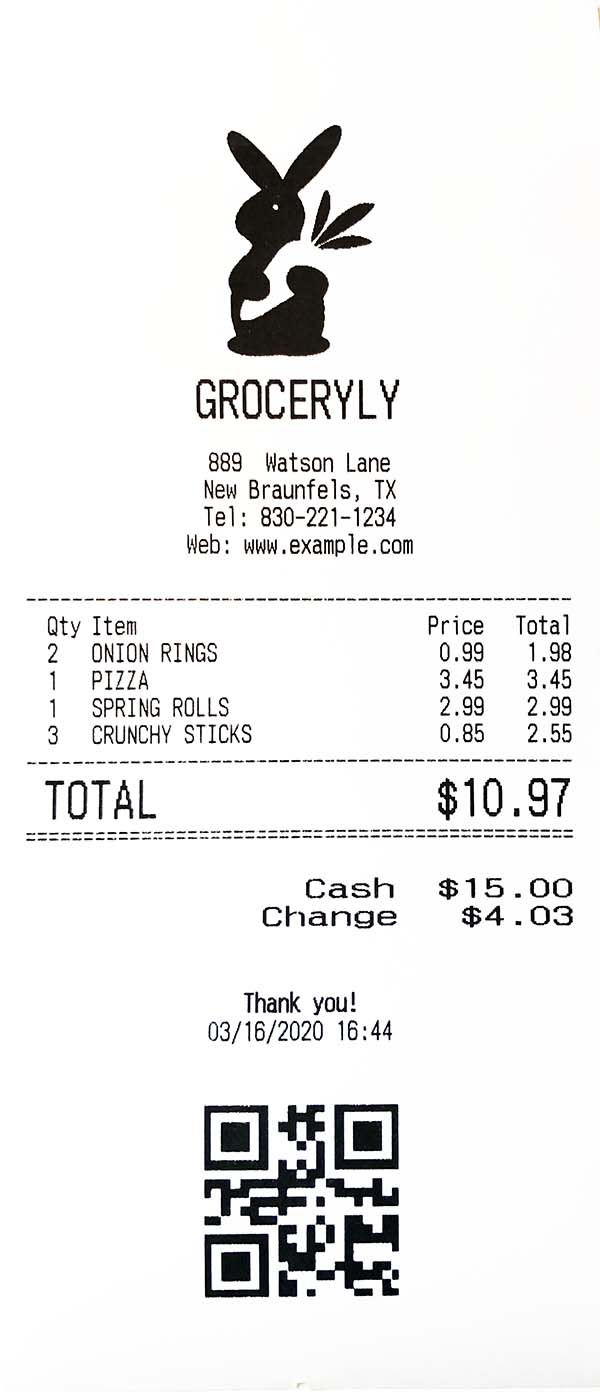
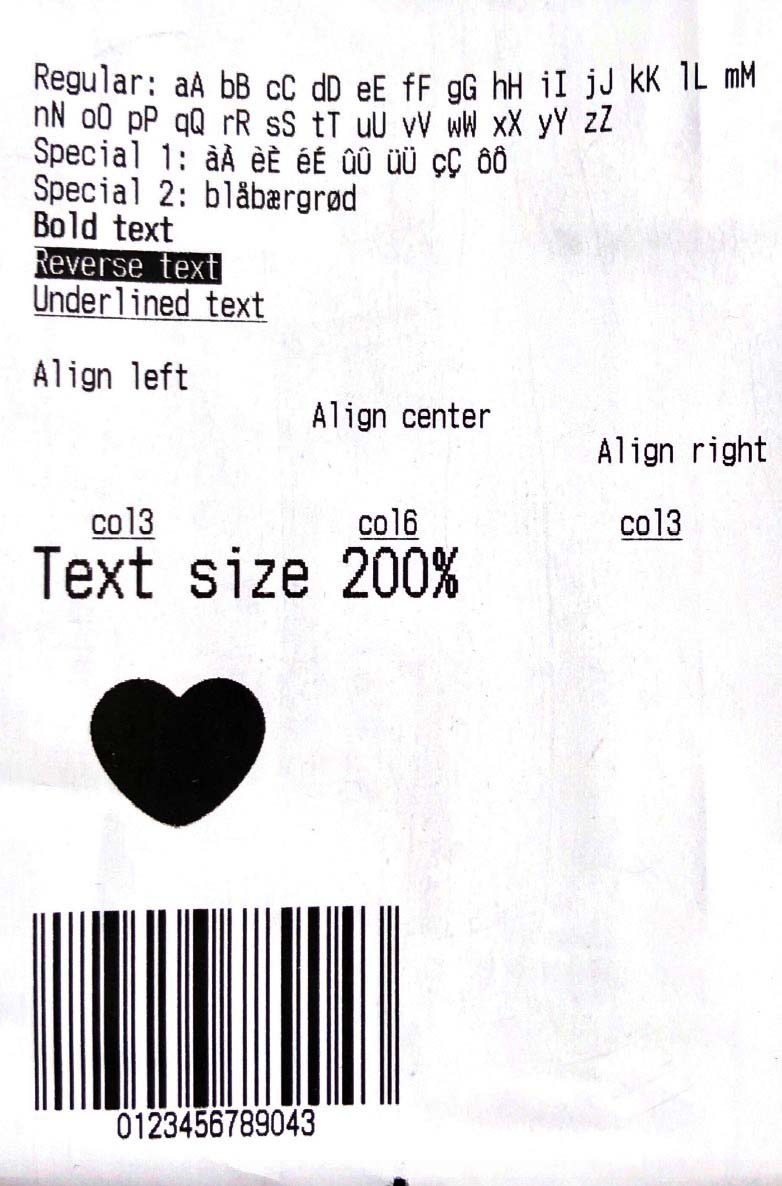

wwandreww ↗
분류
사용 중인 의존성
의존성 목록 5 개
- charset_converter
^2.0.0 - esc_pos_utils
^1.1.0 - flutter
{"sdk":"flutter"} - image
^3.0.2 - flutter_test개발 의존성
{"sdk":"flutter"}
프로젝트에 맞는 저장소를 선택하려면?
사용 목적에 따라 검색하고 개발 활동을 비교한 뒤 원본 저장소에서 요구 사항을 확인하세요.
- 이름, 작성자 또는 설명으로 검색하고 기술 주제로 범위를 좁힙니다.
- 스타, 포크, 최근 푸시를 함께 비교하세요. 스타는 관심의 지표이며 품질을 보장하지 않습니다.
- 사용하기 전에 GitHub에서 README, 라이선스, Issues를 확인하세요.
출처 및 관리
“A repository is the most basic element of GitHub.”
GitHub Docs — About repositories ↗