

 v2.1.0
flutter_boring_avatars
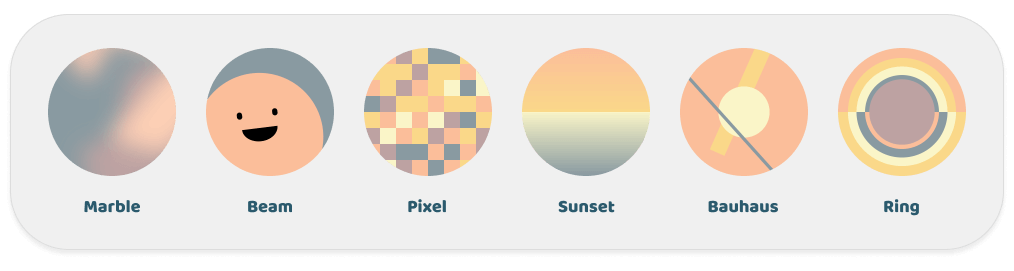
지루한 아바타는 사용자 이름과 색상 팔레트를 기반으로 고유한 아바타를 생성할 수 있습니다.
54좋아요 2.5천30일 다운로드160Pub 점수
AndroidiOSWebmacOSWindowsLinux
지루한 아바타는 사용자 이름과 색상 팔레트를 기반으로 고유한 아바타를 생성할 수 있습니다.
아래는 영문 원문 스냅샷입니다. 최신 내용은 GitHub에서 확인하세요.

English | 中文
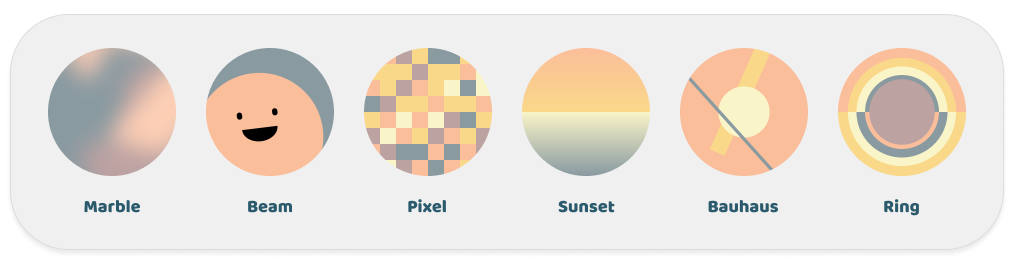
Boring avatars can generate unique avatars based on the username and color palette.
This project is a Flutter implementation of Boring Avatars.
It differs from the original project in its implementation, using Canvas for rendering and adding transition animations.
Check out the Web Demo to experience the effect.
Add the dependency in your pubspec.yaml file:
dependencies:
  flutter_boring_avatars: any # or the latest version on Pub
Get a simple avatar
BoringAvatar(name: "Maria Mitchell", type: BoringAvatarType.marble);
Get an animated avatar that has a nice transition animation when the name changes
AnimatedBoringAvatar(
  name: "Maria Mitchell",
  type: BoringAvatarType.marble,
  duration: const Duration(milliseconds: 300),
)
Get an avatar with a custom color palette
final colorPalette = BoringAvatarPalette(Color(0xffA3A948), Color(0xffEDB92E), Color(0xffF85931), Color(0xffCE1836), Color(0xff009989));

BoringAvatar(name: "Maria Mitchell", palette: colorPalette);
Set default type and palette, applicable only for BoringAvatar and AnimatedBoringAvatar
build(context) {
  return DefaultBoringAvatarStyle(
    type: BoringAvatarType.marble,
    palette: colorPalette,
    child: Column(
      children: [
        BoringAvatar(name: "Maria Mitchell"),
        BoringAvatar(name: "Alexis Brooks"),
        BoringAvatar(name: "Justin Gray"),
      ]
    ),
  );
}
Use ShapeBorder to control the avatar shape and add a border
BoringAvatar(
  name: "Maria Mitchell",
  type: BoringAvatarType.marble,
  shape: OvalBorder(), // or RoundedRectangleBorder(borderRadius: BorderRadius.circular(16))
);
Use the avatar for Decoration, it also supports transition animations when used in AnimatedContainer
Container(
  decoration: BoringAvatarDecoration(
    avatarData: BoringAvatarData.generate(name: name),
  ),
);
Export the avatar as an image
final avatarData = BoringAvatarData.generate(name: name);
final image = await avatarData.toImage(size: const Size.square(256));
final pngByteData = await image.toByteData(format: ImageByteFormat.png);
Thanks to the developers of Boring Avatars.
The example uses the beautiful palette project from Matt DesLauriers.
If you like this project, please give me a star.

의존성 목록 3 개
{"sdk":"flutter"}{"sdk":"flutter"}^6.0.0사용 목적에 따라 검색하고 개발 활동을 비교한 뒤 원본 저장소에서 요구 사항을 확인하세요.
“A repository is the most basic element of GitHub.”
GitHub Docs — About repositories ↗