

v0.0.4
hardware_buttons_find_flutter
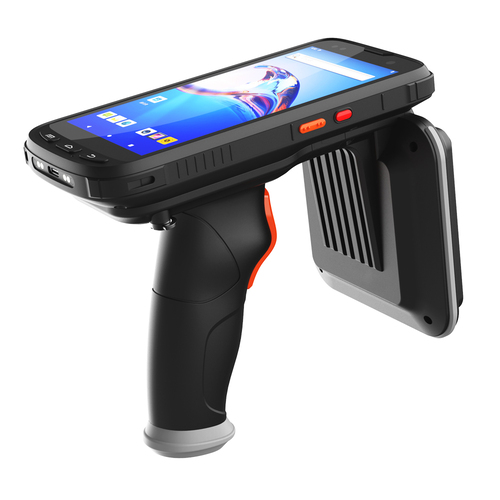
Em dispositivos móveis com diferentes botões, escute o nome do botão quando os botões forem pressionados.
25Curtidas 14Downloads em 30 dias135Pontos Pub
Android
Em dispositivos móveis com diferentes botões, escute o nome do botão quando os botões forem pressionados.

Texto original em inglês. Visite o GitHub para a versão atual.
It is necessary to learn the feedback of buttons on different types of reading devices and take steps based on it. This plugin will help you. This code, written with Stream, always listens to the native code, returning the name of the button to you when the button is pressed. Based on the answer you get, write down the functions you envision.
class _MyAppState extends State<MyApp> {
  String? _latestHardwareButtonEvent;

  StreamSubscription<String>? _buttonSubscription;

  @override
  void initState() {
    super.initState();
    _buttonSubscription = HardwareButtons.buttonEvents?.listen((event) {
      setState(() {
        _latestHardwareButtonEvent = event.toString();
      });
    });
  }

  @override
  void dispose() {
    super.dispose();
    _buttonSubscription?.cancel();
  }

  @override
  Widget build(BuildContext context) {
    return MaterialApp(
      home: Scaffold(
        appBar: AppBar(
          title: const Text('Hardware buttons find'),
        ),
        body: Center(
          child: Column(
            mainAxisSize: MainAxisSize.min,
            children: <Widget>[
              Text('Button name: $_latestHardwareButtonEvent\n'),
            ],
          ),
        ),
      ),
    );
  }
}
Lista de dependências 4 itens
{"sdk":"flutter"}^2.0.2{"sdk":"flutter"}^2.0.0Filtre pelo caso de uso, compare a atividade e confira o projeto original antes de adotá-lo.
“A repository is the most basic element of GitHub.”
GitHub Docs — About repositories ↗