
flutter-efeitos de reação
:lion: Pacote ajuda a mostrar reação em pop-up como no Facebook e envolve widget (mostra quem reagiu a esta mensagem).
- Estrelas
- 20
- Forks
- 6
- Último push (UTC)
- 21 de set. de 2023
- Status do projeto
- Ativo
README original
Texto original em inglês. Visite o GitHub para a versão atual.
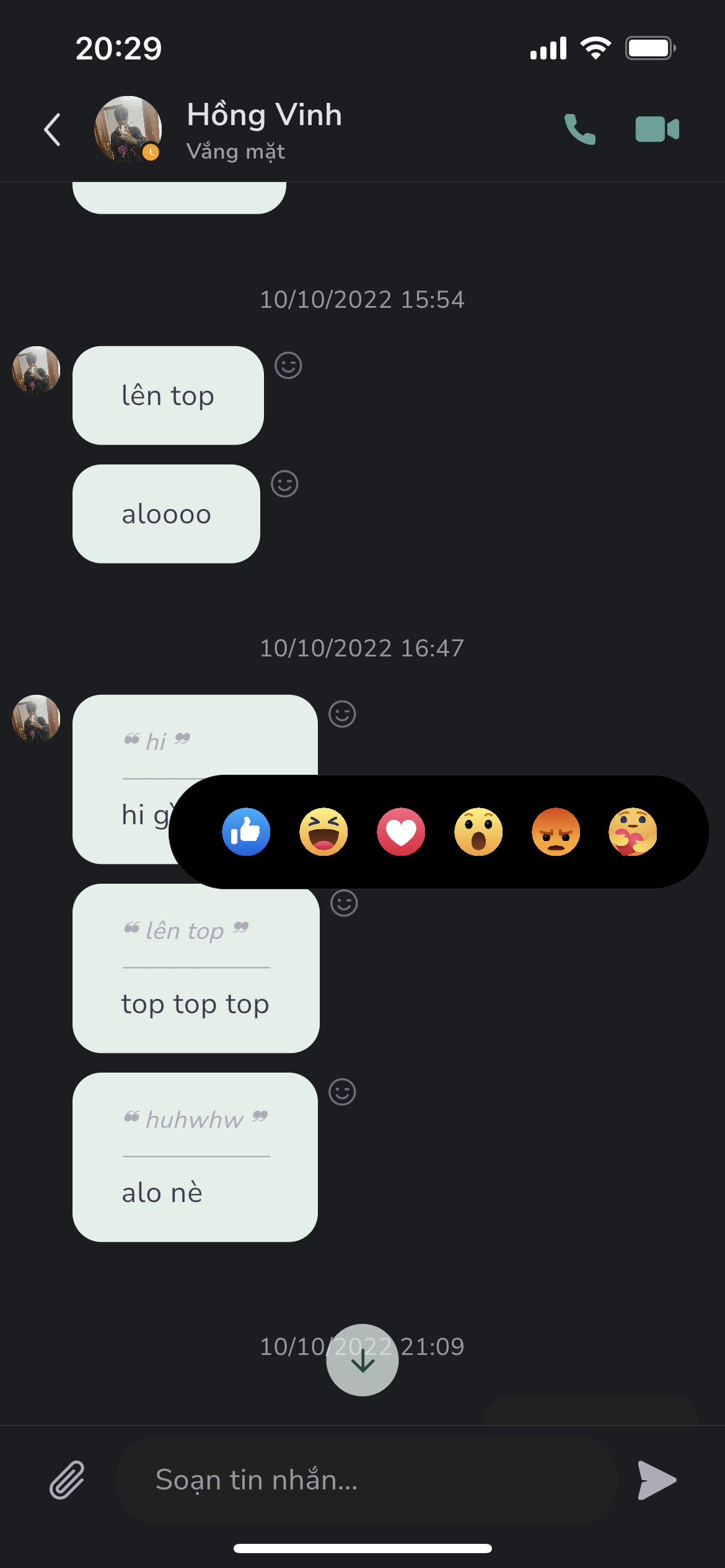
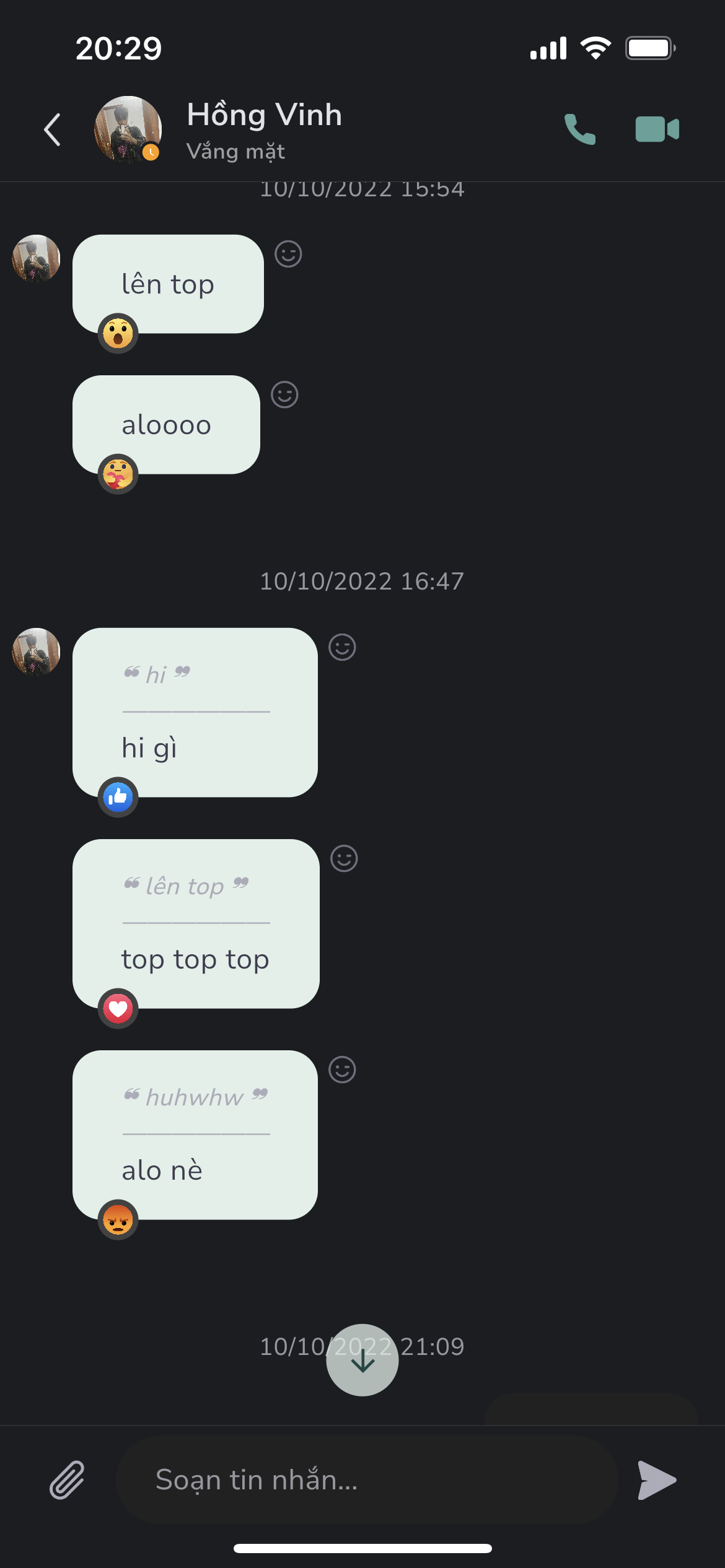
:four_leaf_clover: Package help show popup reaction like Facebook and wrapper for widget (Show anyone who reaction this message).
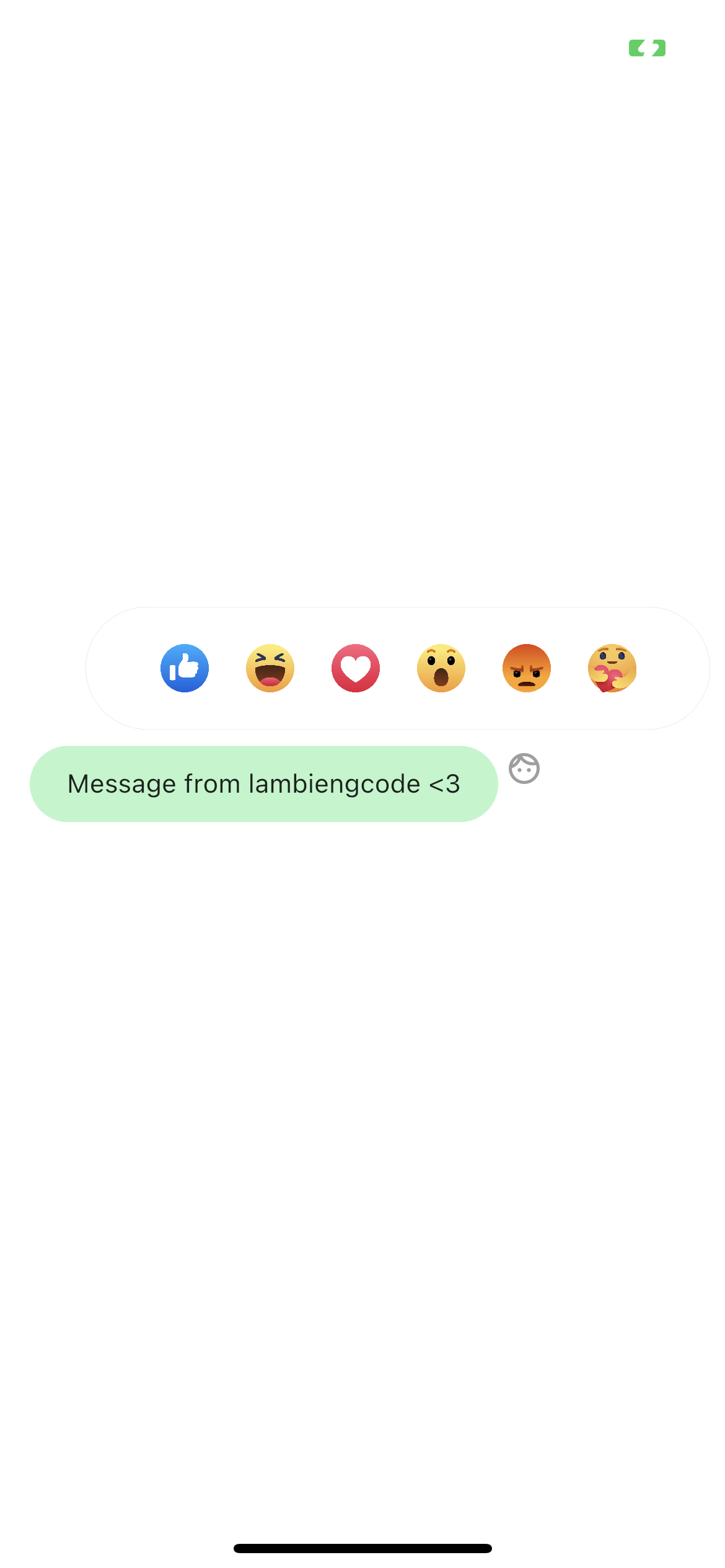
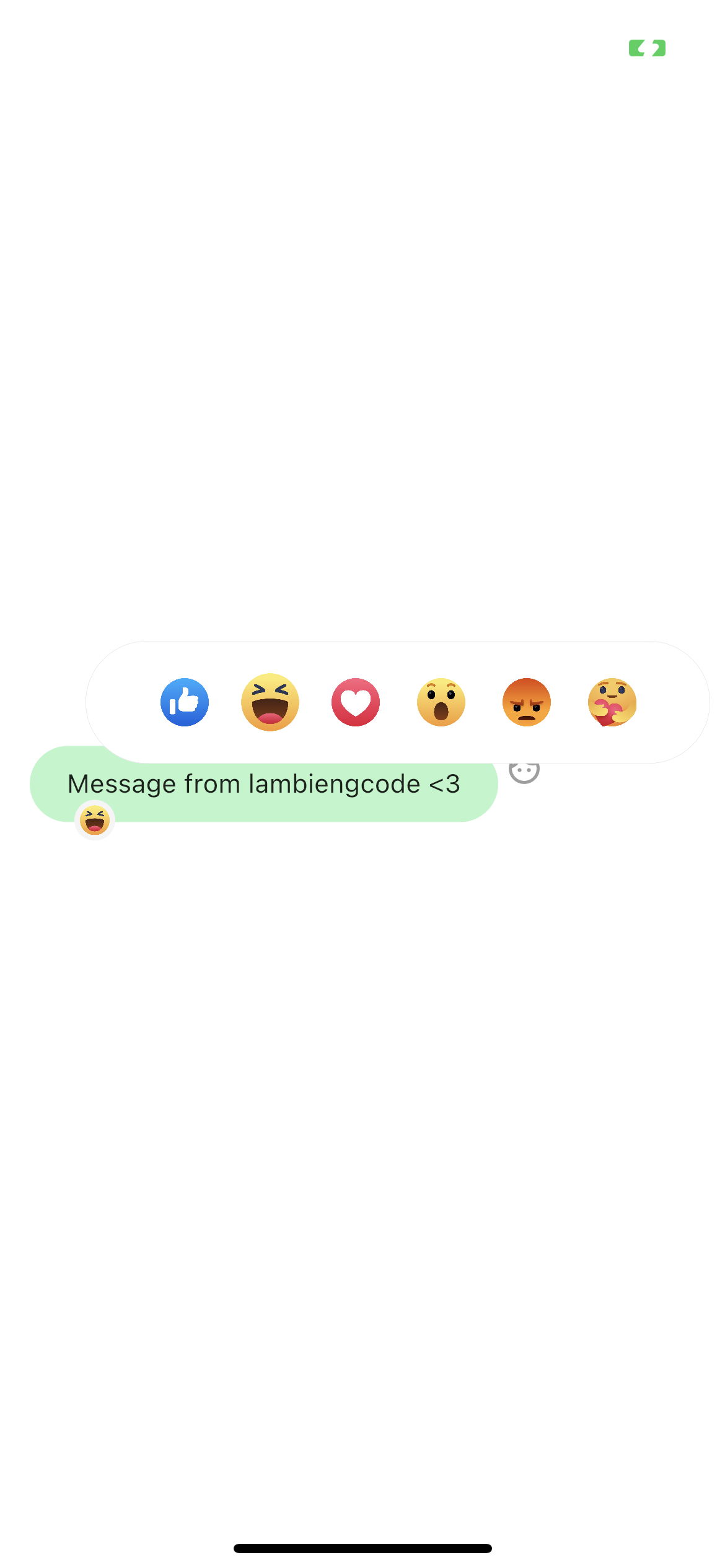
:four_leaf_clover::four_leaf_clover: Preview
Features
- Support show popup emotions picker
- Support reaction wrapper for message card use case
Usage
- Show reaction popup
        GestureDetector(
          onTapDown: (details) {
            ReactionAskany.showReactionBox(
              context,
              offset: details.globalPosition,
              boxParamenters: boxParamenters,
              emotionPicked: _emotion,
              handlePressed: (Emotions emotion) {
                setState(() {
                  _emotion = emotion;
                });
              },
            );
          },
          child: widget.buttonReaction,
        ),
- Use reaction wrapper - useful for reaction message
            ReactionWrapper(
              boxParamenters: ReactionBoxParamenters(
                brightness: Brightness.light,
                iconSize: 26,
                iconSpacing: 10,
                paddingHorizontal: 30,
                radiusBox: 40,
                quantityPerPage: 6,
              ),
              buttonReaction: const Padding(
                padding: EdgeInsets.only(top: 2.0),
                child: Icon(
                  Icons.face_outlined,
                  size: 20.0,
                  color: Colors.grey,
                ),
              ),
              child: Container(
                padding: const EdgeInsets.symmetric(
                  vertical: 12.0,
                  horizontal: 20.0,
                ),
                decoration: BoxDecoration(
                  color: Colors.greenAccent.shade100,
                  borderRadius: BorderRadius.circular(30),
                ),
                child: const Text(
                  'Message from lambiengcode <3',
                ),
              ),
            ),
ReactionBoxParamenters
| parameter | description | default |
|---|---|---|
| iconSize | Size of emotion in reaction box | 20 |
| iconSpacing | Padding horizontal value for each emotion | 8 |
| paddingHorizontal | Padding horizontal value for reaction box | 16 |
| radiusBox | Radius circular of reaction box | 10 |
| quantityPerPage | Number of emotions per page view | 5 |
| brightness | Set brightness for show background color compatitive | Brightness.light |
Download Askany


License - lambiengcode
MIT License

Copyright (c) 2022 Askany

Permission is hereby granted, free of charge, to any person obtaining a copy
of this software and associated documentation files (the "Software"), to deal
in the Software without restriction, including without limitation the rights
to use, copy, modify, merge, publish, distribute, sublicense, and/or sell
copies of the Software, and to permit persons to whom the Software is
furnished to do so, subject to the following conditions:

The above copyright notice and this permission notice shall be included in all
copies or substantial portions of the Software.

THE SOFTWARE IS PROVIDED "AS IS", WITHOUT WARRANTY OF ANY KIND, EXPRESS OR
IMPLIED, INCLUDING BUT NOT LIMITED TO THE WARRANTIES OF MERCHANTABILITY,
FITNESS FOR A PARTICULAR PURPOSE AND NONINFRINGEMENT. IN NO EVENT SHALL THE
AUTHORS OR COPYRIGHT HOLDERS BE LIABLE FOR ANY CLAIM, DAMAGES OR OTHER
LIABILITY, WHETHER IN AN ACTION OF CONTRACT, TORT OR OTHERWISE, ARISING FROM,
OUT OF OR IN CONNECTION WITH THE SOFTWARE OR THE USE OR OTHER DEALINGS IN THE
SOFTWARE.

Autor no GitHub
Askany ↗
LinguagensDartC++CMakeHTMLCSwiftKotlinObjective-C
Categorias
Dependências usadas
Lista de dependências 3 itens
- flutter
{"sdk":"flutter"} - flutter_testDesenvolvimento
{"sdk":"flutter"} - flutter_lintsDesenvolvimento
^2.0.0
Como escolher um repositório para seu projeto?
Filtre pelo caso de uso, compare a atividade e confira o projeto original antes de adotá-lo.
- Busque por nome, autor ou descrição e filtre por tema.
- Compare estrelas, forks e envios recentes. Estrelas indicam interesse, mas não garantem qualidade.
- Confira o README, a licença e as issues no GitHub antes de usar o projeto.
Fontes e manutenção
“A repository is the most basic element of GitHub.”
GitHub Docs — About repositories ↗