
cartão expansível
Um widget de cartão deslizante para o flutter

- Estrelas
- 110
- Forks
- 15
- Último push (UTC)
- 27 de nov. de 2019
- Status do projeto
- Ativo
README original
Texto original em inglês. Visite o GitHub para a versão atual.
Expandable Card
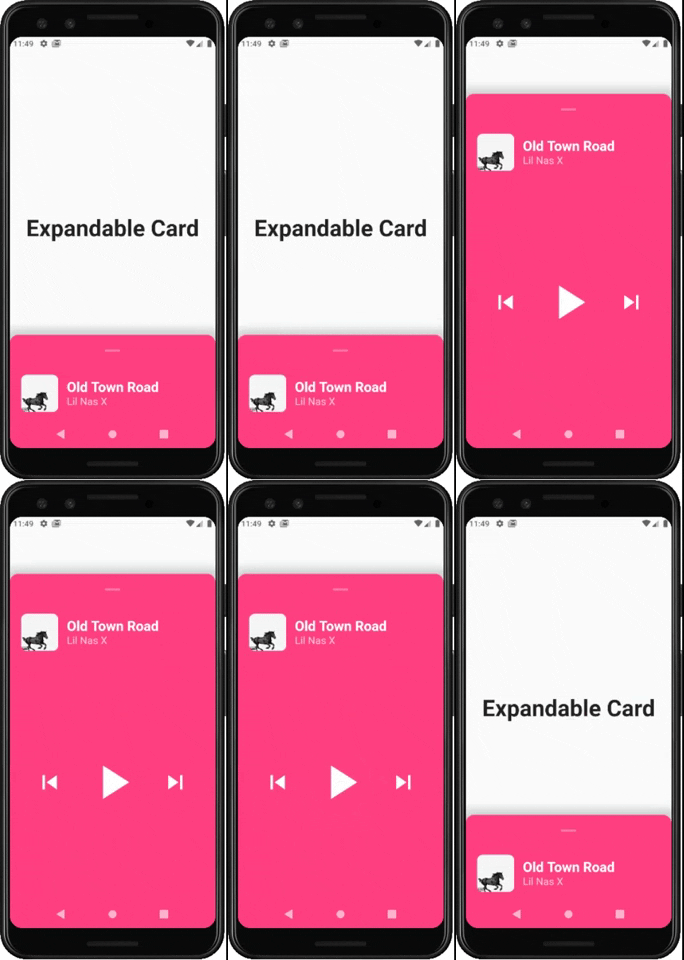
This is a Flutter Widget that makes it easy to build a page with a bottom Card that can be expanded on user drag.
How to use it
Use ExpandableCardPage for the body of your Scaffold. This widget will take two attributes:
Widget page: which is the default page in the backgroundExpandableCard expandableCard: which is the bottom card itself. You can call theExpandableCardconstructor to build one.
ExpandableCard constructor has a few attributes:
EdgeInsetsGeometry padding: padding inside the card. Default value isEdgeInsets.all(15)double minHeight: default height of the card when it's not expanded. Default value is200double maxHeight: height of the card when it's fully expanded. Default value is500bool hasShadow: determines whether the card has box shadow or not. Default istrueColor backgroundColor: background color of the card. Default isColors.blueGreybool hasRoundedCorners: determines whether the card has rounded corners or not. Default isfalsebool hasHandle: will add a little handle icon. Default istrueList<Widget> Children: Widgets that make the actual content of the card
Future Implementations:
AnimatedExpandableCard: will allow animation between closed state and expanded state.- Add suport for scrolling card when its fully expanded

Autor no GitHub
Lucas Bernardi ↗
LinguagensDartObjective-CJava
Dependências usadas
Lista de dependências 3 itens
- flutter
{"sdk":"flutter"} - cupertino_icons
^0.1.2 - flutter_testDesenvolvimento
{"sdk":"flutter"}
Como escolher um repositório para seu projeto?
Filtre pelo caso de uso, compare a atividade e confira o projeto original antes de adotá-lo.
- Busque por nome, autor ou descrição e filtre por tema.
- Compare estrelas, forks e envios recentes. Estrelas indicam interesse, mas não garantem qualidade.
- Confira o README, a licença e as issues no GitHub antes de usar o projeto.
Fontes e manutenção
“A repository is the most basic element of GitHub.”
GitHub Docs — About repositories ↗