
 v11.6.0
flutter_quill
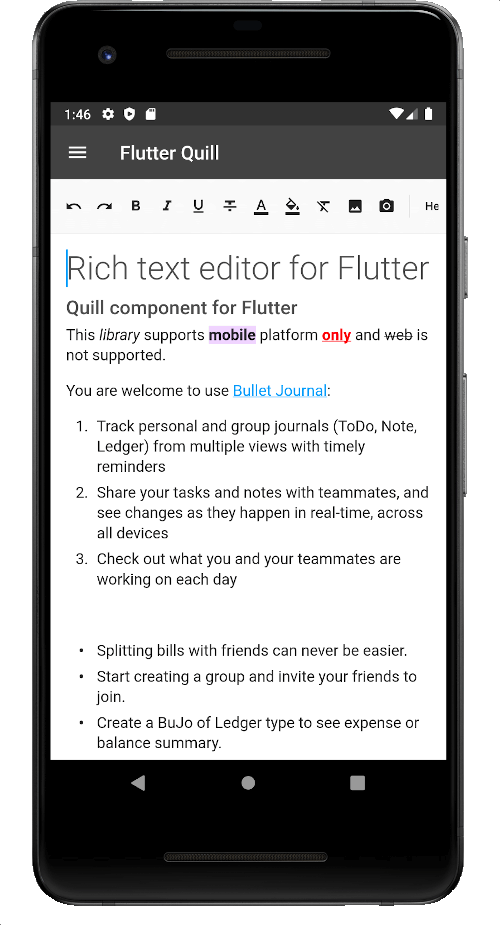
Um editor de texto rico construído para plataformas Android, iOS, Web e desktop. É um editor WYSIWYG e um componente Quill para Flutter.
2,2 milCurtidas 250 milDownloads em 30 dias150Pontos Pub
AndroidiOSmacOSWindowsLinux
Aplicativo móvel para CircuitVerse
 v11.6.0
Um editor de texto rico construído para plataformas Android, iOS, Web e desktop. É um editor WYSIWYG e um componente Quill para Flutter.
 v5.1.0
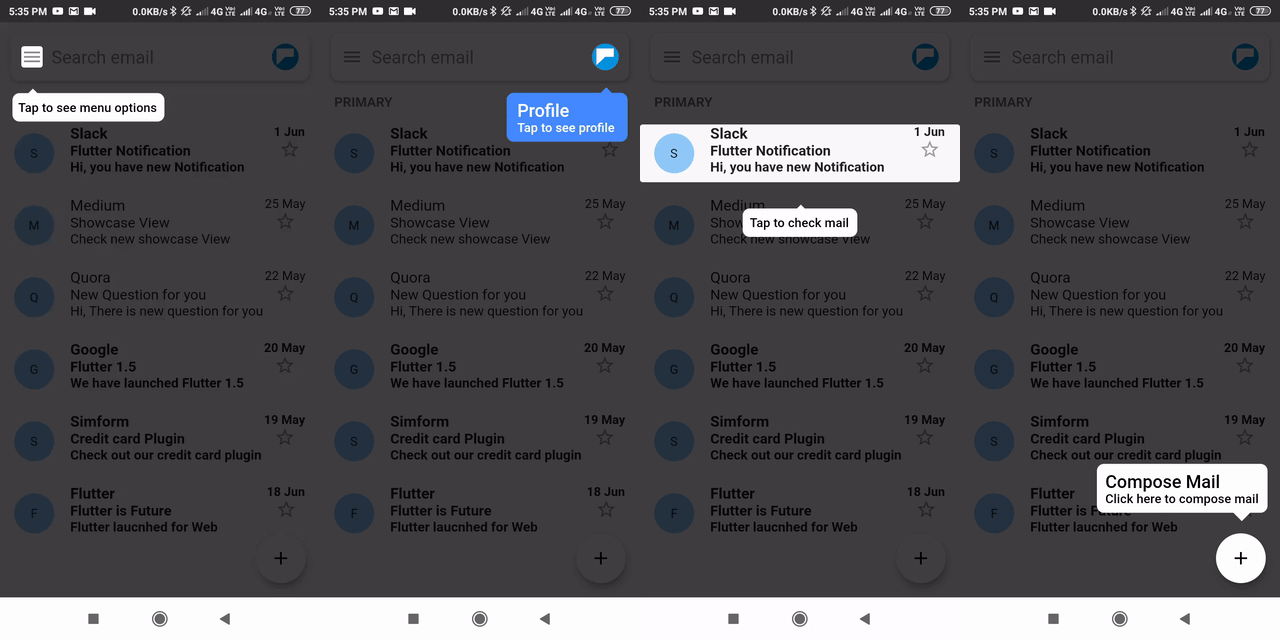
Um pacote do Flutter para mostrar/destacar widgets passo a passo.
 v12.2.1
Um plugin Flutter para Android, iOS e Web que suporta cortar imagens
 v6.0.0
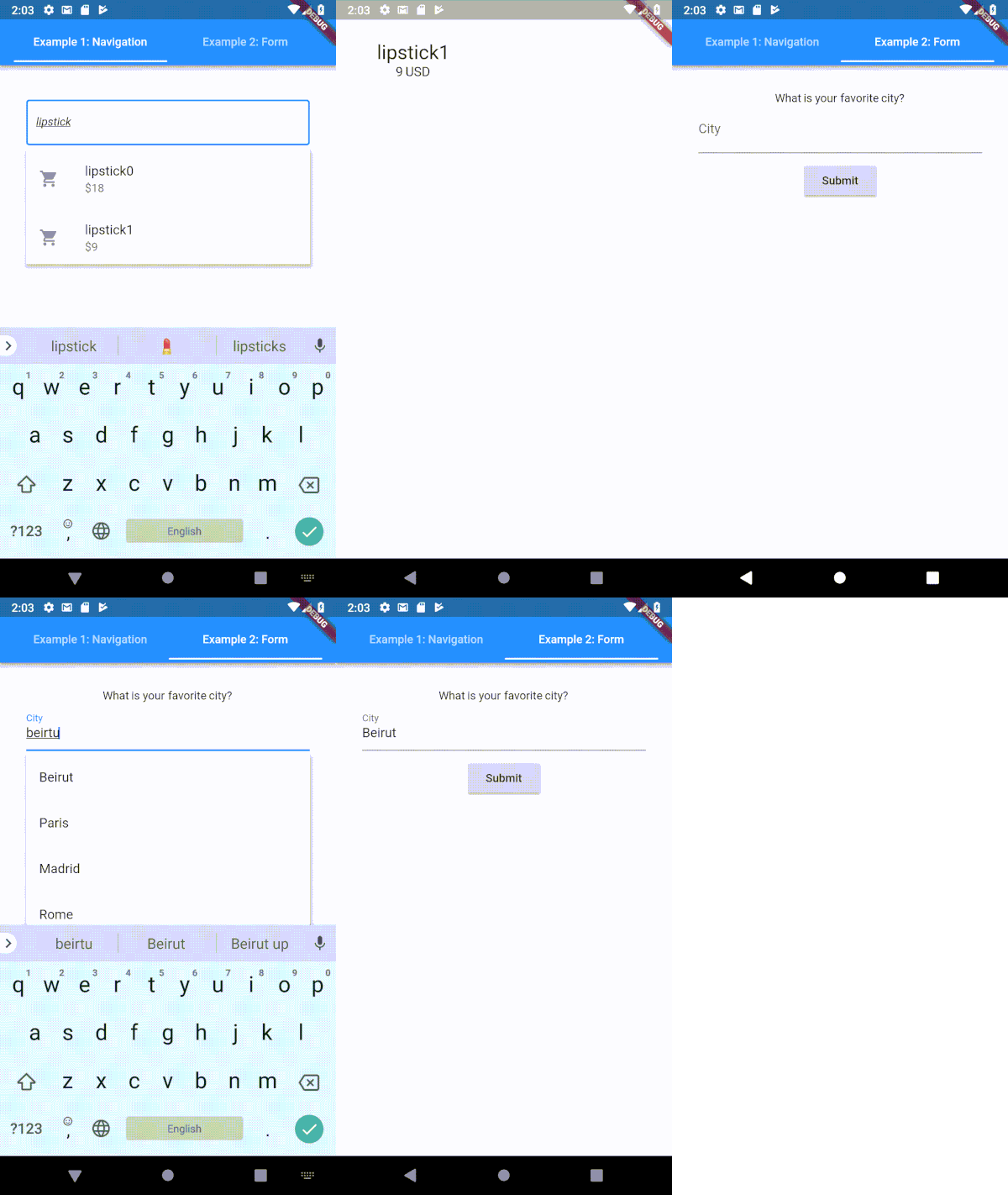
Um campo de entrada de texto tipoahead (autocompletar) altamente personalizável para Flutter
Role para uma criança específica de qualquer widget rolável no Flutter
Plugin do Flutter para descobrir o estado da visibilidade do teclado em Android e iOS.
Fornecedor de tema fácil de usar e personalizável. Este widget pode ser usado para fornecer facilmente um controlador de tema em toda a árvore de widgets.
Uma imagem transparente no código Dart, representada como Uint8List.
 v0.7.4
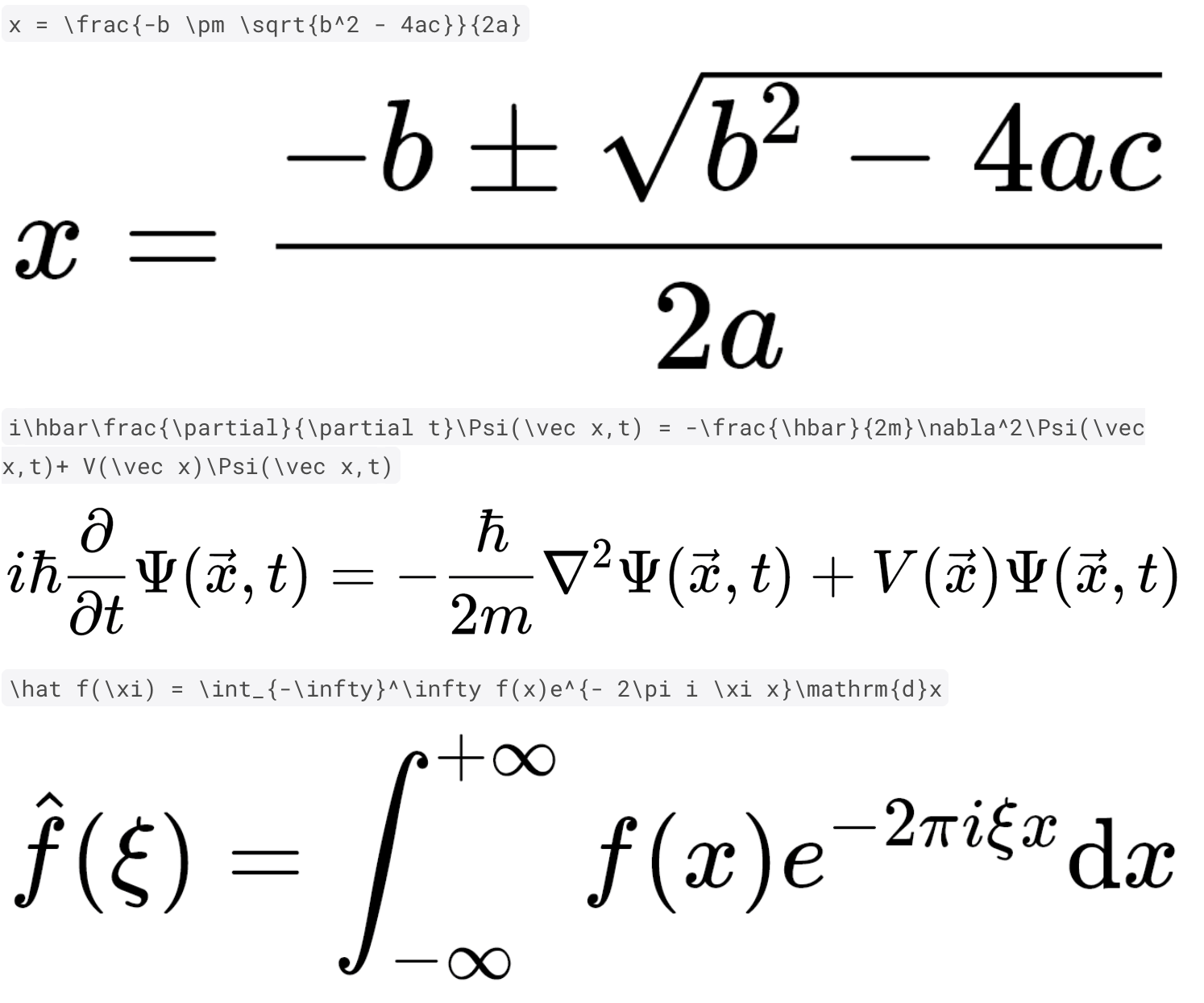
Renderização rápida e de alta qualidade de equações matemáticas TeX com Dart puro e Flutter.
Uma pequena biblioteca para desescapar HTML. Suporta todas as Referências de Caracteres Nomeadas, Referências de Caracteres Decimais e Referências de Caracteres Hexadecimais.
Ícones do Flutter de fontes populares de ícones da web. Personalize seu pacote final de ícones usando o fluttericon.com.
 v1.2.2
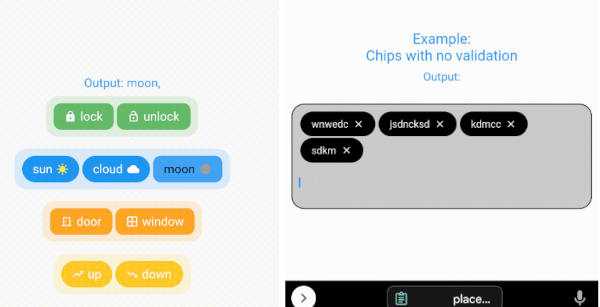
O pacote mais personalizável contendo 2 bibliotecas para criar chips e selecionar chips
^2.0.2^1.0.9^2.0.0{"sdk":"flutter"}^6.1.5^3.0.0-alpha.6^6.0.0{"sdk":"flutter"}^0.7.7+1^2.2.4^6.0.0^2.0.0^4.7.3^9.2.1^6.2.1^2.0.4^1.1.00.15.7^12.2.1^1.2.3^0.20.3^2.1.6^12.0.3^0.15.0^4.3.3^6.1.5^12.0.2^2.5.3^1.2.2^0.6.0^3.7.1^2.0.0^6.3.2any4.13.1^11.4.2^5.4.4^2.4.13^6.0.0{"sdk":"flutter"}^2.15.1^4.13.0anyTexto original em inglês. Visite o GitHub para a versão atual.
CircuitVerse for mobile is a cross-platform application built in Flutter using CircuitVerse API.
Follow these instructions to build and run the project
3.32.2 (stable)3.8.1Tip: To ensure you’re always using the correct Flutter version, consider using FVM (Flutter Version Manager) to manage versions.
A detailed guide for multiple platforms setup can be found in the Flutter installation guide
git clone https://github.com/CircuitVerse/mobile-app.git.cd into mobile_app.flutter pub get to get all the dependencies.flutter pub run build_runner build --delete-conflicting-outputs
git config core.hooksPath .githooks/

# Make sure npm is installed to run the next command
npm install -g @commitlint/config-conventional @commitlint/cli
Mobile App enforces Conventional Commits specification, make sure to read and follow them.
Make sure you have a connected Android/iOS device/simulator and run the following command to build and run the app in debug mode.
flutter run
To run the app on Chrome, use:
flutter run -d chrome
Note: When running on Chrome locally, all API calls to
circuitverse.orgwill be blocked by the browser's CORS policy. This causes Login, Register, and all data loading to fail. To bypass this during local development, launch Chrome with the--disable-web-securityflag:
flutter run -d chrome --web-browser-flag "--disable-web-security"
⚠️ Only use
--disable-web-securityfor local development. Never use it in production.
This project uses Flutter 3.32.2 and hence the support for compile-time variables. To use compile-time variables pass them in --dart-defines as flutter run --dart-define=VAR_NAME=VAR_VALUE. Supported dart-defines include :
GITHUB_OAUTH_CLIENT_IDGITHUB_OAUTH_CLIENT_SECRETFor Google OAuth we use google_sign_in. You'll require a Java KeyStore(.jks)
cv_debug.jks in android/app/.key.debug.properties in android/.Note: The OAuth Configuration section is not mandatory to get started. To get hold of the above secrets/files drop a message on slack with clear requirements and we'll take care.
mobile-app/lib/
├── config/                         # configuration files like environment_config
├── enums/                          # enum files
|   └── view_state.dart             # defines view states i.e Idle, Busy, Error
|   └── auth_state.dart             # defines auth states i.e logged in using Google/Github/Email
├── l10n/                           # localization files like intl_en.arb
├── locale/                         # AppLocalization & AppLocalizationDelegate
├── managers/
|   └── dialog_manager.dart         # show dialogs using dialog navigation key
├── models/                         # model classes
|   └── dialog_models.dart          # dialog request and response models
        ...
├── services/                       # services
|   ├── API/                        # API implementations
|   └── dialog_service.dart         # handles dialog
|   └── local_storage_service.dart  # handles local storage (shared prefs)
├── ui/                             # UI layer
|  ├── views/                       # views
|  |  └── base_view.dart
|  |  └── cv_landing_view.dart
|  |  └── startup_view.dart
|  └── components/                  # shared components
├── utils/                          # utilities such as api_utils routes.dart and styles.dart
├── viewmodels/                     # Viewmodels layer
├── app_theme.dart                  # Shared App Colors/border decorations etc.
├── constants.dart                  # App constants
├── locator.dart                    # dependency injection using get_it
├── main.dart                       # <3 of the app
Splash View Home View NavDrawer View NavDrawer View Login Teachers View About View Contribute View Groups View Assignment Details View Assignment Date View Assignment Time View Login View Register View Profile View Featured Circuits Exit Page
Simulator
English Hindi Arabic
Splash View Dark
We would love to hear from you! We communicate on the following platforms:
Whether you have feature requests/ideas, code improvements, refactoring, performance improvements, help is always welcome. The more contributions, the better it gets.
If you found any bugs, consider opening an issue.
This project is licensed under the MIT License.