Texto original em inglês. Visite o GitHub para a versão atual.
sliver_bar_chart
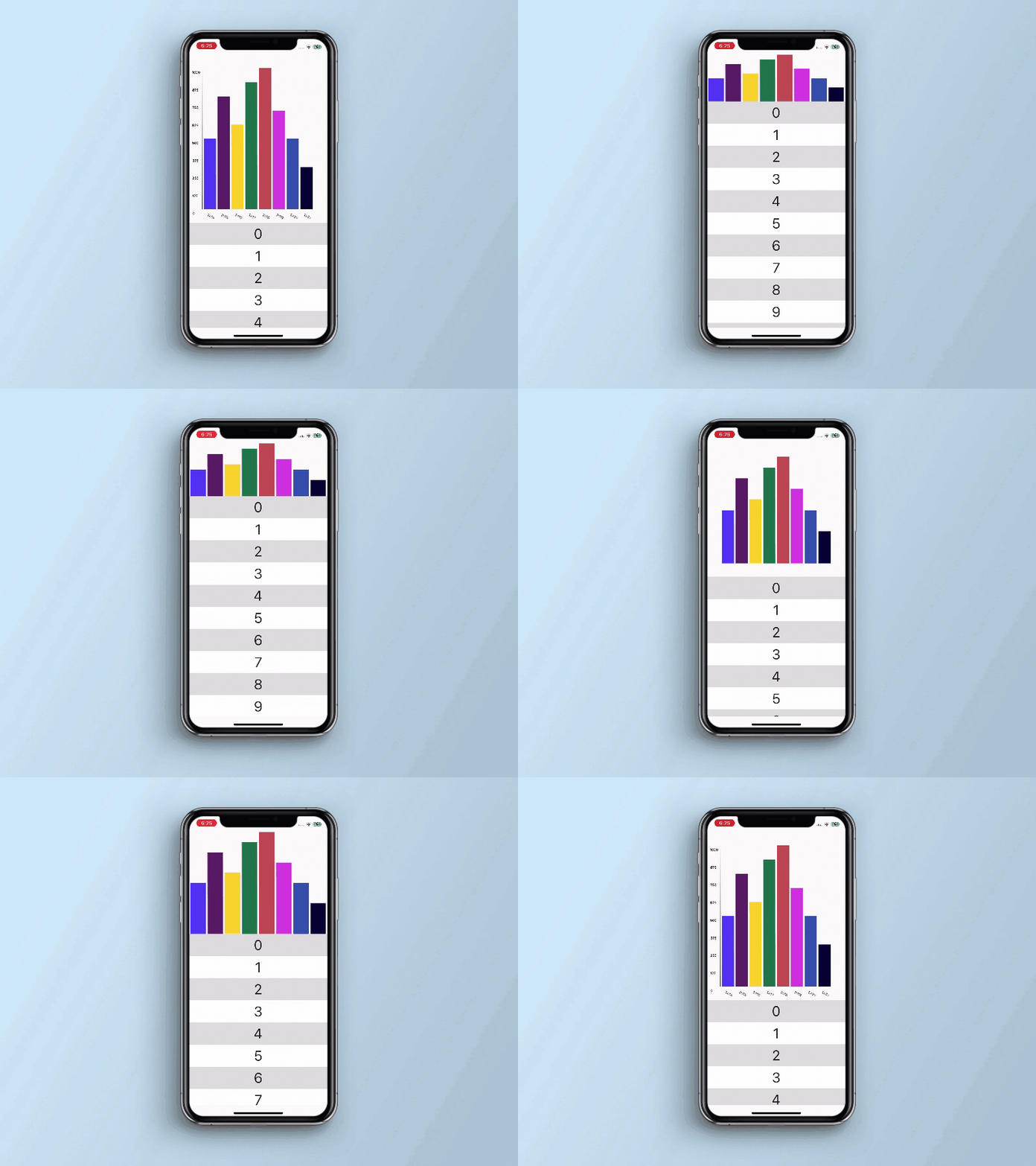
It is Sliver component. Bar chart work with sliver animation on expand and collapse. It is an independent component that allows you to set data for the chart with the configuration of Sliver.
Key Features
easy way to add bar chart in a Sliver.
used to set a bar chart as a Sliver Header.
Preview
Basic Usage
Import it to your project file
import 'package:sliver_bar_chart/sliver_bar_chart.dart' ;
And add it in its most basic form like it:
SliverBarChart(
barWidget: BarChartWidget(
minHeight: 100.0 ,
maxHeight: 1000.0 ,
barValues: [
BarChartData(
x: '2022' ,
y: 500.0 ,
barColor: Colors.blue ,
) ,
],
isScrolling: true ,
),
);
Required parameters of SliverBarChart
Parameter
Description
BarChartWidget barWidget
Used to paint bar chart using custom painter
Optional parameters of SliverBarChart
Parameter
Default
Description
bool restrain
false
Whether to stick the header to the start of the viewport once it has reached its minimum size
bool scrolling
-
Whether sliver is scrolling or not
List heightArray
[50.0, 78.0, 90.0, 67.0, 36.0]
The array of height for generating the bars of the Bar Chart
double maxWidth
75.0
The maximum width dimensions of the sliver
double minHeight
30.0
The minimum height dimensions of the sliver
double maxHeight
175.0
The maximum height dimensions of the sliver
bool fluctuating
false
Whether the header should immediately grow again if the user reverses scroll direction
Required parameters of BarChartWidget
Parameter
Description
double minHeight
The minimum height dimensions of the BarChartWidget
double maxHeight
The maximum height dimensions of the BarChartWidget
List barValues
hold the list of bar chart data
bool isScrolling
Whether sliver is scrolling or not
Optional parameters of BarChartWidget
Parameter
Default
Description
int yAxisIntervalCount
5
Used to set interval point on Y axis
double xAxisTextRotationAngle
0.0
Used to set X axis text on a rotation angle in case of larger text
Required parameters of BarChartData Model Class
Parameter
Description
String x
a text that visible on Bar Chart X axis
double y
a value that visible on Bar Chart Y axis
Optional parameters of BarChartData Model Class
Parameter
Default
Description
Color barColor
Colors.grey
used to set color of the bar
Guideline for contributors
Contribution towards our repository is always welcome, we request contributors to create a pull
request for development.
Guideline to report an issue/feature request
It would be great for us if the reporter can share the below things to understand the root cause of
the issue.
Library version
Code snippet
Logs if applicable
Device specification like (Manufacturer, OS version, etc)
Screenshot/video with steps to reproduce the issue
Library used
LICENSE!
sliver_bar_chart
is MIT-licensed.
Let us know!
We’d be really happy if you send us links to your projects where you use our component. Just send an
email to sales@mindinventory.com And do let us know if you have any questions or suggestion
regarding our work.









 v0.0.1