
 v0.0.1
in_app_idle_detector
Um plugin do Flutter para detectar inatividade do usuário (ocioso) em todas as plataformas.
6Curtidas 167Downloads em 30 dias150Pontos Pub
AndroidiOSWebmacOSWindowsLinux
Um plugin leve do Flutter que detecta o **estado de inatividade do usuário (modo ocioso)** em todas as plataformas: Android, iOS, Web, Windows, macOS e Linux. Perfeito para aplicativos bancários, painéis seguros ou qualquer app que precise reagir quando o usuário ficar inativo.

{"sdk":"flutter"}{"sdk":"flutter"}^1.0.0^2.0.2{"sdk":"flutter"}^5.0.0Texto original em inglês. Visite o GitHub para a versão atual.
Pub Version License Platform
A lightweight Flutter plugin that detects user inactivity (idle state) across all platforms: Android, iOS, Web, Windows, macOS, and Linux.
Perfect for banking apps, secure dashboards, or any app that needs to react when the user goes idle.
dependencies:
  in_app_idle_detector: ^0.0.1
DEMO DEMO DEMO DEMO
void main() {
  runApp(MyApp());

  InAppIdleDetector.initialize(
    timeout: Duration(seconds: 10), // Set your own duration
    onIdle: () {
      // Called when user goes idle
      print("User is idle");
    },
    onActive: () {
      // Called when user becomes active again
      print("User is active");
    },
  );
}
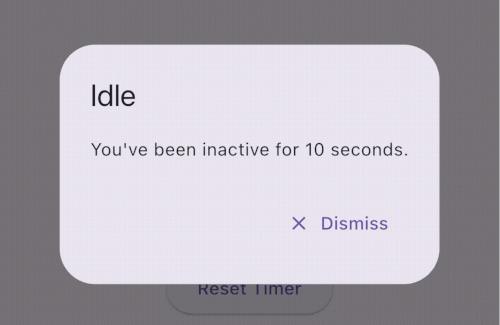
showDialog(
  context: navigatorKey.currentContext!,
  builder: (_) => AlertDialog(
    title: Text("Idle Warning"),
    content: Text("You've been inactive for 10 seconds."),
    actions: [
      TextButton(
        onPressed: () {
          Navigator.of(navigatorKey.currentContext!).pop();
        },
        child: Text("Dismiss"),
      ),
    ],
  ),
);
InAppIdleDetector.pause();  // Stop tracking temporarily
InAppIdleDetector.resume(); // Resume tracking
InAppIdleDetector.reset();  // Manually reset idle timer
final timeLeft = InAppIdleDetector.remainingTime;
final idleStatus = InAppIdleDetector.isIdle;
🔒 Auto-logout after inactivity (e.g., in banking apps)
🔐 Lock screen on desktops after idle
⏱️ Countdown timers for session expiration
📉 Inactivity analytics and user behavior tracking
| Platform | Supported |
|---|---|
| ✅ Android | Yes |
| ✅ iOS | Yes |
| ✅ Web | Yes |
| ✅ Windows | Yes |
| ✅ macOS | Yes |
| ✅ Linux | Yes |
Method Description initialize(...) Starts the idle detection system reset() Resets the timer (e.g. after activity) pause() Temporarily disables tracking resume() Resumes tracking isIdle Returns true if currently idle remainingTime Returns Duration until next idle trigger
Always use navigatorKey.currentContext for dialogs to ensure it works from anywhere. You can build a visual countdown using remainingTime and a Timer.periodic.
If you find this plugin helpful, consider supporting its development:
Your support is greatly appreciated!
Feel free to open an issue if you encounter any problems or think that the plugin is missing some feature.
sheth02parth1299@gmail.com
Created by Parth Sheth 🧠 Contributions, stars, and feedback are welcome!