
 v0.8.0
transformable_list_view
Widget que estende o ListView padrão com a capacidade de adicionar animações de transformação de itens conforme sua posição de rolagem
133Curtidas 221Downloads em 30 dias150Pontos Pub
AndroidiOSWebmacOSWindowsLinux
Widget que estende o ListView padrão com a capacidade de adicionar animações de transformação de itens conforme sua posição de rolagem

{"sdk":"flutter"}{"sdk":"flutter"}^5.0.0Texto original em inglês. Visite o GitHub para a versão atual.
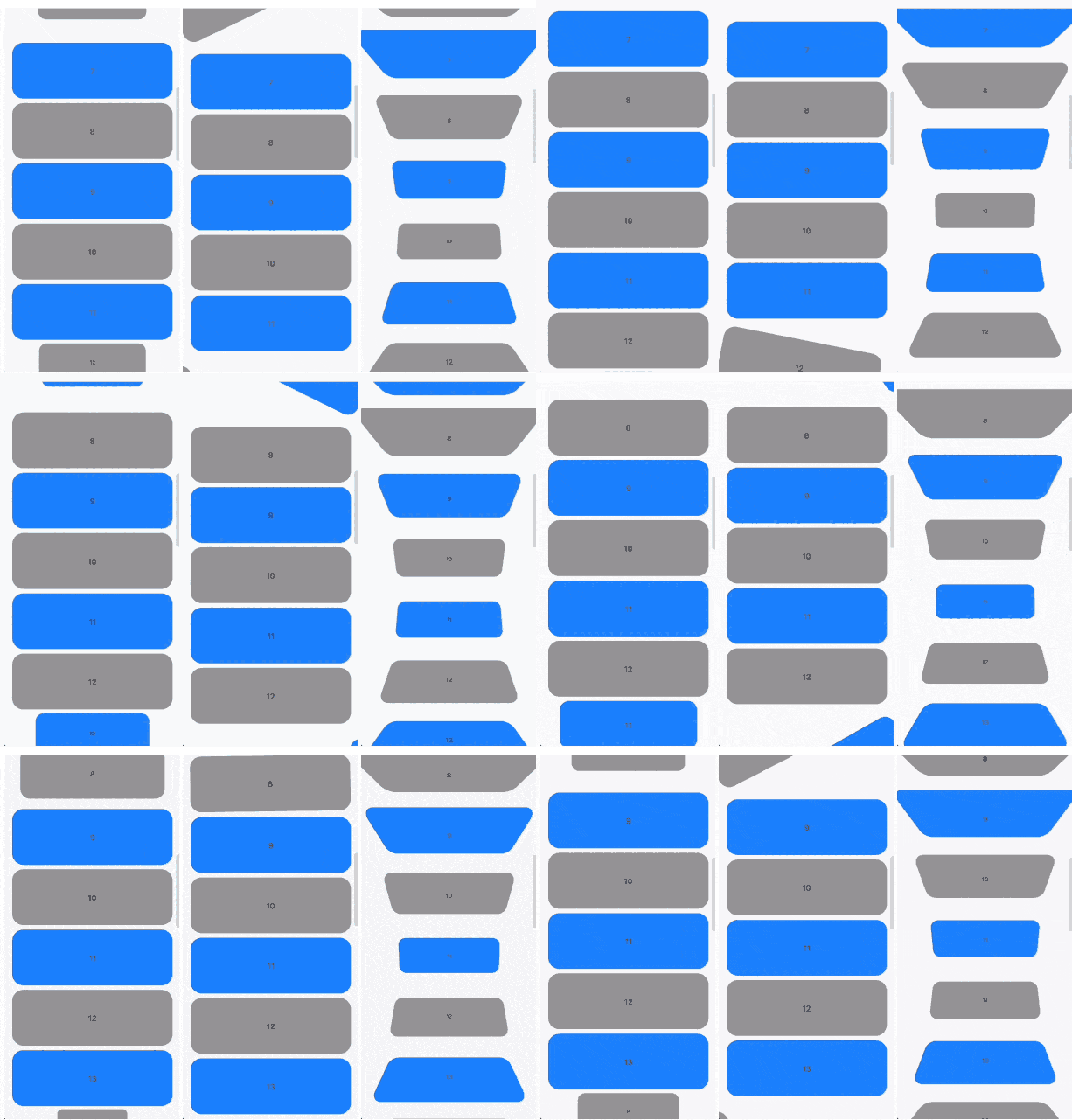
Scrollable widgets with easily customizable transform animations.
https://user-images.githubusercontent.com/41484688/170032010-045cc3f1-4ead-407f-8312-c23e66aebb04.gif https://user-images.githubusercontent.com/41484688/170032206-bbef634c-43f0-4e17-8dd4-45f2d82ecc58.gif https://user-images.githubusercontent.com/41484688/170032220-ea27aa73-a754-4cb0-9676-d9acfdf4e5ca.gif
The package contains 3 widgets:
TransformableListView that extends ListViewTransformableSliverList that extends SliverListTransformableSliver that extends SliverToBoxAdapterEach of then has getTransformMatrix callback. In the callback you need to return Matrix4 that represetns transormation of the child at the current moment. If you don't need any transformations you can simply return Matrix4.identity().
In getTransformMatrix callback you receive TransformableListItem with the data about list item:
Offset offset is main axis offset of the child. By default (with vertical, non reversed scroll view) offset.dx is always 0 while offset.dy is the distance between top edge of the child and top edge of the viewport.Size size is the child size received from its RenderBox.SliverConstraints constraints describes the current scroll state of the viewport from the point of view of the sliver receiving the constraints.int? index is the index of the child. Will be null when using TransformableSliver.TransformableListItemPosition position is child position on the main axis viewport. Can be .topEdge, .middle or .bottomEdge.double visibleExtent is currently visible portion of item. For example, if item is hidden it will be 0 while it's completely displayed will equal to size.height or size.width depending on axis.First you need to add TransformableListView where you need transformations
TransformableListView.builder(
  getTransformMatrix: getTransformMatrix,
  itemBuilder: (context, index) {
    return Container(
      height: 100,
      margin: const EdgeInsets.symmetric(
        horizontal: 16,
        vertical: 4,
      ),
      decoration: BoxDecoration(
        color: index.isEven ? Colors.grey : Colors.blueAccent,
        borderRadius: BorderRadius.circular(20),
      ),
      alignment: Alignment.center,
      child: Text(index.toString()),
    );
  },
  itemCount: 30,
),
Second you need to implement getTransformMatrix callback
Matrix4 getTransformMatrix(TransformableListItem item) {
  /// final scale of child when the animation is completed
  const endScaleBound = 0.3;

  /// 0 when animation completed and [scale] == [endScaleBound]
  /// 1 when animation starts and [scale] == 1
  final animationProgress = item.visibleExtent / item.size.height;

  /// result matrix
  final paintTransform = Matrix4.identity();

  /// animate only if item is on edge
  if (item.position != TransformableListItemPosition.middle) {
    final scale = endScaleBound + ((1 - endScaleBound) * animationProgress);

    paintTransform
      ..translate(item.size.width / 2)
      ..scale(scale)
      ..translate(-item.size.width / 2);
  }

  return paintTransform;
}
You can implement your own callback or check more at /example folder.
You can read more about matrix transfomations in Flutter here. Any feedback and PRs are welcome.
Developed by TBR Group.