Buscar categorias, pacotes e repositórios

Repositório GitHubTNorbury/flutter-fader

flutter-fader

Um widget simples do Flutter que permite desvanecer seus filhos, tornando-os invisíveis e inutilizáveis, até você reavivá-los.

Capa do projeto flutter-fader
Estrelas
2
Forks
0
Último push (UTC)
24 de ago. de 2022
Status do projeto
Ativo

README original

Texto original em inglês. Visite o GitHub para a versão atual.

flutter_fader

pub package codecov style: flutter lints License: MIT

A widget for Flutter that allows you to fade in and out a child widget.
When a widget is faded out it is no longer in the view tree. Meaning that it can't be used or interacted with. Handy for hiding buttons.
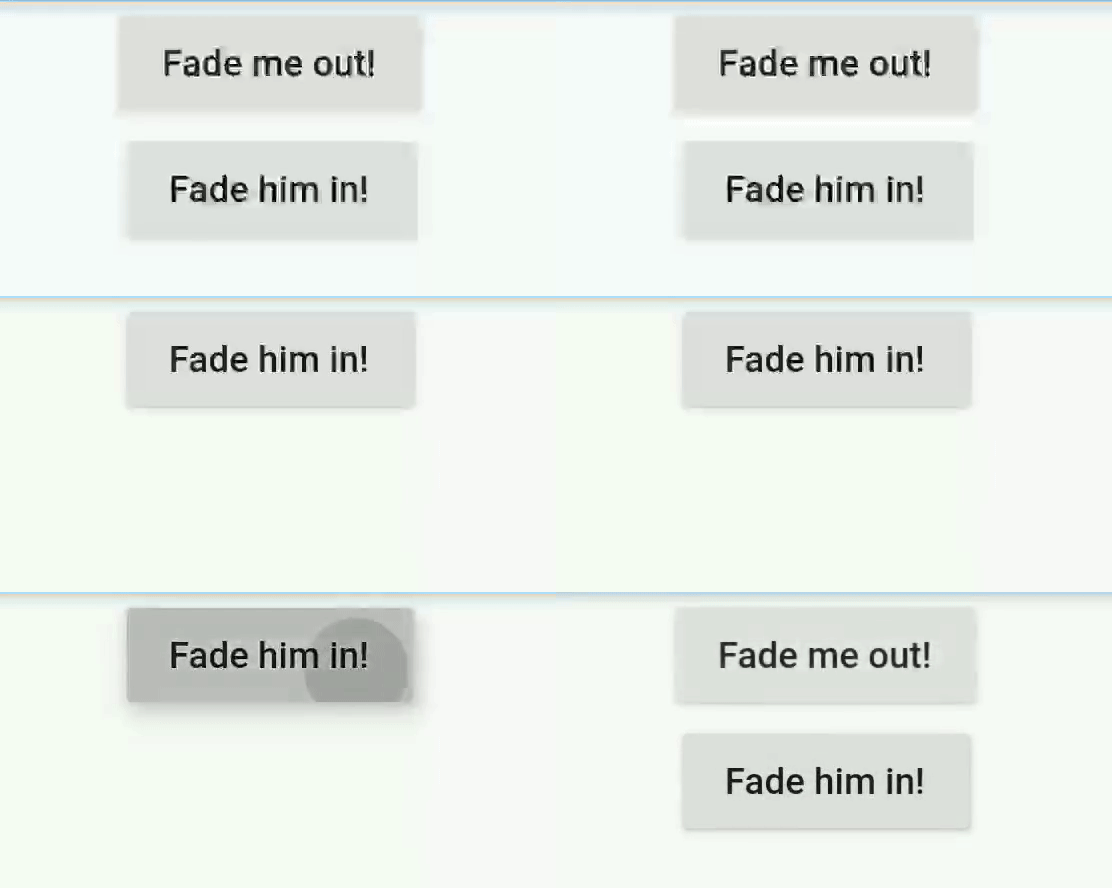
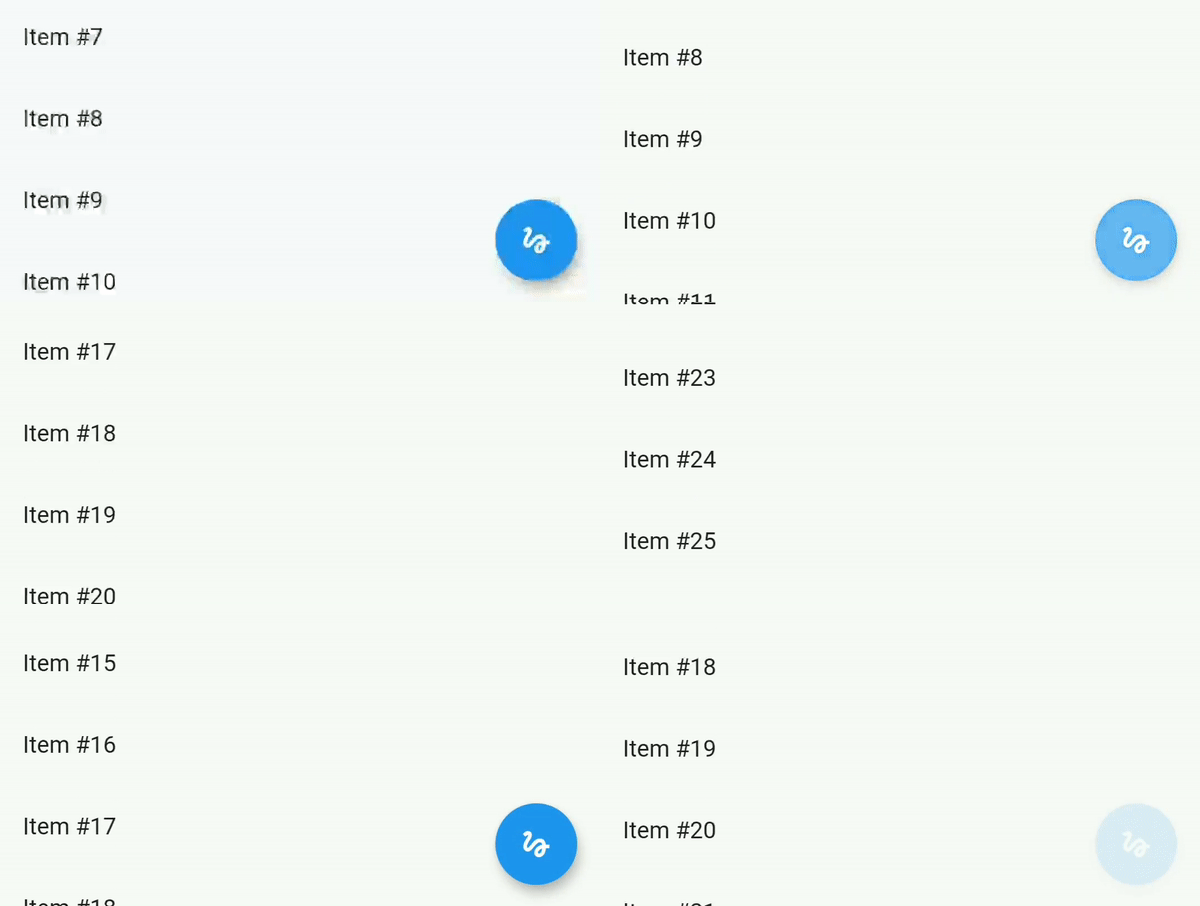
Example of fader with buttons Example of fader with scroll

Getting started

In your Flutter project, add the package to your dependencies

dependencies:
  ...
  flutter_fader: ^2.0.0

Usage example

Examples of how to use the widget, and that can also be ran on your device, can be found in the example directory

Import the fader package

import 'package:flutter_fader/flutter_fader.dart';

Create a fader controller, this allows you to control when the Fader fades in or out

FaderController faderController = new FaderController();

Create a fader widget, and pass it the fader controller

Fader(
  controller: faderController,
  duration: const Duration(milliseconds: 50),
  child: Text("Hello, world!"),
)

Now you can fade the child widget in and out at will

faderController.fadeOut();
faderController.fadeIn();

Tyler Norbury GitHub avatar
Autor no GitHub

Tyler Norbury ↗

Head of Mobile Development at @vakaros

@vakarosUK
LinguagensDart

Categorias

Pacotes publicados por este repositório

Dependências usadas

Lista de dependências 3 itens

  • flutter{"sdk":"flutter"}
  • flutter_lintsDesenvolvimento^2.0.1
  • flutter_testDesenvolvimento{"sdk":"flutter"}

Como escolher um repositório para seu projeto?

Filtre pelo caso de uso, compare a atividade e confira o projeto original antes de adotá-lo.

  1. Busque por nome, autor ou descrição e filtre por tema.
  2. Compare estrelas, forks e envios recentes. Estrelas indicam interesse, mas não garantem qualidade.
  3. Confira o README, a licença e as issues no GitHub antes de usar o projeto.

Fontes e manutenção

“A repository is the most basic element of GitHub.”

GitHub Docs — About repositories ↗